 A bicycle kick under stadium lights, spray frozen mid-air, 40,000 fans melting into bokeh: the frame a sports photographer waits a season for. One text prompt, one API call.
TL;DR
- Seedream 5.0 Pro is live on Mesh API as
bytedance/seedream-5.0-pro, at $0.11 per image (effective 2026-07-23). It's the standard OpenAI images endpoint, so integration is a two-line change. - The shot above is the easy part. Photorealism is a solved problem across every serious model now. What separates a usable model from a demo is the unglamorous work: legible copy, layouts that hold, and brands that stay consistent. That's where most models fall apart, and where Seedream 5.0 Pro earns its place.
- Five jobs companies pay designers for, each a raw first render: an out-of-home ad, a full brand-guidelines system, a premium app UI, an e-commerce campaign shot, and an editorial infographic.
- The economic unlock is variant generation. On-brand creative at $0.11 each means 1,000 tested or localized variants for $110, produced in a
forloop instead of a design queue. - It's not just one-shot generation. It also does grounded editing, reference-guided generation (same product, any scene), in-image text in ~14 languages, and 2K output — all through the same key. Demos below.
Look at the hero image again. That's an overhead bicycle kick, caught at the instant of contact, water and torn grass frozen in the floodlights, a full stadium dissolved into bokeh behind the player. It's the kind of frame a sports photographer burns a season of Saturdays to catch: the right lens, the right shutter, the right one-in-ten-thousand moment. Seedream 5.0 Pro produced it from a single sentence.
And that's the unremarkable part. Every frontier image model can render a convincing photograph now. Photorealism stopped being a differentiator a year ago.
The question that actually matters to someone building a product is whether a model can do the boring, hard things: spell the words right, hold a layout together, and keep a logo identical across ten assets. That's the line between "generate a nice picture" and "generate the thing my marketing team was going to brief an agency for." Below are five jobs a real product team ships, each one prompt, one call, no edits.
1. Out-of-home and ad creative: copy that survives in the wild
For creative agencies, DOOH platforms, and growth teams.
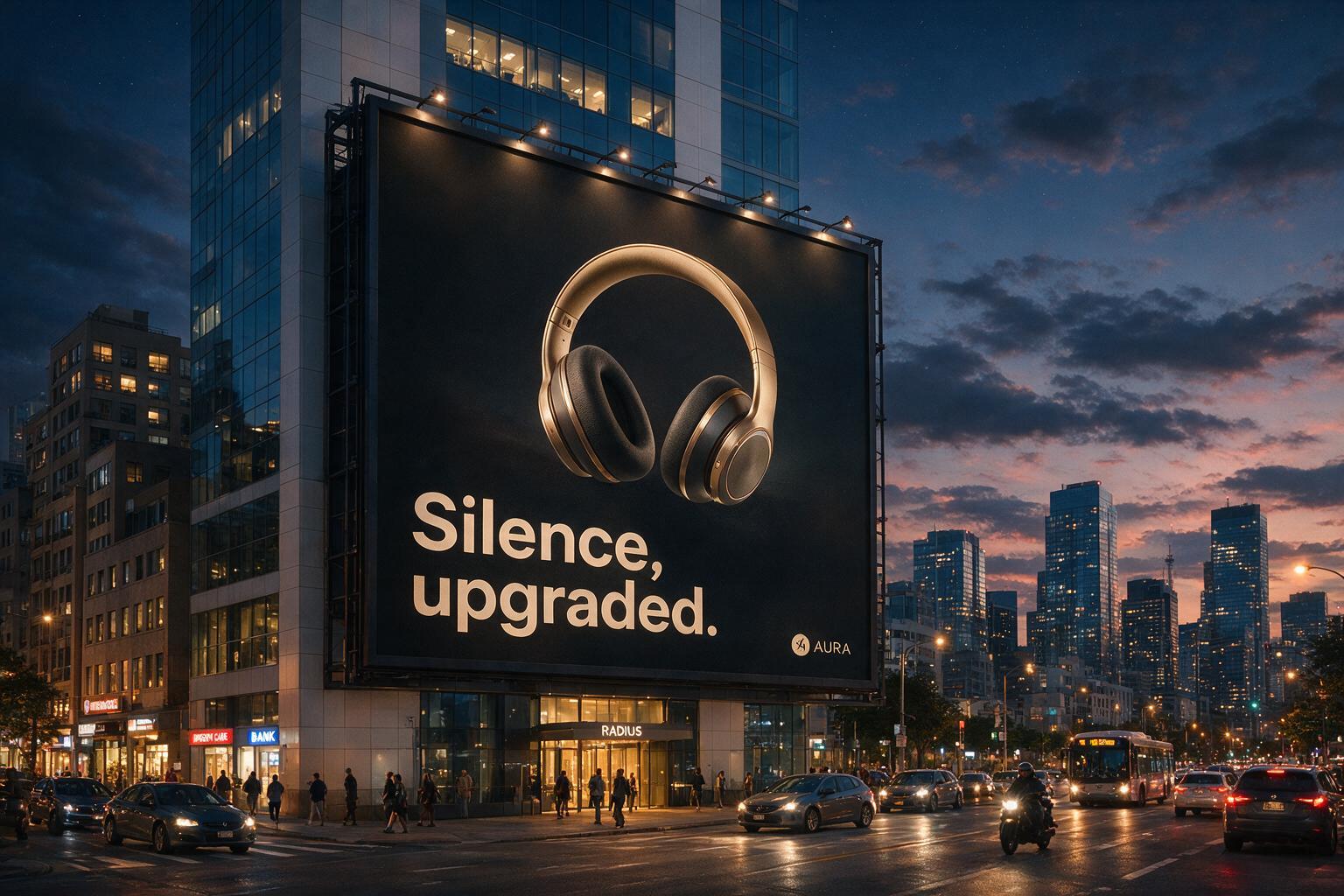 An OOH ad rendered in context: legible headline and logo on a billboard at an angle, in a cinematic street scene.
An ad is the hardest text test there is. The copy has to render cleanly and sit convincingly on a real-world surface, at an angle, lit by a real scene. Here the headline ("Silence, upgraded.") and the brand mark are both legible on a billboard photographed from the street at dusk.
This is the highest-leverage use case for an image API, because ad performance is a numbers game. You test dozens of headlines, audiences, and locales. Parametrize the prompt, loop over your copy matrix, and generate the whole test set programmatically:
for headline, market in campaign_matrix: client.images.generate( model="bytedance/seedream-5.0-pro", prompt=f'Billboard on a city building at dusk, headphones ad, ' f'headline "{headline}", brand logo "AURA", localized for {market}', size="1536x1024", )At $0.11 each, a 500-variant campaign sweep costs $55, versus a week and a purchase order.
2. Brand identity: a full guidelines system, not a logo
For agencies and founders who need a credible brand, fast.
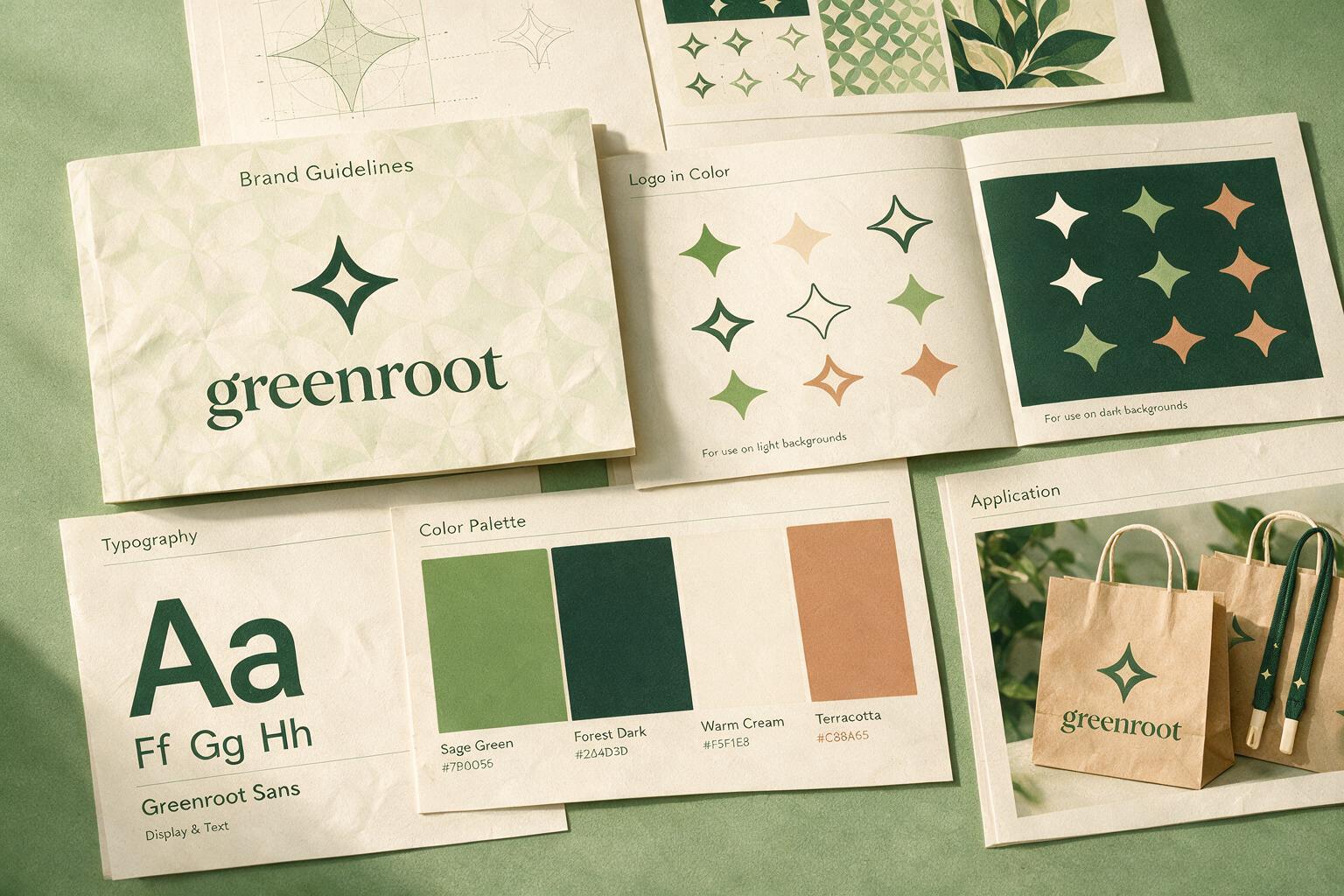 A full brand-guidelines system: cover, logo variations, typography, palette with hex codes, and applications, as one coherent set from a single prompt.
A brand isn't a logo. It's a system: a cover, logo-in-color rules, typography specimens, a labeled palette with hex codes, and real-world applications, all speaking the same visual language across pages. Generating that coherence is a much harder test than any single image, because every page has to belong to the same brand and carry legible, structured text.
For an agency pitching directions on a Friday, or a founder who needs a credible identity before the deck, this collapses the first pass from days to a prompt. You're not shipping the final brand book from an API. You're generating the ten concepts you used to pay for, then refining the one that lands.
3. Product UI: premium interfaces that read correctly
For product and design teams shipping polished mockups.
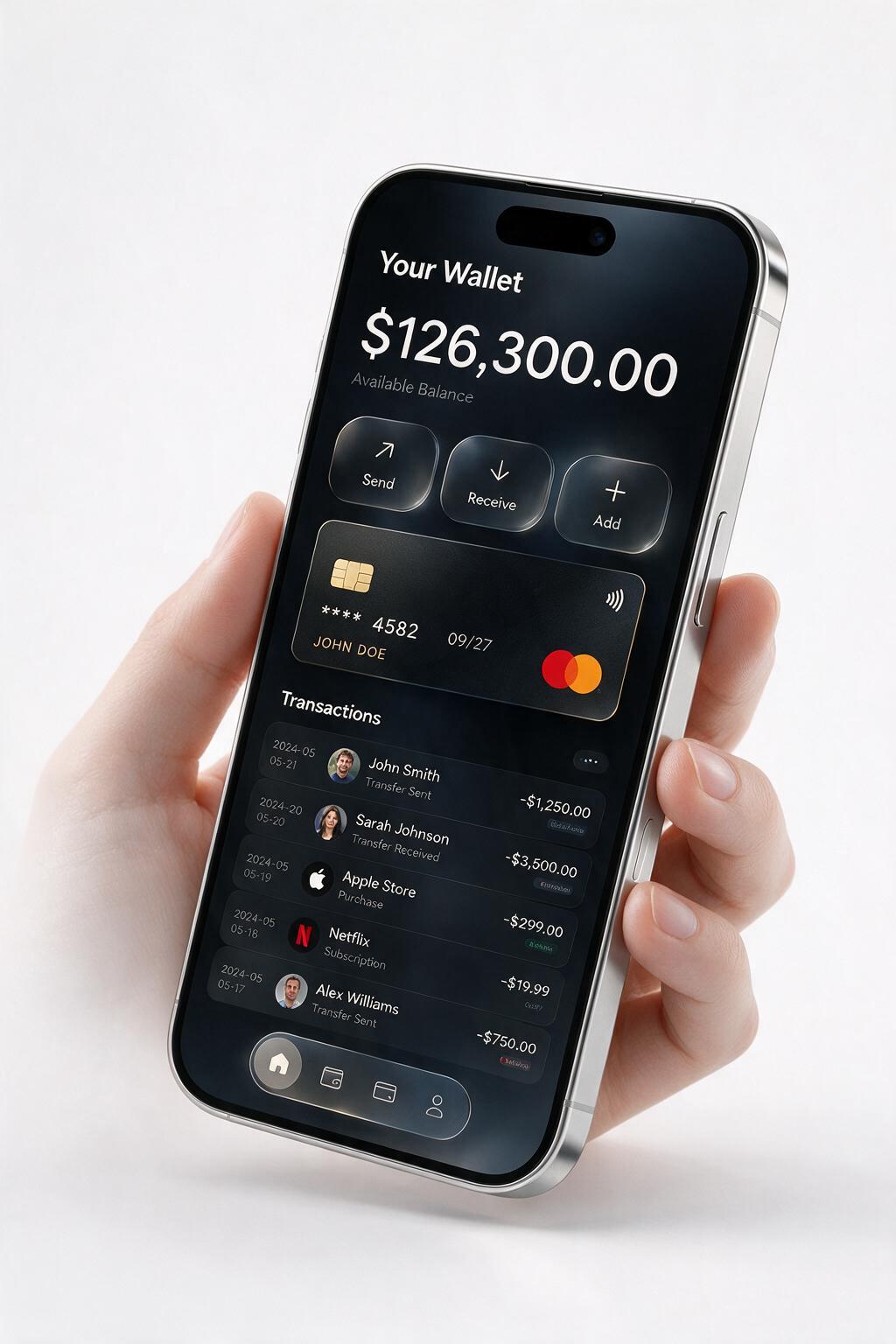 A premium dark-mode fintech UI with glassmorphism, a real balance figure, and a legible transactions list, on a studio-rendered device.
UI is brutal: dense small text, real numbers, labels, and iconography that all have to be legible and aligned, wrapped in a device render with believable depth and reflections. A garbled balance or a nonsense transaction row breaks the illusion instantly. Here the wallet balance, the action buttons, and the transaction list all read cleanly in a premium dark, glassmorphic style.
For teams that need App Store feature graphics, landing-page hero shots, or high-fidelity concept mockups, generating a clean, readable, designed interface from a prompt beats faking a device frame in Figma. It's also a fast way to visualize a feature before you build it.
4. E-commerce: packaging as a campaign, not a catalog shot
For DTC and e-commerce creative teams.
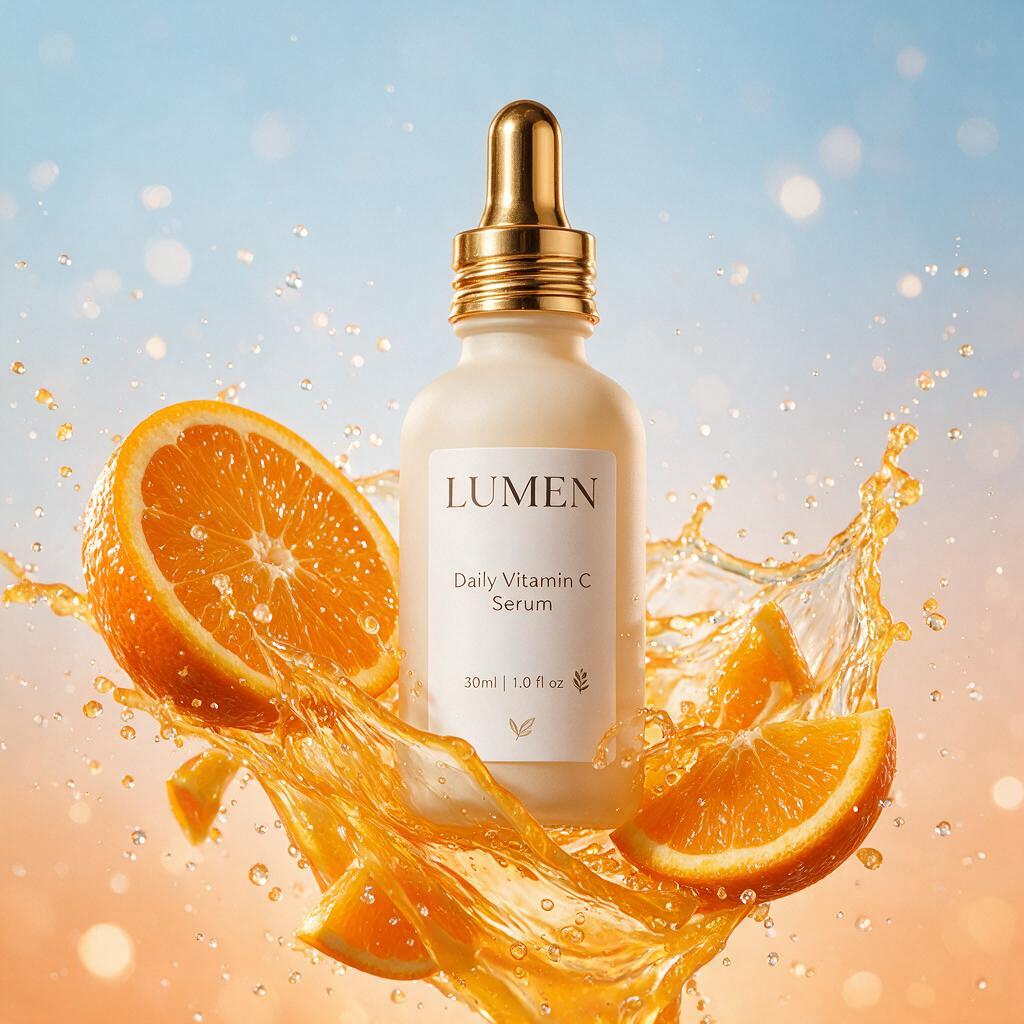 Packaging turned into a campaign: legible brand and tagline on the bottle, citrus splash and motion frozen around it, commercial ad energy.
Text on a product surface is hard. Making that product shot feel like a campaign, with motion, splash, energy, and dramatic light, is harder. Here the "LUMEN" brand and "Daily Vitamin C Serum" tagline stay legible on the bottle while orange slices and juice freeze mid-air around it.
For a DTC catalog, this means generating not just clean product shots but full advertising compositions on demand: a new SKU, a seasonal push, a promo variant, without a studio, a food stylist, or a shoot. Combine it with the image-input mode (below) and the same bottle stays consistent across the entire line.
5. Content and DevRel: editorial infographics
For DevRel and content teams producing shareable assets.
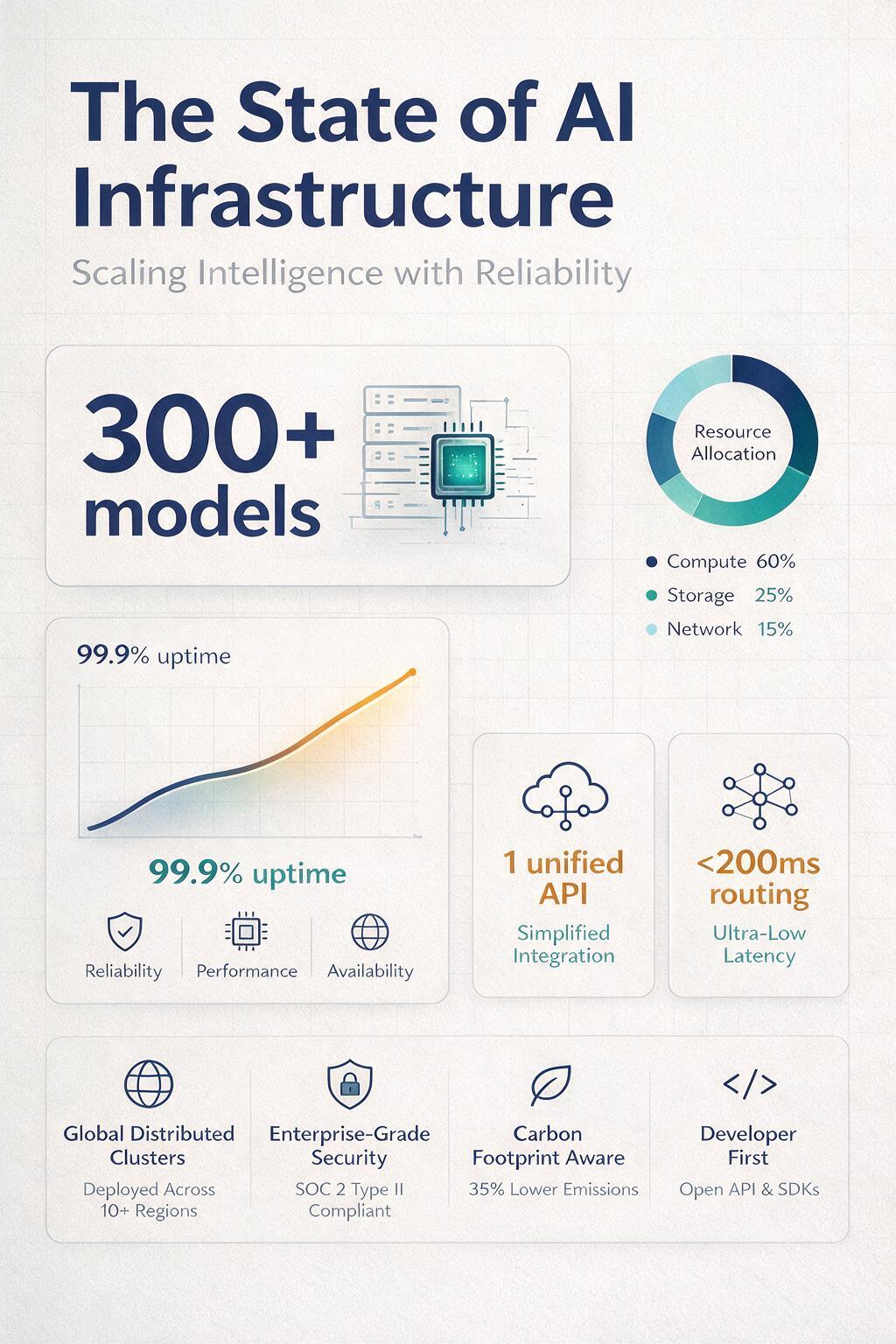 A designed infographic with a title, a hero stat, chart elements, and callouts: structured data-visualization, not a template.
An infographic is text-first and structure-heavy: a title, a hero stat, chart elements, callouts, and hierarchy, arranged with the whitespace and typographic discipline of a design studio. This is where "can it render text" becomes "can it render structured text in a designed layout," a far higher bar than a single headline.
For a DevRel or content team, this turns a stat or a launch note into a social-ready graphic without opening a design tool. Feed your real numbers into the prompt and generate the asset inline with the blog post or the release.
The multiplier: image input means brand consistency
Every use case above gets more powerful because of one line in Mesh's catalog: Seedream 5.0 Pro's input modalities are text and image. Seedream 4.5 is text-only.
That means you can hand it a reference (your logo, a product photo, a previous asset) and have it generate around that fixed element instead of re-inventing it every time. For a brand, this is the whole ballgame: the same logo on the ad, the packaging, and the billboard; the same product across a catalog; the same character across a campaign. Text-to-image can't promise that. Text-plus-image can.
Beyond one-shot generation: edit, reference, 14 languages, 2K
The multiplier isn't theoretical. Here it is, four ways — every one reachable through the same key, at the same $0.11 per image.
Edit one thing, keep everything else
Take the LUMEN bottle from earlier. We sent it back with a single instruction: "change only the cap to metallic silver — keep the label, bottle, and splash identical."
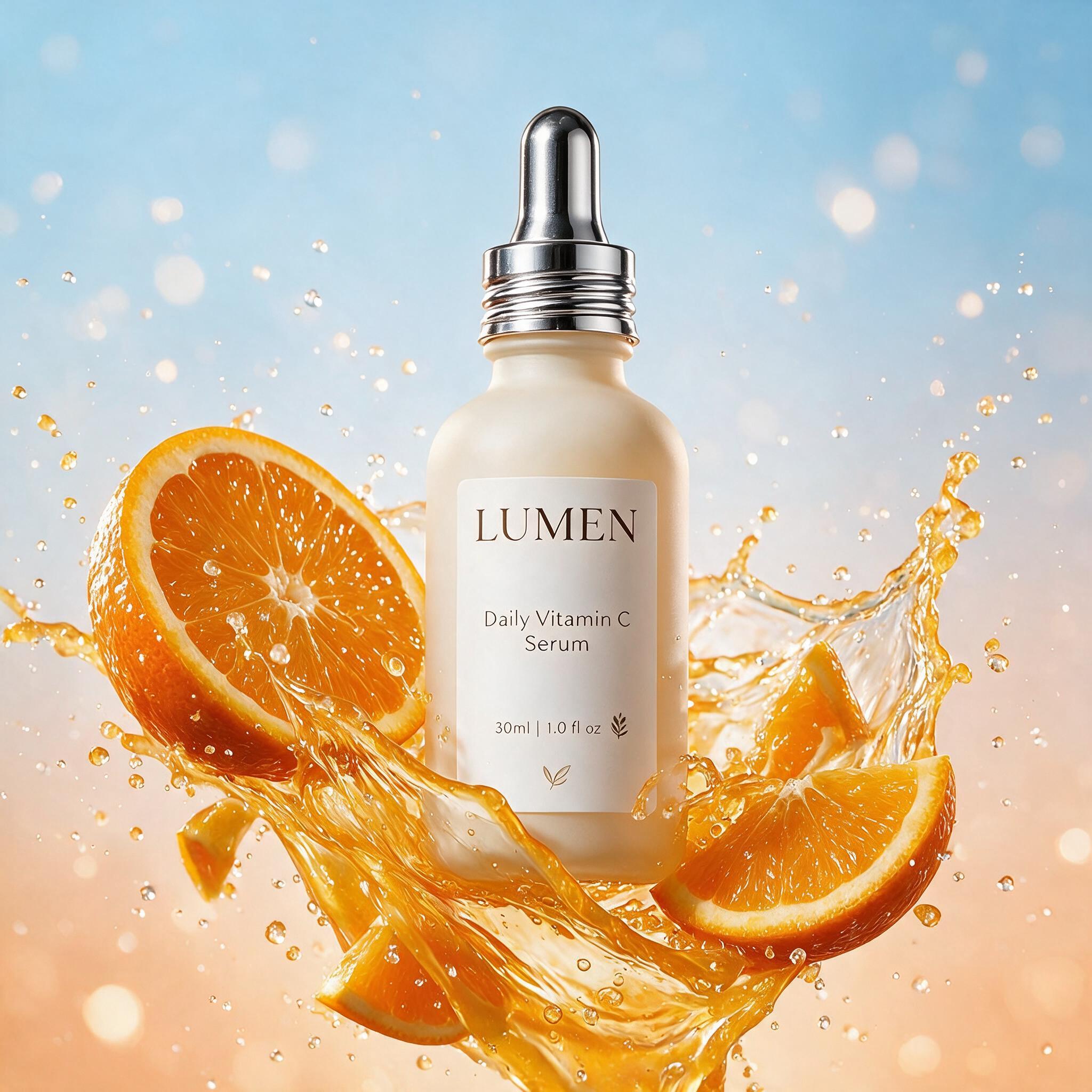 Grounded edit: only the cap changed (gold → silver). The label, bottle, and splash are untouched — a targeted region edit, not a re-roll.
That's a grounded edit: it changed the region you named and left the rest alone, instead of regenerating a new bottle and losing everything you liked. It runs through the /images/edits endpoint. For iterating on real creative — recolor a product, swap a season, fix one word — this is the line between an image API and a design tool.
The same product, any scene
Hand it a reference image and it holds that subject consistent in a brand-new setting:
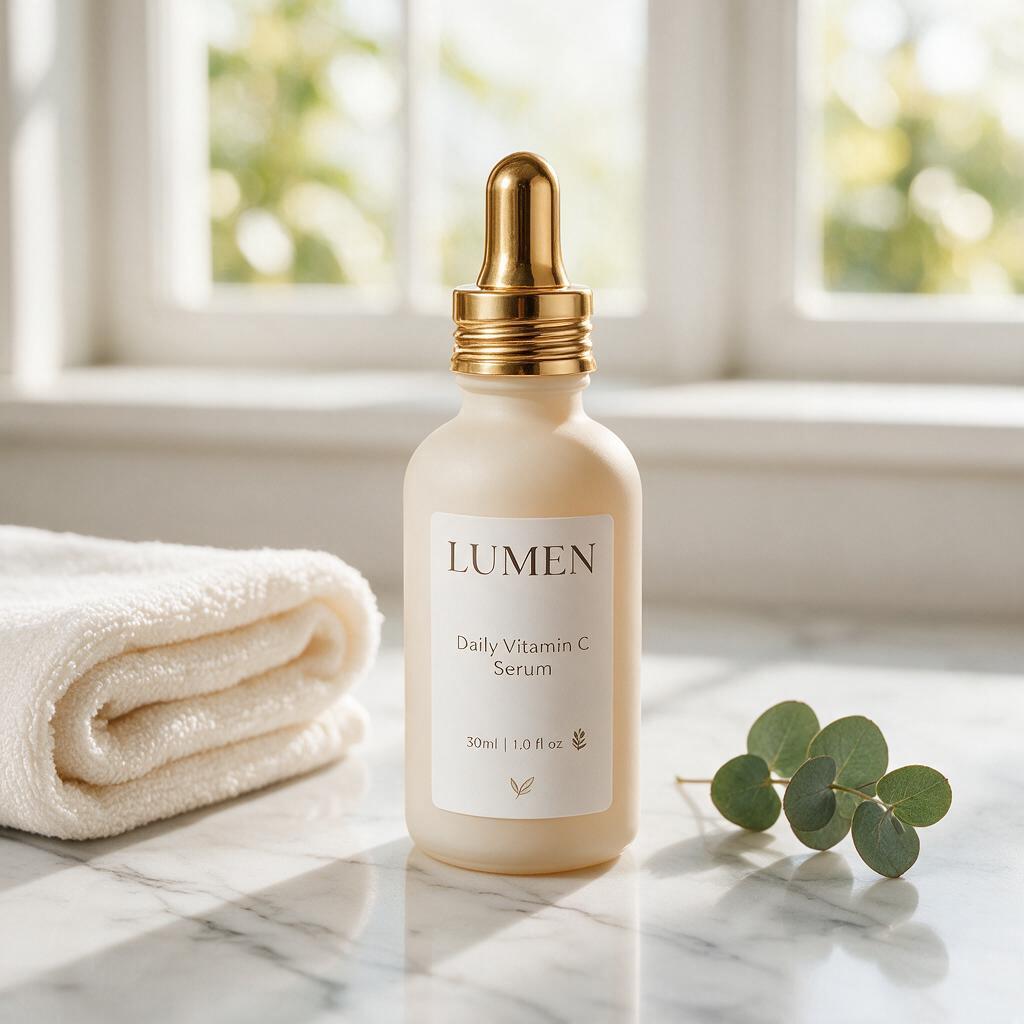 Reference-guided generation: the exact same bottle and label, dropped into a new lifestyle scene — the mechanism behind a consistent product across a whole campaign.
Same bottle, same label; new counter, towel, and light. Feed a logo or a product photo as the reference and it generates around that fixed element. The brand-consistency claim above, shown instead of promised.
One headline, every market
It renders in-image text in ~14 languages — and translates for you. One prompt, three markets:
 Multilingual rendering: the same headline in English, Japanese (沈黙、アップグレード。) and Arabic — translated and typeset correctly, including right-to-left script.
For localized ad creative, that collapses a translate-then-redesign loop into a single call.
2K when the detail matters
Need print or retina? It outputs up to 2K natively:
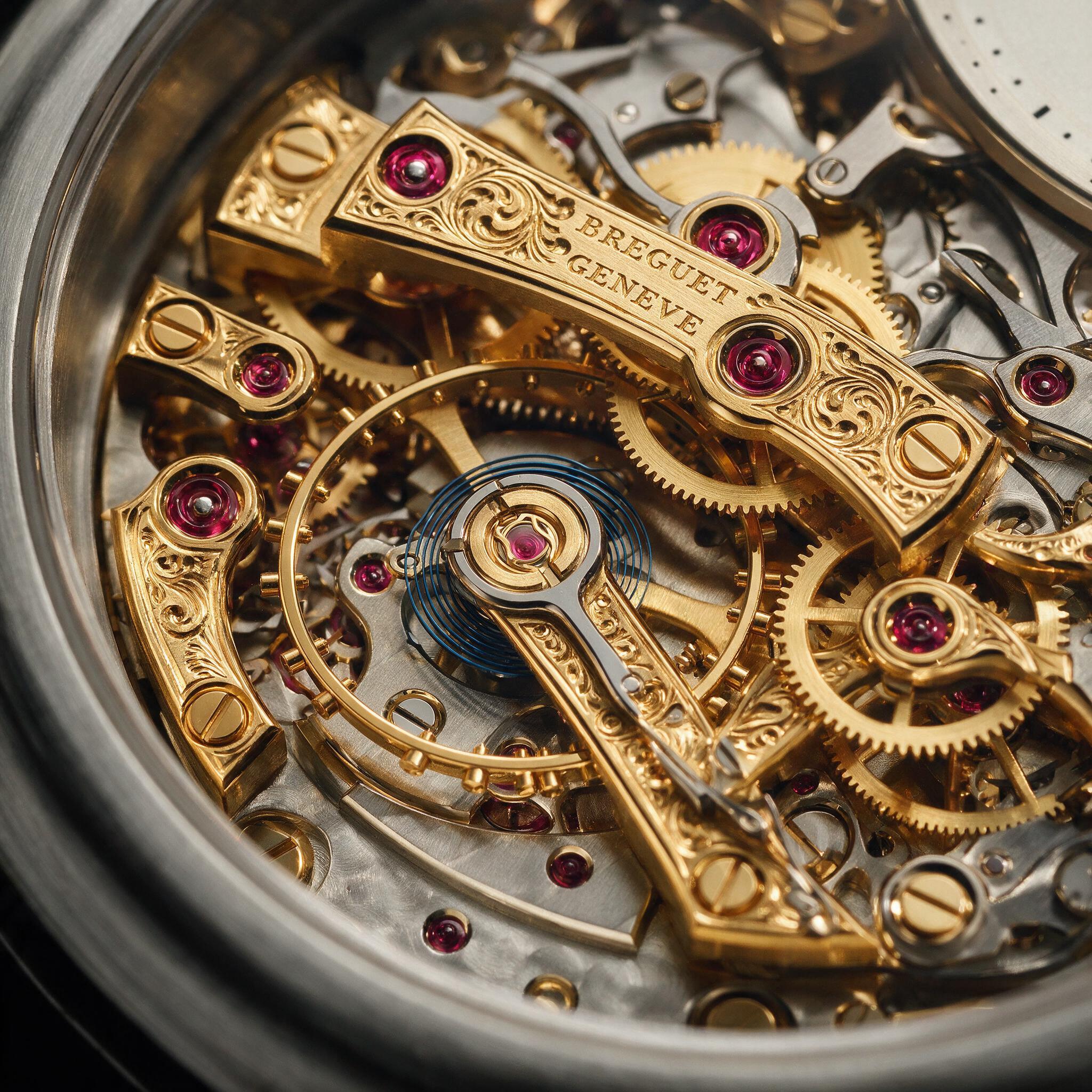 A 2048×2048 render — fine mechanical detail holds up, down to the legible engraving on the bridge.
Same model, same endpoint, same $0.11.
How to call it
It's the standard OpenAI-compatible images endpoint. If you generate images anywhere today, you change two fields, base_url and model, and you're live.
from openai import OpenAI client = OpenAI(base_url="https://api.meshapi.ai/v1", api_key="rsk_your_key") img = client.images.generate( model="bytedance/seedream-5.0-pro", prompt='Billboard on a city building at dusk, headphones ad, ' 'headline "Silence, upgraded.", brand logo "AURA"', size="1536x1024",)print(img.data[0].url)curl https://api.meshapi.ai/v1/images/generations \ -H "Authorization: Bearer rsk_your_key" \ -H "Content-Type: application/json" \ -d '{"model":"bytedance/seedream-5.0-pro","prompt":"brand guidelines system for an eco startup","size":"1536x1024","n":1}'Every image in this post was generated exactly this way. In my run each render returned in roughly a minute. Routing image models through a single gateway follows the same local-first, one-endpoint pattern we use for text models.
The economics of generating assets in a loop
Per-image pricing is what makes the variant use cases viable. Here's how the image models on Mesh compare (prices from the catalog):
| Model | Mesh ID | Price / image | Image input? |
|---|---|---|---|
| Seedream 5.0 Pro | bytedance/seedream-5.0-pro | $0.11 | Yes |
| Imagen 4 Ultra | google/imagen-4-ultra | $0.06 | No |
| Seedream 4.5 | bytedance/seedream-4.5 | $0.04 | No |
| Seedream 4.0 | bytedance-seed/seedream-4.0 | $0.03 | No |
| FLUX.2 Pro | black-forest-labs/flux.2-pro | $0.015 | No |
Run the math on the use cases above:
- 1,000 ad or campaign variants for A/B/n testing: $110.
- A 12-page brand guidelines set (covers, logo lockups, applications): $1.32.
- A 50-screen app-store gallery across locales: $5.50.
The winning pattern is two-tier: explore cheap, finish premium. Generate a wide net of drafts on FLUX.2 Pro ($0.015) or Seedream 4.5 ($0.04), then re-render the winners (the ones with copy, the ones going in front of customers) on Seedream 5.0 Pro. Because every model sits behind one endpoint and one key, promoting a draft to the Pro model is a one-string change, not a new integration. It's the same reason the real cost of a workflow rarely matches its sticker price: what you pay is decided by how you orchestrate calls, not by any single line item.
When Seedream 5.0 Pro is the right call, and when it isn't
- Anything with text (ads, packaging, infographics, UI): Seedream 5.0 Pro. This is its edge.
- Anything you need to keep on-brand across assets: Seedream 5.0 Pro, for the image-input mode.
- High-volume drafts and exploration: start on FLUX.2 Pro or Seedream 4.5, then promote winners.
- Plain photographic stock with no text: the cheaper models are fine. You don't need the premium tier.
FAQ
Can Seedream 5.0 Pro generate ad creative with text? Yes, and it's the standout capability. It renders headlines, taglines, and logos in a designed layout, including on real-world surfaces like a billboard, which is exactly where most image models fail. It's reliable for short, high-value strings; full paragraphs of body text remain unreliable across all current models.
What can developers build with Seedream 5.0 Pro? Ad- and campaign-variant generators, brand-concept tools, app-mockup and store-asset pipelines, e-commerce campaign visualizers, and infographic generators: any workflow that used to require a designer to produce text-in-image assets.
How much does Seedream 5.0 Pro cost? $0.11 per image on Mesh API. That makes variant generation cheap: 1,000 images cost $110, generated programmatically.
How is Seedream 5.0 Pro different from Seedream 4.5? It accepts image input (text + image → image) for editing and brand-consistency workflows, where 4.5 is text-only. It's also priced higher, at $0.11 versus $0.04 per image.
How do I integrate Seedream 5.0 Pro?
Through the OpenAI-compatible images endpoint. Point your client at https://api.meshapi.ai/v1, set the model to bytedance/seedream-5.0-pro, and send a prompt. It's the same code as any other image model.
Can it keep a logo or product consistent across images? Yes, via its image-input mode. Supply a reference image alongside the prompt and it generates around that fixed element, the basis for brand-consistent campaigns.
Every image in this article is an unretouched first render from Seedream 5.0 Pro, generated through Mesh API's /images/generations endpoint. Prompts are quoted inline so you can reproduce them.