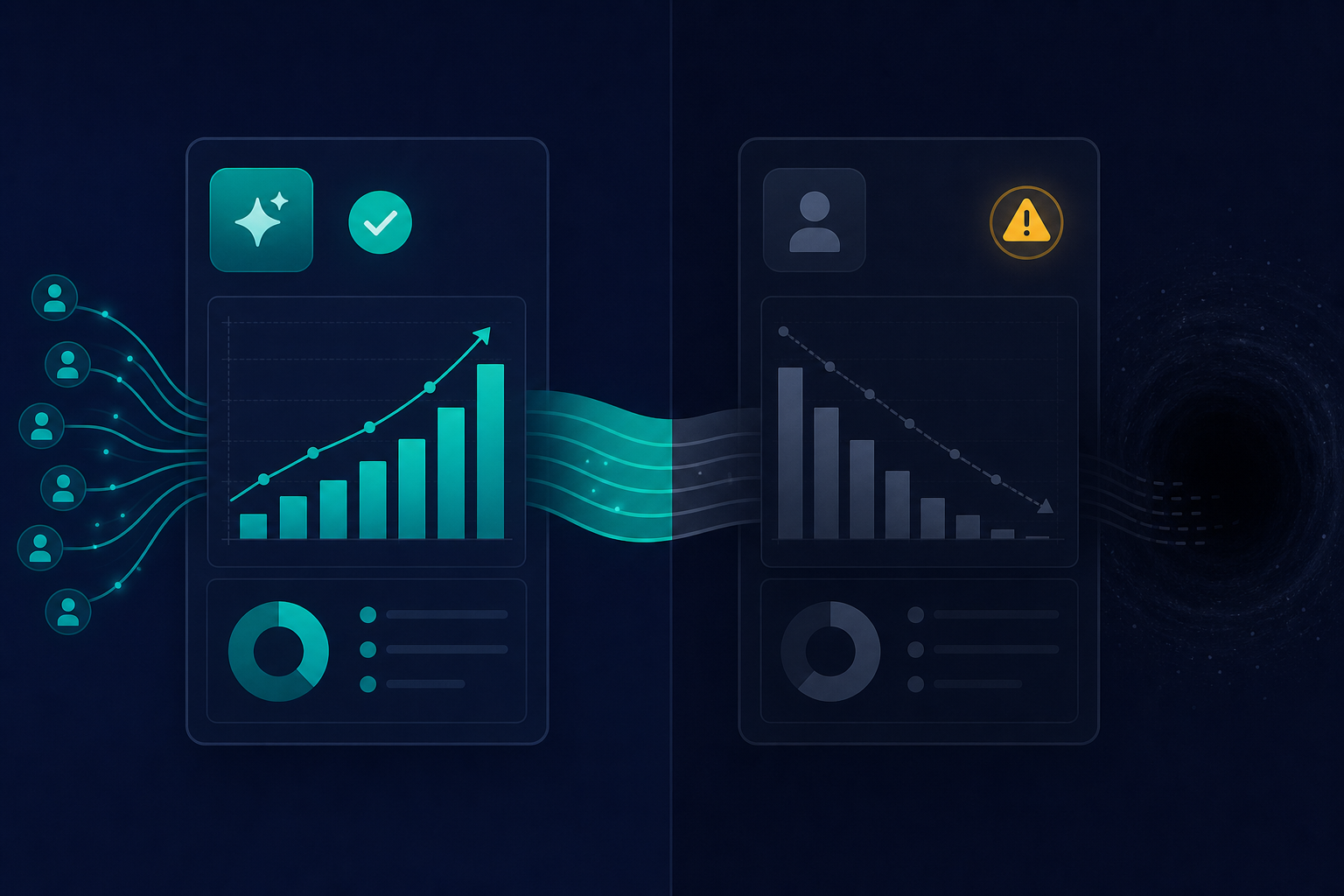
 GA4's new AI Assistant channel captures the clicks. This post explains where the other 40–70% goes.
TL;DR
- GA4 launched a native "AI Assistant" channel on May 13, 2026: it automatically tags ChatGPT, Gemini, and Claude sessions with
medium=ai-assistant,channel=AI Assistant,campaign=(ai-assistant)—zero configuration required (Google Support, "What's new in Google Analytics", 2026). - It's referrer-based, not AI-native: if the referrer header is stripped or masked in transit, the visitor shows up as Direct with no AI signal. Practitioners report this accounts for an estimated 30–70% of ChatGPT traffic depending on platform and browser (Rankeo, "Google Analytics Finally Admits AI Traffic Exists", 2026).
- No native per-tool breakdown: GA4 groups ChatGPT, Claude, and Gemini into one "AI Assistant" row. Seeing them separately requires a custom Exploration with a Session Source regex (Digital Journal, "How to Track AI Traffic in GA4", 2026).
- Non-click citations are invisible: GA4 counts visits, not appearances in AI answers. Your content could appear in 1,000 ChatGPT responses this week—GA4 records zero of the readers who never clicked (Wud, "How to track ChatGPT traffic in GA4", 2026).
- History doesn't backfill: sessions before May 13, 2026 won't get reclassified. Pre-launch AI traffic is permanently buried in Referral or Direct.
- The native channel is a starting point, not the answer: for anything close to reality, layer it with custom regex explorations, UTM-tagged experiments, and server-side logs.
How GA4's New AI Assistant Channel Works
On May 13, 2026, Google shipped an update most analytics teams noticed only when a new row appeared in their acquisition reports: the AI Assistant channel.
No configuration required. When a session's referrer matches a recognized AI assistant, GA4 automatically sets three attributes (Google Support, "What's new in Google Analytics", 2026):
- Medium:
ai-assistant - Channel group:
AI Assistant - Campaign:
(ai-assistant)
To find it: Reports → Acquisition → Traffic acquisition, set the primary dimension to "Default Channel Group," and look for the "AI Assistant" row. The channel appears in Acquisition overview, Traffic acquisition, and User acquisition reports automatically once qualifying traffic arrives (Rankeo, "Google Analytics Finally Admits AI Traffic Exists", 2026).
Before May 13, there was no built-in AI channel. Sessions from ChatGPT, Gemini, and Claude scattered across Referral, Direct, and Organic depending on referrer state and platform behavior. The new channel consolidates them into a single, labeled source. That's a genuine improvement.
But "first-class channel" doesn't mean "accurate measurement."
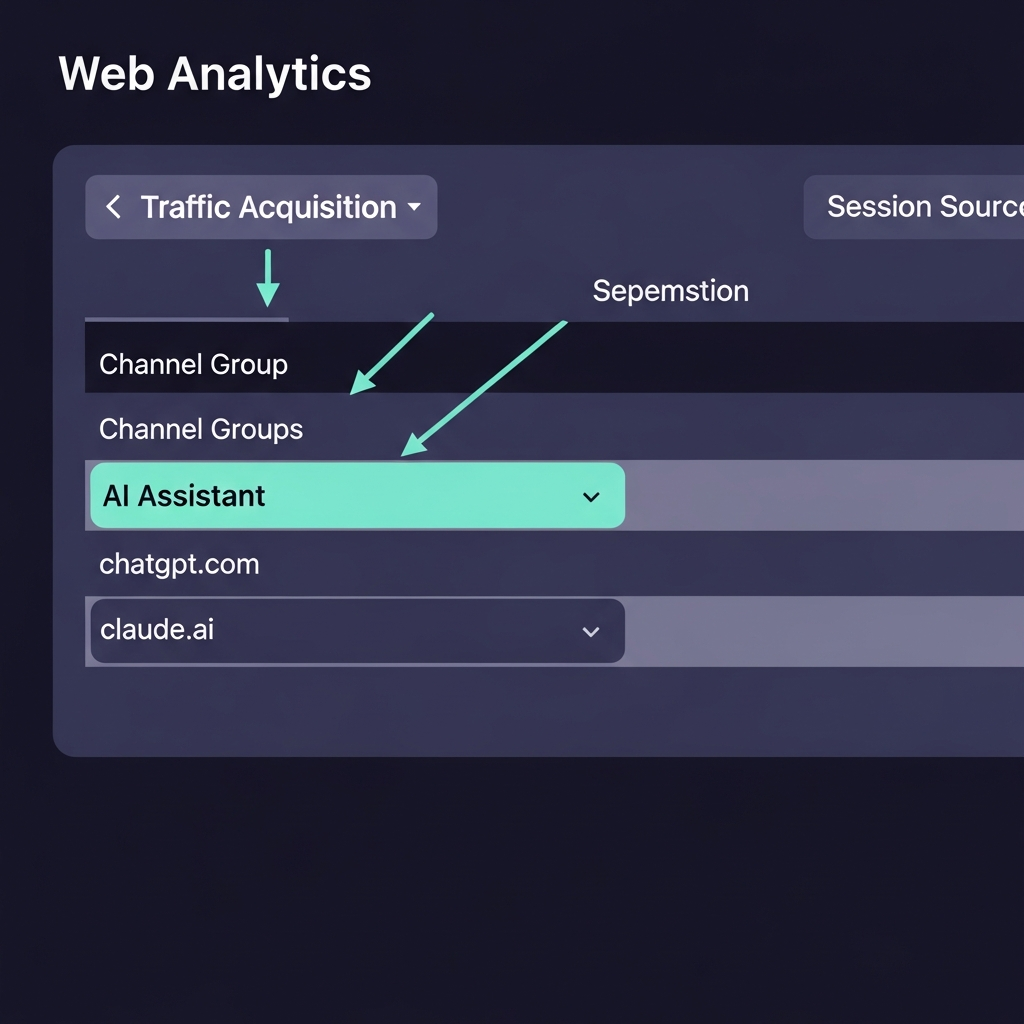 The AI Assistant row in Traffic acquisition. Add 'Session Source' as a secondary dimension to see per-tool breakdown by chatgpt.com, claude.ai, gemini.google.com, etc.
What You Can (and Can't) Measure with the Native Channel
The AI Assistant channel measures direct clicks from recognized AI assistants to your site. That's the entire scope.
It does not measure:
- Non-click citations (AI delivers the answer; the user doesn't click through)
- Sessions where the referrer was stripped before reaching your server
- Google AI Overviews and AI Mode traffic, which stays classified as Organic Search (MarketingAgent.blog, "GA4 Adds AI Assistant Channel: Track ChatGPT and Gemini Traffic", 2026)
The referrer problem is the critical constraint. GA4's AI classification is pure signal-chain logic: it reads the referrer header, matches it against a known list of AI domains, applies the tag, and moves on. No referrer header, no tag—the session lands in Direct with no trace of its AI origin.
The implication: if your AI Assistant channel is showing 200 sessions this week, your actual AI-influenced click volume is likely somewhere between 350 and 650. The native channel is a lower bound, not a count.
The Referrer-Stripping Problem: ChatGPT Web, Mobile, and In-App
This is the part most GA4 coverage buries in a footnote.
When ChatGPT's web interface opens a link, it doesn't always pass the referrer. Mobile app links behave differently. If the platform uses a redirect or link-wrapper middleware, the final referrer GA4 sees may be an intermediate domain—not chatgpt.com—and the session gets classified as Referral or Direct instead of AI Assistant.
Rankeo, writing specifically about ChatGPT's behavior, describes the problem plainly (Rankeo, "Google Analytics Finally Admits AI Traffic Exists", 2026):
"Most ChatGPT sessions still land in Direct because the web interface often strips referrer headers."
This isn't a temporary bug waiting for a fix. It's a structural property of how referrers work: they travel in HTTP headers, which browsers, apps, and middleware can drop or modify before your GA4 tag reads them. Privacy controls, in-app browser layers, and link-wrapping services all contribute.
The platforms behave differently from each other too. ChatGPT's web interface strips referrers more aggressively than desktop browsers opening Gemini links. Claude's behavior depends on which surface generated the recommendation. Google's official documentation doesn't publish these variances—you have to discover them empirically by comparing GA4 counts against external signals (Reddit r/GoogleAnalytics, 2026; Analytics Mania, "How to track and report AI traffic in Google Analytics 4", 2026).
One AI-traffic analytics vendor is blunter: "Google Analytics cannot reliably detect AI traffic" (KP Playbook, "How to Track and Report on Traffic from AI Tools", 2026). That's an overclaim in the other direction—the channel does detect a meaningful subset—but it captures the correct intuition: referrer-based rules were never designed for a world where the referring surface is a chat window that often doesn't send referrers at all.
Practically: you can trust trends in your AI Assistant channel. You can't trust absolute numbers.
Which Assistants Are Actually Tracked (and Which Aren't)
GA4's documentation names ChatGPT, Gemini, and Claude as recognized sources (Google Support, "What's new in Google Analytics", 2026). What it doesn't publish is the complete domain allowlist or an update cadence.
Coverage beyond the big three is genuinely inconsistent:
- Perplexity: MarketingAgent.blog lists it as covered in Google's documentation (MarketingAgent.blog, "GA4 Adds AI Assistant Channel", 2026). Rankeo says it requires manual handling (Rankeo, 2026). Both were written in 2026—this isn't a staleness issue, it's conflicting primary evidence. To check your own property: visit your site by clicking a link from a Perplexity answer, wait 24 hours, then check whether that session appears as "AI Assistant" or "Referral" in Traffic acquisition. Your own live test is more authoritative than conflicting documentation.
- Microsoft Copilot: practitioners add it via regex (
copilot.microsoft.com) but its native GA4 coverage isn't confirmed (Digital Journal, "How to Track AI Traffic in GA4", 2026). - Grok, DeepSeek, and newer tools: not confirmed in the native channel; practitioners capture them manually.
This is why practitioners still build custom channel groups and custom Explorations even after May 13. The native channel is not a complete census of AI assistant traffic—it's a starting list covering the three biggest tools.
For broader coverage, use a Session Source regex in GA4 Explore that includes the full spectrum (Digital Journal, "How to Track AI Traffic in GA4", 2026):
chatgpt\.com|chat\.openai\.com|gemini\.google\.com|claude\.ai|perplexity\.ai|copilot\.microsoft\.comThe native channel is step one. This regex is step two.
How to Validate Your AI Assistant Numbers
Here's how to check whether GA4 is capturing a realistic fraction of your AI traffic.
Method 1: Custom Exploration with Session Source regex
- Go to Explore → Free-form in GA4.
- Set the primary dimension to Session source or Session source / medium.
- Add Sessions and Engaged sessions as metrics.
- Apply a filter: Session source matches regex using the pattern above (Digital Journal, "How to Track AI Traffic in GA4", 2026).
- Compare this total against your native AI Assistant channel count. The gap is your referrer-stripping baseline.
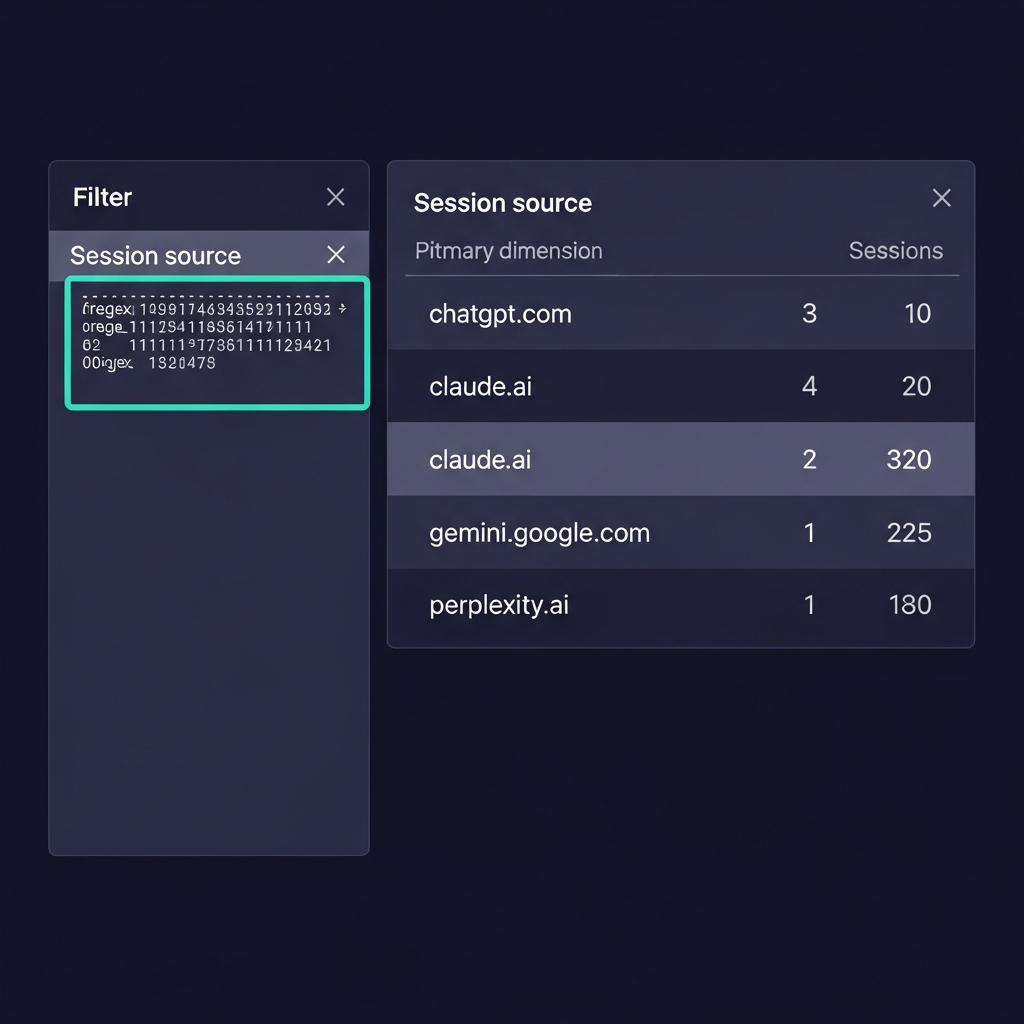 A custom Exploration using Session Source regex. This count is typically higher than the native AI Assistant channel—the difference represents sessions where the referrer was stripped.
Method 2: UTM-tagged links
If you control where your links appear—system prompts in AI tools, content plugins, API integrations—tag them: ?utm_source=chatgpt&utm_medium=ai-assistant&utm_campaign=<content-slug>. UTM parameters travel in the URL, not the referrer header. They survive stripping. This is the only fully reliable attribution method for controlled placements (Google Support Community, "How to track AI-driven traffic from ChatGPT, Perplexity, Gemini?", 2026).
Method 3: Page Referrer segment
In Explore, create a session segment where Page Referrer matches regex on your AI domains. This catches sessions that lost their utm_source but still carried a referrer value in the page data, which GA4 tracks separately from the session-level referrer (Google Support Community, 2026).
Annotate May 13, 2026 in your reports. This one matters more than most people realize. Traffic that was previously landing as Referral or Direct now appears as AI Assistant. That means your Referral channel likely declined and your Direct channel likely declined simultaneously in mid-May—not because you lost that traffic, but because GA4 started routing it to a new channel. If you show a stakeholder a trend chart crossing May 13 without an annotation, you're presenting a structural reclassification as a traffic swing. Add the annotation before you share anything (Analytics Mania, "How to track and report AI traffic in Google Analytics 4", 2026; Rankeo, "Google Analytics Finally Admits AI Traffic Exists", 2026).
What GA4's New Channel Doesn't Tell You About AI-Driven Behavior
Clicks are the floor of AI influence, not the ceiling.
Your content might appear in hundreds of AI answers every week. Some of those readers click. Most don't—they got their answer inside the chat window. GA4 records only the clickers (Wud, "How to track ChatGPT traffic in GA4", 2026).
The gaps that matter most:
Non-click citations. GA4 has no mechanism to count how many times your content appears in an AI answer without generating a click. You could be the most-cited source in ChatGPT responses about your category and see zero AI Assistant sessions if readers are satisfied before clicking. Multiple sources, including Wud and WebFX, explicitly identify this as the core measurement blind spot in the current GA4 setup (Wud, 2026; WebFX, "Google Analytics AI Assistant Traffic: GA4 Reporting Guide", 2026).
Multi-touch attribution blindness. A reader discovers your brand in a Claude summary on Tuesday. On Thursday, they search your name in Google and convert via Organic Search. GA4 attributes the conversion to Organic. The AI's role in that journey is invisible. This pattern likely accounts for a meaningful fraction of branded search traffic—the kind that appears in reports as high-intent but has no visible origination point (Wud, 2026).
Behavioral unknowns. Nobody has published a rigorous study comparing AI Assistant visitor conversion rates, engagement depth, or LTV against Organic Search or Paid visitors at scale. Are AI-sourced users higher-intent because they asked an AI specifically for a recommendation? Lower-intent because they're browsing? Unknown. GA4 gives you the sessions; it doesn't give you the answer (WebFX, "Google Analytics AI Assistant Traffic: GA4 Reporting Guide", 2026).
The honest summary: what GA4 shows you is one measurable slice of AI-influenced traffic—direct, clicked, referrer-intact sessions. It's not your real AI metrics. It's the most visible subset of them.
Building Your AI Traffic Measurement Strategy
The native AI Assistant channel is necessary but not sufficient. Here's how to build a measurement stack that gets closer to reality.
Step 1: Confirm the channel is active. In GA4, go to Admin → Data Display → Channel Groups and verify "AI Assistant" appears in your Default Channel Group. Older custom configurations can occasionally interfere with default channel logic (Analytics Mania, "How to track and report AI traffic in Google Analytics 4", 2026).
Step 2: Build a custom Exploration. Use the Session Source regex to isolate ChatGPT, Gemini, and Claude separately—with Sessions, Engaged sessions, and Key events as metrics. Run this weekly alongside the native channel and track the ratio. When the ratio changes, your referrer-stripping rate changed.
Step 3: Create an "AI Assistant + Conversion" segment. In standard reports, filter Default Channel Group = AI Assistant and add conversion events as a secondary metric. This tells you not just session volume, but whether AI-sourced visitors are doing something that matters.
Step 4: UTM-tag every controlled link placement. Anywhere you influence where your link appears in an AI context—prompts, plugins, sponsored placements—UTM-tag it. It's the only data that survives referrer stripping reliably. Practitioners recommend a consistent naming convention: utm_source=<assistant>&utm_medium=ai-assistant&utm_campaign=<content-slug> (Google Support Community, "How to track AI-driven traffic from ChatGPT, Perplexity, Gemini?", 2026).
Step 5: Quarterly validation. Compare your GA4 AI Assistant session count against your custom regex exploration count. If the gap widens over time, a platform may have changed its referrer behavior. If it narrows, your UTM coverage improved.
A note on the 30–70% estimate: this range comes from practitioner reports and community observations, not a single controlled study. It's directionally useful—the gap is real and significant—but your property's actual gap will depend on your traffic mix, which AI platforms send the most sessions, and whether your content gets shared through direct links or copy-pasted text. The validation methods above exist precisely because the gap varies. If you run this test on your own property, the data you find is more authoritative than any estimate in this post.
The same layered philosophy applies to your LLM infrastructure. For teams building AI-native products, Mesh API logs the provider and model for every API call—the kind of server-side signal that closes attribution gaps when GA4's referrer chain breaks.
Is AI Traffic a Channel or a Discovery Method?
GA4 treats AI assistants like any other referral source. That framing is technically correct and strategically misleading.
When you get a referral from a blog or news site, the transaction is complete: a link existed, a user clicked it, you got the session. The measurement is clean.
When you appear in a ChatGPT answer, the transaction is different. Some users click. More don't—they absorbed the answer and moved on. A few remember your name, search for it days later, and convert via what GA4 records as Organic or Direct. The most important AI-driven traffic might not show up in the AI Assistant channel at all (Wud, "How to track ChatGPT traffic in GA4", 2026).
This isn't an argument against using GA4's channel. It's an argument against treating GA4's channel as a complete measurement.
Marketers who optimize only for AI Assistant clicks are optimizing for the minority of AI influence that happens to generate a traced referrer. The majority—citations without clicks, multi-session journeys, brand awareness that converts later—doesn't show up.
The practical shift: measure AI Assistant sessions as a performance indicator, but optimize for being recommended by AI systems, not just for being clicked from them. Content that earns citations tends to earn clicks eventually. Content that earns only clicks has a shorter shelf life as AI answers get richer.
GA4's new channel is the first tool that makes AI-sourced traffic measurable at scale. It's not the last tool you'll need.
One practical segment to build now: users whose first session source in a date range was AI Assistant and whose last session source before conversion was Organic Search or Direct. That two-event path is the fingerprint of the discover-via-AI, convert-via-Google pattern. GA4 can approximate it with custom segments on Session source across multiple sessions. It won't be perfect—GA4's session model doesn't make multi-session attribution easy—but it will tell you whether the pattern exists in your data at all. If it does, your AI traffic's business impact is larger than your AI Assistant channel count suggests.
FAQ
Q: Does GA4 track ChatGPT, Claude, and Gemini separately, or are they all lumped into "AI Assistant"?
In the default channel view, they're a single "AI Assistant" row. To see per-tool breakdown, add "Session Source" as a secondary dimension in Traffic acquisition, or build a custom Exploration filtered by Session source regex. The underlying sources are chatgpt.com, claude.ai, gemini.google.com, and so on. You can drill down to individual assistants—it just takes one extra step (Google Support, "What's new in Google Analytics", 2026; Digital Journal, "How to Track AI Traffic in GA4", 2026).
Q: Will GA4 show me historical AI traffic from before May 13, 2026?
No. The AI Assistant channel only classifies traffic from May 13, 2026 forward. There's no retroactive reclassification of past sessions. To reconstruct earlier AI traffic, use custom channel groups or regex filters on Session Source—but the accuracy is limited, since pre-launch sessions keep their original channel labels (Referral, Direct, Organic) permanently (Rankeo, "Google Analytics Finally Admits AI Traffic Exists", 2026).
Q: What percentage of my actual AI traffic will GA4 capture?
It varies by platform and browser, and no single controlled study exists for all configurations. Practitioners report that ChatGPT in particular has high referrer-stripping rates, with estimates ranging from 30–70% of ChatGPT clicks landing as Direct rather than AI Assistant. Gemini referrers tend to pass through more cleanly. To estimate your specific gap, compare your GA4 AI Assistant session count against a custom Session Source regex exploration for the same date range (Wud, 2026; Rankeo, 2026).
Q: If GA4 doesn't measure non-click visibility, how do I measure how often my content appears in AI answers?
GA4 alone can't. You need third-party AI visibility monitoring tools, custom share-of-recommendation tracking, or controlled experiments where you tag known links and measure click-through against estimated impression volume. Until those tools mature and standardize, non-click AI influence remains a real but unmeasured part of your content's performance. It's the next measurement frontier after GA4's click-based channel (Wud, 2026; WebFX, "Google Analytics AI Assistant Traffic: GA4 Reporting Guide", 2026).