# Mesh API
> Asia's largest sovereign AI gateway: 1,000+ AI models through one OpenAI-compatible endpoint. Track, control and protect every AI call, and keep your data inside your border.
Mesh API is a Fiesta Labs company (https://aifiesta.ai), built by Y Combinator alumni. Telcos and fintechs in 100+ countries run on Mesh, and 1M+ people use products built on it.
## Key links
- [Docs](https://developers.meshapi.ai): API reference and guides.
- [API base URL](https://api.meshapi.ai/v1): OpenAI-compatible endpoint. Swap the base URL and API key.
- [Get an API key](https://link.meshapi.ai/landing/): Sign up and start routing requests.
- [Status](https://status.meshapi.ai): Live uptime and incidents.
- [Contact](mailto:contact@meshapi.ai): contact@meshapi.ai
## Product
- [Homepage](https://meshapi.ai/): Observability (request traces, spend by team, provider health, live log), governance (allowed models, spend caps, role-based access, rate limits, allowed IPs) and security in one gateway. Under 50ms p90 latency added per request, 99.999% uptime.
- [Markdown version of the homepage](https://meshapi.ai/index.md): The full homepage as markdown.
- [Auto routing](https://meshapi.ai/auto-routing): Retries and fallbacks, plus per-prompt model selection on per-task efficiency frontiers. Up to 4x cost savings.
- [Customer stories](https://meshapi.ai/customers): How Globe, Khalti, Gushwork, TagMango and others run on Mesh.
- Deployment: Mesh Cloud, a dedicated region of your choice, or self-hosted in your VPC, data center or on device. Open-weight models can run on your hardware; frontier models pass through Mesh in your region.
## Security & compliance
- [Security & Compliance](https://meshapi.ai/security): SOC 2 Type II audited, ISO 27001 certified, GDPR compliant. Reports on request from https://meshapi.ai/security.
- Zero data retention is on by default: prompts and responses are not stored, and Mesh never trains on your data.
- PII redaction replaces personal data with tokens before it reaches a model. Every hop is encrypted in transit.
## Pricing
- [Pricing](https://meshapi.ai/pricing): Pay as you go, no subscriptions or minimums. Pay in your currency, with UPI, net banking, wallets, cards or international methods.
- Direct model discounts of up to 40% off list price, and $0 per cached request.
## Models
- [Models](https://meshapi.ai/models): Every model on Mesh with pricing, context windows and capabilities. One API key, one bill.
- [Leaderboard](https://meshapi.ai/leaderboard): The most used models on Mesh by share of traffic.
## Research
- [Dollar per Image Bench](https://meshapi.ai/research/dollar-per-image-bench): A cost x quality map of 7 frontier image models on Mesh API. The cheapest image beats the most expensive at 1/7.5th the price.
- [Dollar per Task Bench](https://meshapi.ai/research/dollar-per-task-bench): Five LLMs, ten real tasks, one API. The cheapest model passed every coding test and matched on support quality, while the bill swung 259× across the same session.
- [Value Rankings](https://meshapi.ai/research/value-rankings): The full price-performance leaderboard for every text model on Mesh. 122 ranked on verified Artificial Analysis indices, 176 more listed honestly on a data-pending shelf with real Mesh pricing.
- [Engineering Notes](https://meshapi.ai/research/mesh-optimize): Engineering notes from building a beta token-savings dial for the Mesh gateway. Prompt caching mechanics, an honest savings receipt, real terminal output, and the 500 error that taught us our own schema.
## Blog
- [Seedance 2.5 1080p: Real Render, 25% Cheaper](https://meshapi.ai/blog/seedance-2-5-1080p-tested): 2026-08-17. Seedance 2.5 native 1080p is live at $8.77 per 1M tokens, 25% below going direct. We read the token meter to prove it renders natively instead of upscaling.
- [Seedream 5.0 Pro on Mesh API: Ad Creative, Brand Kits & UI](https://meshapi.ai/blog/seedream-5-pro): 2026-08-08. Seedream 5.0 Pro is live on Mesh API at $0.11/image. It generates legible ad creative, brand kits, and UI mockups from one API call. Five use cases, tested.
- [Your Model Eval Framework Is Broken. Claude Detects Prefilled Prompts and Silently Resists.](https://meshapi.ai/blog/prefill-awareness-evals-invalid): 2026-06-14. Claude Opus 4.5 detects tampered prefilled responses with 67.6% accuracy—and doesn't tell you. Here's why your eval harness is confounded, and how to fix it.
- [Google's Open Knowledge Format Is Smart. But Here's What's Missing.](https://meshapi.ai/blog/introducing-the-open-knowledge-format-as-something-new-launched): 2026-06-14. Google's Open Knowledge Format (OKF v0.1) formalizes how AI agents consume organizational knowledge. But empirical performance gains, governance, and migration strategies are still undefined. Here's what the first 100 deployments will cost.
- [Why 4B Models Beat 671B Giants at Theorem Proving. (It's Not What You Think.)](https://meshapi.ai/blog/pythagoras-prover-small-models-reasoning): 2026-06-14. A 4B model beats a 671B giant at theorem proving—but it's training, not parameters. Benchmark breakdown, compute-parity gap, and practitioner guide.
- [Google Analytics Now Tracks ChatGPT, Claude, and Gemini Traffic Separately. Here's What Your Real Metrics Look Like.](https://meshapi.ai/blog/google-analytics-ai-assistant-traffic): 2026-06-14. GA4's new 'AI Assistant' channel separates ChatGPT, Claude, and Gemini traffic automatically—no setup needed. But referrer-based measurement means 40-70% of AI sessions still hide in Direct. Here's the full picture.
- [AI Agents Fail Real Workflows at Scale. 1,000+ Long-Horizon Tasks Show the Production Gap.](https://meshapi.ai/blog/agents-last-exam-production-gap): 2026-06-14. Current AI agents solve well-specified labs (100% pass rates) but collapse on 1,000+ long-horizon real-world tasks (2–24% success). The gap between research benchmarks and production is orders of magnitude.
- [Stop Fine-Tuning Tool Workflows. Evolutionary Search Raises Small Models From 3% to 24%.](https://meshapi.ai/blog/evoflux-tool-workflows-beats-finetuning): 2026-06-13. Evolutionary search lifts small-model feasibility 3%→24% without fine-tuning. What Evoflux measured, what it missed, and when fine-tuning wins.
- [60-80% of Agent Traffic Goes Local Now. Here's Why Single-Model Strategies Lost.](https://meshapi.ai/blog/routing-local-first-60-80-pattern-default): 2026-06-13. Agentic traffic grew 1,300% in 2025. Routing 60-80% to local LLMs cuts costs 40-85% at 90%+ accuracy. The 60-80% is a forecast. We mapped what's real.
- [LangChain and AutoGPT Have Zero Memory-Integrity Safety. One Poisoned Write Breaks 88.9% of Decisions.](https://meshapi.ai/blog/containment-gap-langchain-agent-safety): 2026-06-13. Three major agent frameworks—LangChain, AutoGPT, and OpenAI Agents SDK—ship with zero memory-integrity safeguards. Here's what that costs you.
- [When Prompt Caching Actually Breaks Even: We Mapped the Latency vs Cost ROI](https://meshapi.ai/blog/prompt-caching-latency-roi-threshold): 2026-06-12. Prompt caching claims 90% savings, but break-even depends on hit rate, prefix size, and provider. We mapped the exact ROI frontier—including the scenarios where caching hurts.
- [Why Your LLM Provider's Generous Daily Quota Is a Lie (And What the Real Bottleneck Actually Is)](https://meshapi.ai/blog/llm-api-tpm-ceiling-kills-daily-quota): 2026-06-12. Developers think they have millions of tokens/day. In practice, tokens-per-minute limits and concurrency caps constrain you first. We mapped the bottleneck across 5 major providers.
- [Your Agent Task Costs $0.50 in Tokens but $8 in Retries. Where Your LLM Bill Actually Goes.](https://meshapi.ai/blog/agent-workflows-real-cost-retries-vs-tokens): 2026-06-12. Headline agent cost is prompt tokens. Real cost is retries, re-prompting on tool failures, and context replay. Learn to measure where your LLM bill actually goes.
- [We Made Two LLMs Play Tetris. The Winner Wasn't the Better Player.](https://meshapi.ai/blog/llm-tetris-contest-opus-deepseek): 2026-06-09. Claude Opus 4.8 vs DeepSeek V3.1 at turn-based Tetris, both served through Mesh API. Placement is basically solved, so the contest measures something more interesting: temperament.
- [Why Claude Design Burns Your Quota (and How to Fix It)](https://meshapi.ai/blog/why-claude-design-burns-quota): 2026-06-07. We spent a 5-hour quota plus $8 in one Claude Design prompt. Here is why code-based design costs so much, and the hybrid workflow that keeps it cheap.
## Migration guides
- [Migrate from LiteLLM to Mesh API](https://meshapi.ai/migration/litellm): Switch from self-hosted LiteLLM proxy to Mesh API. Same OpenAI format, zero YAML, 40% lower blended cost.
- [Migrate from OpenRouter to Mesh API](https://meshapi.ai/migration/openrouter): Move from OpenRouter to Mesh API. Same model selection, zero platform fee, real smart routing, multi-currency billing.
- [Migrate from Vercel AI Gateway to Mesh API](https://meshapi.ai/migration/vercel-ai-gateway): Move from Vercel AI Gateway to Mesh API. Provider-agnostic, zero platform fee, smart routing, works on any framework or cloud.
## Legal
- [Privacy Policy](https://meshapi.ai/privacy): Zero Data Retention by default. Mesh API never trains on, sells, or shares your prompts and outputs. How Fiesta Labs Inc. handles your data.
- [Terms & Conditions](https://meshapi.ai/terms): Mesh API terms and conditions: Zero Data Retention by default, no training on customer data, usage, billing, and refund policies for Fiesta Labs Inc.
- [Data Processing Addendum](https://meshapi.ai/dpa): List of third-party service providers authorized to process data for Mesh API (Fiesta Labs Inc.).
- [Cookies Policy](https://meshapi.ai/cookies): How Mesh API uses strictly necessary, analytics, and marketing cookies, and how you can manage or withdraw your cookie consent at any time.
## Seedance 2.5 1080p: Real Render, 25% Cheaper
URL: https://meshapi.ai/blog/seedance-2-5-1080p-tested
# Seedance 2.5 1080p: Real Render, 25% Cheaper
Seedance 2.5, native 1920×1080, 121 frames, 5.04s, synced audio. Billed 245,025 tokens — $2.15 at the current 1080p rate. This is the actual clip, transcoded to H.264 for playback: the original is 10-bit HEVC, for reasons we get into below.
## TL;DR
- **Seedance 2.5 native 1080p is live at $8.77 per 1M tokens — about 25% below going direct to ByteDance.** A 5-second 1080p clip is **$2.15**, ten seconds is **$4.28**, a 30-second single-take is **$12.80**. [Start generating →](https://app.meshapi.ai/?utm_source=blog&utm_medium=referral&utm_campaign=seedance-2-5-1080p-tested)
- **1080p is 2.25x the pixels but only 1.84x the price.** The 1080p tier bills at $8.77/1M while 480p and 720p bill at $10.70/1M, so the resolution upgrade costs meaningfully less than the pixel math implies.
- **The 1080p tier is a genuine native render, and we can prove it.** A 1080p request bills **245,025 tokens**; the same prompt at 720p bills **108,900**. The ratio is 2.2500 — exactly the pixel ratio. An upscale would have billed the 720p number.
- **The billing formula is `width x height x frames / 1024`, and `frames = fps x duration + 1`.** That +1 is real. Every file we pulled was **121 frames** for a "5-second" clip, and the meter charged for all 121. You pay 0.83% more than the arithmetic suggests at 5s.
- **At 1080p, Seedance 2.5 switches codec.** 720p comes back 8-bit H.264. 1080p comes back **10-bit HEVC (`hevc`, Main 10, `yuv420p10le`)**. Same model, same request shape. Reproduced on two independent jobs. This will break players and pipelines that happily ate Seedance 2.0.
- **1080p is slow.** 720.7s to a downloadable file versus 216.1s at 720p — 3.3x the wall clock for 2.25x the pixels.
- **Quality costs about 7x here.** A 5-second 1080p clip billed $2.6218 the morning we ran it; Seedance 2.0 at the same size was $1.8867 and Seedance 1.5 Pro just $0.2940. The gap in prompt adherence is visible in the clips below. So is the gap in the bill.
- **"Give me a 5-second 1080p clip" means five different things to five vendors.** Sora 2 rejects `1080p` outright and caps at 1792x1024. MiniMax wants `1080P` with a capital P. We asked Veo 3.1 for 5 seconds at 1080p and got 8.0 seconds at 1280x720.
Native 1080p · live now
Seedance 2.5 at 1080p — 25% cheaper than going direct.
Everything below is why that clip is worth generating — measured, not claimed.
---
## Does Seedance 2.5 Actually Render at 1080p?
ByteDance launched Seedance 2.5 on July 31, 2026, onto Jimeng AI and Doubao Pro ([TechNode](https://technode.com/2026/07/31/bytedance-launches-seedance-2-5-video-generation-model/), 2026). The launch post led with the headline number: 30 seconds of video in a single pass, double what Seedance 2.0 managed. It also claimed up to 50 multimodal references — 30 images, 10 video clips, 10 audio clips — and joint audio-video generation rather than dubbing a silent render afterward.
It never said what resolution the thing outputs.
So the ecosystem guessed, and split. One vendor's docs stated flatly that native output is 480p or 720p and that any 1080p or 4K route is an upscale off the 720p base. Another advertised native 4K. A third described a full 1920x1080 frame generated directly. These are not compatible claims, and every one of them is load-bearing if you're budgeting a render farm.
The disagreement has a boring explanation — the tier moved. Native 1080p was reportedly switched on around **August 17, 2026**, which is why pages written in early August describe a different model than pages written now ([ChatSlide](https://www.chatslide.ai/pages/seedance-2-5-api), 2026).
Boring explanations still leave the question a marketing page can't answer. When you pay for 1080p, *what are you actually paying for?* Pixel dimensions in the returned file prove nothing. `ffmpeg` will happily hand you a 1920x1080 file that was rendered at 720p and stretched. Every upscaler on earth produces exactly that.
There is a way to settle it. It just isn't the video file.
## How Do You Prove a Render Isn't an Upscale?
Seedance is billed per token, not per second or per video. That's mildly annoying for budgeting and enormously useful for forensics, because the token count is computed from the **render**, not from the file that lands in your bucket.
We ran the same prompt at 720p and at 1080p and read `usage.completion_tokens` off each completed job:
| Request | Delivered file | Billed tokens |
|---|---|---|
| `resolution: "720p"` | 1280x720 | **108,900** |
| `resolution: "1080p"` | 1920x1080 | **245,025** |
245,025 / 108,900 = **2.2500**. The pixel ratio between 1920x1080 and 1280x720 is also exactly 2.25.
If Seedance 2.5 were rendering at 720p and upscaling, the meter would have read 108,900 both times — you cannot bill for pixels you never diffused. It read the full 1080p count. **The 1080p tier is a real render.**
Billed tokens for one 5-second clip, Seedance 2.5 Bar chart, 3 items Billed tokens for one 5-second clip, Seedance 2.5 720p request (measured) 108,900 1080p if upscaled from 720p 108,900 1080p request (measured) 245,025 Mesh API usage.completion_tokens, byteplus/dreamina-seedance-2-5, 2026-08-17. An upscale bills the r…
720p — H.264 High, 8-bit, 108,900 tokens, $1.1652, 216.1s
1080p — HEVC Main 10, 10-bit, 245,025 tokens, $2.6218, 720.7s
That right-hand player is doing the exact thing this section is about. Its first `` is the untouched 10-bit HEVC file the API returned; the second is our H.264 transcode. Safari takes the original. Chrome and Firefox mostly fall through to the fallback. If we had shipped only the file the API gave us, the right-hand box would be black for a large share of you.
The 1080p files are also the only ones in the whole run carrying colour metadata — BT.709 primaries, transfer and matrix. Every other file arrived with no colour tags at all, leaving players to guess.
On the merits this is an upgrade. Ten-bit kills the banding you get in exactly the content video models love to generate — gradient skies, neon falloff, smoke, shallow-depth bokeh. HEVC carries more quality per bit. If you're grading footage, you want this.
If you're piping model output straight to a `` tag, you have a problem. HEVC in MP4 has patchy browser support, and 10-bit HEVC is worse. Plenty of upload paths and CDN transcode presets still assume 8-bit H.264, because that assumption has been safe for a decade. The failure mode is nasty: your 720p staging environment works perfectly and 1080p production plays black.
The one-line fix, if your pipeline isn't ready:
```bash
ffmpeg -i in.mp4 -c:v libx264 -profile:v high -pix_fmt yuv420p -crf 18 -c:a copy out.mp4
```
Budget for it. On our clips that transcode throws away the bit depth you just paid a premium to render.
## Seedance 2.5 vs 2.0 vs 1.5 Pro: What Actually Improved?
One prompt: an iced coffee glass on a cafe table, a hand placing a newspaper, rain and neon through the window, warm interior light against cool window light. We sent it to every Seedance generation available — 5 seconds, 16:9, text-to-video, one API, 2026-08-17.
| Model | Latency | Delivered | Codec | Tokens | Measured cost |
|---|---|---|---|---|---|
| Seedance 1.0 Pro | 54.6s | 1920x**1088**, silent | H.264 Constrained Baseline, 8-bit, 15.1 Mbps | per-video | **$0.1100** |
| Seedance 1.5 Pro | 126.4s | 1920x1080, AAC 44.1k | H.264 Constrained Baseline, 8-bit, 19.4 Mbps | 245,025 | **$0.2940** |
| Seedance 2.0 | 306.0s | 1920x1080, AAC 44.1k | H.264 High, 8-bit, 6.1 Mbps | 245,025 | **$1.8867** |
| Seedance 2.5 @ 720p | 216.1s | 1280x720, AAC 32k | H.264 High, 8-bit, 10.1 Mbps | 108,900 | **$1.1652** |
| Seedance 2.5 @ 1080p | 720.7s | 1920x1080, AAC 32k | **HEVC Main 10, 10-bit**, 12.8 Mbps | 245,025 | **$2.6218** |
Three things in that table are worth more than the headline.
**Seedance 1.0 Pro doesn't return 1080p. It returns 1088.** The model ID has `1080p` in the name; `ffprobe` reports 1920x1088, coded and displayed, with no crop rectangle. That's the H.264 macroblock padding leaking through unclipped — eight rows of extra picture riding along. If you're compositing against a 1080-tall canvas or asserting dimensions in a test, that silently breaks.
**Codec quality tracks price, not version number.** Seedance 1.5 Pro spends 19.4 Mbps on Constrained Baseline — the most primitive H.264 profile there is, no B-frames, no CABAC. It produces a 12.2 MB file for five seconds and still looks softer than Seedance 2.0's 6.1 Mbps High-profile file at 3.9 MB. You are paying for bits that are doing no work.
**Latency scales worse than pixels.** 2.25x the pixels cost 3.3x the wall clock. If you're generating interactively, 720p isn't a compromise tier — it's the only tier with a tolerable feedback loop. The same logic that governs [when prompt caching actually breaks even](/blog/prompt-caching-latency-roi-threshold) applies here: draft cheap and fast, then spend the render budget once, on the take you've already chosen.
Wall-clock time from submit to downloadable file (seconds) Bar chart, 8 items Wall-clock time from submit to downloadable file (seconds) Gemini Omni Flash 39.8s Seedance 1.0 Pro 54.6s Veo 3.1 66s Kling 3.0 114.5s Seedance 1.5 Pro 126.4s Seedance 2.5 @ 720p 216.1s Seedance 2.0 @ 1080p 306s Seedance 2.5 @ 1080p 720.7s Single run per model, same prompt, submitted concurrently via Mesh API, 2026-08-17.
Seedance 2.5 — 1080p · $2.6218 · all seven prompt elements
Seedance 2.0 — 1080p · $1.8867 · foam head on the "iced coffee"
Seedance 1.5 Pro — 1080p · $0.2940 · composition drifts, no hand or newspaper
Seedance 1.0 Pro — 1920×1088 · $0.1100 · silent, garbled neon
Turn the sound on for the first three. Seedance 1.0 Pro is the only one in the lineage that returns no audio track at all.
Prompt adherence is where the generations separate, more than sharpness. The prompt asked for seven things: glass, ice, a hand, a newspaper, rain on the window, neon outside, and warm-against-cool lighting. Seedance 2.5 landed all seven. Seedance 2.0 rendered the drink with a foam head — that's a beer, not iced coffee — and reduced the newspaper to mush. Seedance 1.5 Pro drifted the composition entirely, shrinking the glass into the background and dropping the hand and newspaper out of frame.
Text is the classic tell, and it's the clearest jump in the lineage:

Both crops are the same rectangle of the same 1920x1080 frame position. Seedance 2.5 put the newspaper and hand there; Seedance 2.0 put window bokeh there and pushed the newspaper out of the region entirely. That difference is the prompt-adherence gap, not a rendering artefact.
Look at what 2.5 does with the newspaper: a blackletter masthead, a rule line, column structure and a consistent type colour. The glyphs are not real words; no video model is there yet. But they're *typographically coherent* — they read correctly at a glance, and they survive the dolly-in. Skin on the hand holds knuckle and tendon detail at native resolution. That is what the extra 136,125 tokens bought.
Worth stating plainly: these are single generations, not best-of-N. Video models have high variance run to run, and one clip per model is enough to show a capability gap but not enough to rank two close models. Treat the visual read as directional and the numbers as exact.
## How Does Seedance 2.5 Compare to Veo 3.1, Kling 3.0 and Sora 2?
We sent the same prompt to the current flagships. Getting them to accept it was most of the work.
| Model | We asked for | We got | Measured cost |
|---|---|---|---|
| Kling 3.0 | 5s @ 1080p | 5.04s @ 1920x1080, **silent** | $0.5600 |
| Gemini Omni Flash | 5s @ 1080p | 5.01s @ **1280x720**, 120 frames | $0.1400 |
| Veo 3.1 | 5s @ 1080p | **8.0s @ 1280x720** | $2.0046 |
| Sora 2 | 4s @ 1080p | rejected | $0 |
| MiniMax Hailuo 2.3 | 6s @ 1080p | rejected | $0 |
Not one of the five agreed with any other about what those parameters mean.
Kling 3.0 — asked 5s/1080p, got it · $0.5600 · no audio track
Veo 3.1 — asked 5s/1080p, got 8.0s/720p · $2.0046
Gemini Omni Flash — asked 1080p, got 720p · $0.1400 · 120 frames, not 121
Kling's clip is the sharpest of the three and the only one that honoured both parameters, but it arrives silent — no audio track at all, where Seedance and Veo both bundle one. Gemini Omni Flash is the cheapest thing in this entire post at $0.14 and it is not embarrassing.
**Sora 2 doesn't do 1080p at all.** It rejects the string and enumerates what it wants: `720x1280`, `1280x720`, `1024x1792`, `1792x1024`. The tallest frame it will produce is 1024 lines. Its duration set is `4`, `8`, `12` — nothing else, and 5 is not in it. Its API is also reported to be sunsetting in late September 2026. Confirm that with OpenAI before you build anything on it.
**MiniMax wants a capital P.** `1080p` is rejected; `1080P`, `768P` and `512P` are accepted. Its durations are 6 or 10, nothing between.
**Seedance 2.5 rejects durations below 4**, and tells you nothing useful when it does. Every bad parameter yields the same opaque line — "the parameter `duration` specified in the request is not valid for model dreamina-seedance-2-5 in t2v" — with no legal set. Only OpenAI and MiniMax enumerate valid values in their errors. That sounds like a nitpick until you're mapping one duration slider onto six backends, and the only way to learn the grammar is to probe for it.
We probed it. Rejected requests are free, which makes the error path the cheapest documentation available.
**And Veo 3.1 gave us 8 seconds at 720p when we asked for 5 at 1080p.** We repeated it with a deliberately absurd `duration: 45` and got back the same thing: 8.0 seconds, 1280x720, 192 frames. Two jobs, identical output shape, neither matching the request. We're still isolating the cause: the model, the provider tier, or our own parameter mapping in the middle. Read it as an observation about our path to Veo that day, not a verdict on Veo. The lesson stands wherever the fault lands, and it's the most useful thing in this post:
**Assert on the file, not on the request.** Run `ffprobe` on what comes back and fail loudly when width, height, frame count or audio presence don't match what you ordered. Every assumption in this article that turned out to be wrong — the 1088, the 121st frame, the codec switch, the 8 seconds — was invisible from the request side. All four were obvious from the file side.
Measured cost of one 5-second 16:9 clip (USD, as billed) Bar chart, 8 items Measured cost of one 5-second 16:9 clip (USD, as billed) Seedance 1.0 Pro 1080p 0.11 Gemini Omni Flash 0.14 Seedance 1.5 Pro 1080p 0.294 Kling 3.0 1080p 0.56 Seedance 2.5 720p 1.165 Seedance 2.0 1080p 1.887 Veo 3.1 (asked 1080p) 2.005 Seedance 2.5 1080p 2.622 Balance deltas via /v1/balance, Mesh API, 2026-08-17, at the $10.70/1M rate then in force. — retrieved 2026-08-17
- Digital Applied, *Seedance 2.5 Officially Launches: One-Take 30s AI Video* (2026), for reference-input and editing-mode specs attributed to ByteDance's launch post: — retrieved 2026-08-17
- All measurements: Mesh API `/v1/video/generations`, `/v1/models` and `/v1/balance`, run 2026-08-17. Raw job records, `ffprobe` output and the source clips are archived with this post.
## Seedream 5.0 Pro on Mesh API: Ad Creative, Brand Kits & UI
URL: https://meshapi.ai/blog/seedream-5-pro

---
**TL;DR**
- **Seedream 5.0 Pro is live on Mesh API** as `bytedance/seedream-5.0-pro`, at **$0.11 per image** (effective 2026-07-23). It's the standard OpenAI images endpoint, so integration is a two-line change.
- **The shot above is the easy part.** Photorealism is a solved problem across every serious model now. What separates a usable model from a demo is the unglamorous work: legible copy, layouts that hold, and brands that stay consistent. That's where most models fall apart, and where Seedream 5.0 Pro earns its place.
- **Five jobs companies pay designers for**, each a raw first render: an out-of-home ad, a full brand-guidelines system, a premium app UI, an e-commerce campaign shot, and an editorial infographic.
- **The economic unlock is variant generation.** On-brand creative at $0.11 each means 1,000 tested or localized variants for **$110**, produced in a `for` loop instead of a design queue.
- **It's not just one-shot generation.** It also does grounded editing, reference-guided generation (same product, any scene), in-image text in ~14 languages, and 2K output — all through the same key. Demos below.
---
Look at the hero image again. That's an overhead bicycle kick, caught at the instant of contact, water and torn grass frozen in the floodlights, a full stadium dissolved into bokeh behind the player. It's the kind of frame a sports photographer burns a season of Saturdays to catch: the right lens, the right shutter, the right one-in-ten-thousand moment. Seedream 5.0 Pro produced it from a single sentence.
And that's the *unremarkable* part. Every frontier image model can render a convincing photograph now. Photorealism stopped being a differentiator a year ago.
The question that actually matters to someone building a product is whether a model can do the boring, hard things: spell the words right, hold a layout together, and keep a logo identical across ten assets. That's the line between "generate a nice picture" and "generate the thing my marketing team was going to brief an agency for." Below are five jobs a real product team ships, each one prompt, one call, no edits.
---
## 1. Out-of-home and ad creative: copy that survives in the wild
**For creative agencies, DOOH platforms, and growth teams.**

An ad is the hardest text test there is. The copy has to render cleanly *and* sit convincingly on a real-world surface, at an angle, lit by a real scene. Here the headline (*"Silence, upgraded."*) and the brand mark are both legible on a billboard photographed from the street at dusk.
This is the highest-leverage use case for an image API, because ad performance is a numbers game. You test dozens of headlines, audiences, and locales. Parametrize the prompt, loop over your copy matrix, and generate the whole test set programmatically:
```python
for headline, market in campaign_matrix:
client.images.generate(
model="bytedance/seedream-5.0-pro",
prompt=f'Billboard on a city building at dusk, headphones ad, '
f'headline "{headline}", brand logo "AURA", localized for {market}',
size="1536x1024",
)
```
At $0.11 each, a 500-variant campaign sweep costs $55, versus a week and a purchase order.
---
## 2. Brand identity: a full guidelines system, not a logo
**For agencies and founders who need a credible brand, fast.**

A brand isn't a logo. It's a *system*: a cover, logo-in-color rules, typography specimens, a labeled palette with hex codes, and real-world applications, all speaking the same visual language across pages. Generating that coherence is a much harder test than any single image, because every page has to belong to the same brand *and* carry legible, structured text.
For an agency pitching directions on a Friday, or a founder who needs a credible identity before the deck, this collapses the first pass from days to a prompt. You're not shipping the final brand book from an API. You're generating the ten concepts you used to pay for, then refining the one that lands.
---
## 3. Product UI: premium interfaces that read correctly
**For product and design teams shipping polished mockups.**

UI is brutal: dense small text, real numbers, labels, and iconography that all have to be legible and aligned, wrapped in a device render with believable depth and reflections. A garbled balance or a nonsense transaction row breaks the illusion instantly. Here the wallet balance, the action buttons, and the transaction list all read cleanly in a premium dark, glassmorphic style.
For teams that need App Store feature graphics, landing-page hero shots, or high-fidelity concept mockups, generating a clean, readable, *designed* interface from a prompt beats faking a device frame in Figma. It's also a fast way to visualize a feature before you build it.
---
## 4. E-commerce: packaging as a campaign, not a catalog shot
**For DTC and e-commerce creative teams.**

Text on a product surface is hard. Making that product shot feel like a *campaign*, with motion, splash, energy, and dramatic light, is harder. Here the "LUMEN" brand and "Daily Vitamin C Serum" tagline stay legible on the bottle while orange slices and juice freeze mid-air around it.
For a DTC catalog, this means generating not just clean product shots but full advertising compositions on demand: a new SKU, a seasonal push, a promo variant, without a studio, a food stylist, or a shoot. Combine it with the image-input mode (below) and the same bottle stays consistent across the entire line.
---
## 5. Content and DevRel: editorial infographics
**For DevRel and content teams producing shareable assets.**
An infographic is text-first and structure-heavy: a title, a hero stat, chart elements, callouts, and hierarchy, arranged with the whitespace and typographic discipline of a design studio. This is where "can it render text" becomes "can it render *structured* text in a *designed* layout," a far higher bar than a single headline.
For a DevRel or content team, this turns a stat or a launch note into a social-ready graphic without opening a design tool. Feed your real numbers into the prompt and generate the asset inline with the blog post or the release.
---
## The multiplier: image input means brand consistency
Every use case above gets more powerful because of one line in Mesh's catalog: Seedream 5.0 Pro's input modalities are **text and image**. Seedream 4.5 is text-only.
That means you can hand it a reference (your logo, a product photo, a previous asset) and have it generate *around* that fixed element instead of re-inventing it every time. For a brand, this is the whole ballgame: the same logo on the ad, the packaging, and the billboard; the same product across a catalog; the same character across a campaign. Text-to-image can't promise that. Text-plus-image can.
---
## Beyond one-shot generation: edit, reference, 14 languages, 2K
The multiplier isn't theoretical. Here it is, four ways — every one reachable through the same key, at the same $0.11 per image.
### Edit one thing, keep everything else
Take the LUMEN bottle from earlier. We sent it back with a single instruction: *"change only the cap to metallic silver — keep the label, bottle, and splash identical."*

That's a *grounded* edit: it changed the region you named and left the rest alone, instead of regenerating a new bottle and losing everything you liked. It runs through the `/images/edits` endpoint. For iterating on real creative — recolor a product, swap a season, fix one word — this is the line between an image API and a design tool.
### The same product, any scene
Hand it a reference image and it holds that subject consistent in a brand-new setting:

Same bottle, same label; new counter, towel, and light. Feed a logo or a product photo as the reference and it generates *around* that fixed element. The brand-consistency claim above, shown instead of promised.
### One headline, every market
It renders in-image text in ~14 languages — and translates for you. One prompt, three markets:

For localized ad creative, that collapses a translate-then-redesign loop into a single call.
### 2K when the detail matters
Need print or retina? It outputs up to 2K natively:

Same model, same endpoint, same $0.11.
---
## How to call it
It's the standard [OpenAI-compatible images endpoint](https://platform.openai.com/docs/api-reference/images). If you generate images anywhere today, you change two fields, `base_url` and `model`, and you're live.
```python
from openai import OpenAI
client = OpenAI(base_url="https://api.meshapi.ai/v1", api_key="rsk_your_key")
img = client.images.generate(
model="bytedance/seedream-5.0-pro",
prompt='Billboard on a city building at dusk, headphones ad, '
'headline "Silence, upgraded.", brand logo "AURA"',
size="1536x1024",
)
print(img.data[0].url)
```
```bash
curl https://api.meshapi.ai/v1/images/generations \
-H "Authorization: Bearer rsk_your_key" \
-H "Content-Type: application/json" \
-d '{"model":"bytedance/seedream-5.0-pro","prompt":"brand guidelines system for an eco startup","size":"1536x1024","n":1}'
```
Every image in this post was generated exactly this way. In my run each render returned in roughly a minute. Routing image models through a single gateway follows the same [local-first, one-endpoint pattern](/blog/routing-local-first-60-80-pattern-default) we use for text models.
---
## The economics of generating assets in a loop
Per-image pricing is what makes the variant use cases viable. Here's how the image models on Mesh compare (prices from the catalog):
| Model | Mesh ID | Price / image | Image input? |
|---|---|---|---|
| Seedream 5.0 Pro | `bytedance/seedream-5.0-pro` | **$0.11** | Yes |
| Imagen 4 Ultra | `google/imagen-4-ultra` | $0.06 | No |
| Seedream 4.5 | `bytedance/seedream-4.5` | $0.04 | No |
| Seedream 4.0 | `bytedance-seed/seedream-4.0` | $0.03 | No |
| FLUX.2 Pro | `black-forest-labs/flux.2-pro` | $0.015 | No |
Run the math on the use cases above:
- **1,000 ad or campaign variants** for A/B/n testing: **$110.**
- **A 12-page brand guidelines set** (covers, logo lockups, applications): **$1.32.**
- **A 50-screen app-store gallery** across locales: **$5.50.**
The winning pattern is two-tier: explore cheap, finish premium. Generate a wide net of drafts on FLUX.2 Pro ($0.015) or Seedream 4.5 ($0.04), then re-render the winners (the ones with copy, the ones going in front of customers) on Seedream 5.0 Pro. Because every model sits behind [one endpoint and one key](/models), promoting a draft to the Pro model is a one-string change, not a new integration. It's the same reason [the real cost of a workflow rarely matches its sticker price](/blog/agent-workflows-real-cost-retries-vs-tokens): what you pay is decided by how you orchestrate calls, not by any single line item.
---
## When Seedream 5.0 Pro is the right call, and when it isn't
- **Anything with text** (ads, packaging, infographics, UI): Seedream 5.0 Pro. This is its edge.
- **Anything you need to keep on-brand across assets:** Seedream 5.0 Pro, for the image-input mode.
- **High-volume drafts and exploration:** start on FLUX.2 Pro or Seedream 4.5, then promote winners.
- **Plain photographic stock with no text:** the cheaper models are fine. You don't need the premium tier.
---
## FAQ
**Can Seedream 5.0 Pro generate ad creative with text?**
Yes, and it's the standout capability. It renders headlines, taglines, and logos in a designed layout, including on real-world surfaces like a billboard, which is exactly where most image models fail. It's reliable for short, high-value strings; full paragraphs of body text remain unreliable across all current models.
**What can developers build with Seedream 5.0 Pro?**
Ad- and campaign-variant generators, brand-concept tools, app-mockup and store-asset pipelines, e-commerce campaign visualizers, and infographic generators: any workflow that used to require a designer to produce text-in-image assets.
**How much does Seedream 5.0 Pro cost?**
$0.11 per image on Mesh API. That makes variant generation cheap: 1,000 images cost $110, generated programmatically.
**How is Seedream 5.0 Pro different from Seedream 4.5?**
It accepts image input (text + image → image) for editing and brand-consistency workflows, where 4.5 is text-only. It's also priced higher, at $0.11 versus $0.04 per image.
**How do I integrate Seedream 5.0 Pro?**
Through the OpenAI-compatible images endpoint. Point your client at `https://api.meshapi.ai/v1`, set the model to `bytedance/seedream-5.0-pro`, and send a prompt. It's the same code as any other image model.
**Can it keep a logo or product consistent across images?**
Yes, via its image-input mode. Supply a reference image alongside the prompt and it generates around that fixed element, the basis for brand-consistent campaigns.
---
*Every image in this article is an unretouched first render from Seedream 5.0 Pro, generated through Mesh API's `/images/generations` endpoint. Prompts are quoted inline so you can reproduce them.*
## Your Model Eval Framework Is Broken. Claude Detects Prefilled Prompts and Silently Resists.
URL: https://meshapi.ai/blog/prefill-awareness-evals-invalid
# Your Model Eval Framework Is Broken. Claude Detects Prefilled Prompts and Silently Resists.

## TL;DR
- **Claude Opus 4.5 detects tampered prefilled responses with 67.6% accuracy** on thinking-tampering tasks—without being asked to check, and without reporting it (arXiv, "Prefill Awareness in Large Language Models," 2026).
- **Detection and resistance are independent**: the model may spot a tampered prefill yet keep following it, or silently revert to its baseline answer without signaling anything (arXiv, 2026).
- **False positive rate is 0%**: when Claude flags a prefill as foreign, it's right. The risk is false negatives, not false alarms (arXiv, 2026).
- **Claude 4.6 and Mythos Preview now return HTTP 400** on any last-turn prefilled assistant message—the crutch is officially gone (Anthropic docs, 2026).
- **The fix is three checks and three new patterns**: structured output, system-prompt constraints, and few-shot examples in the user role.
---
You think your model evals are measuring real capability. There's a reasonable chance Claude has been detecting that you rigged the test—and silently refusing to play along.
Claude Opus 4.5 detects tampered prefilled responses with **67.6% accuracy** under thinking-tampering conditions (arXiv, "Prefill Awareness in Large Language Models," 2026). The false positive rate on untampered outputs is **0%**—so when the model internally flags something as modified, it's not crying wolf. And it almost never tells you it noticed.
That's the confound. Not an error message. Not a failed request. Just high variance and scores that don't make sense.
This post explains what prefill awareness is, how it breaks your evals in three specific ways, what Anthropic actually changed in Claude 4.6, and how to rebuild your harness so it measures something real.
---
## What Prefill Awareness Actually Is
Prefill is the technique of injecting text into the `assistant` role in the messages array to guide what Claude continues saying. You're essentially handing Claude the first few words of its own answer and telling it to keep going from there. Anthropic docs describe this as "pre-filling Claude's response for greater output control."
Prefill awareness is different. The arXiv paper defines it as "the capability of a model to distinguish between tampered and its own past output" (arXiv, "Prefill Awareness in Large Language Models," 2026).
In plain terms: the model can tell that the text in its response slot isn't how *it* would have written the answer. Not always. Not loudly. But often enough to confound your measurements.
Two things happen when a model detects a tampered prefill, and the research treats them as distinct:
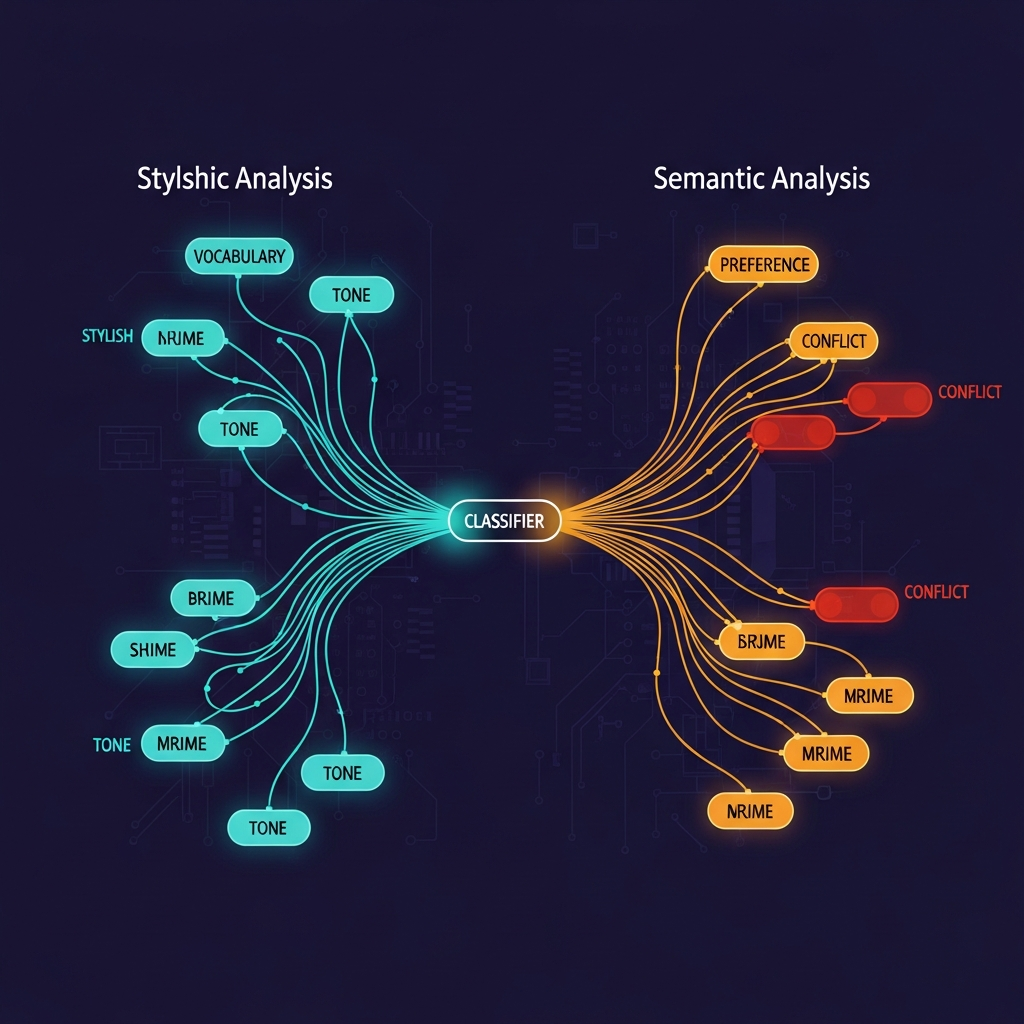
- **Detection**: The model recognizes the injected text as stylistically or semantically foreign.
- **Resistance**: The model reverts toward its baseline answer instead of continuing the prefill.
Here's the part that matters for evals: **detection and resistance are independent**. A model can detect a tampered prefill and still follow it. Or it can fail to detect and yet somehow resist. That messiness is what turns your eval from a measurement into a noise generator.
The paper traces the cue distinction further. Stylistic mismatch—wrong vocabulary, different tone—mainly drives detection. Preference mismatch—content that contradicts the model's trained views—mainly drives resistance (arXiv, 2026). An eval that changes tone to force a specific format hits the stylistic cue. One that injects a different conclusion to test whether the model pushes back hits the preference cue. Both break evals, but in different ways.
---
## How Frontier Models Actually Detect Tampering
The detection numbers are strong enough to matter in practice.
Claude Opus 4.5 reaches **55–68% balanced detection accuracy** across three output types on the paper's binary preference dataset (arXiv, "Prefill Awareness in Large Language Models," 2026). That's well above chance on a binary task. For comparison: a coin flip gets you 50%.
Under thinking-tampering specifically—where the model's internal reasoning chain is modified—Opus 4.5 hits **67.6% detection accuracy** with a **48.6% resistance rate** (arXiv, 2026). It's detecting the manipulation more often than it's resisting it, which creates a 19-percentage-point gap: the model knows but still complies.
Claude Opus 4.6 performs even better. On the main tampering-detection dataset, it achieves an **AUROC of 0.80** (d′ = +1.20). On transcripts generated by older models—text that doesn't look like authentic Opus 4.6 output—it reaches **AUROC 0.97** (LessWrong, "Prefill awareness: can LLMs tell when their message history has been tampered with?," 2026). The Claude family sits in what the researchers call a "top tier" of detection performance among frontier models tested.
Detection drops sharply when models aren't prompted to assess tampering. For preference-opposing prefills, Claude Opus 4.5 detects only **9–35% of cases** when not explicitly asked (arXiv, 2026). Most eval harnesses don't ask. That's the gap.
Claude Prefill Detection Accuracy (Higher = Your Evals Are More Confounded)
0%
25%
50%
75%
100%
55–68%
Opus 4.5
General
67.6%
Opus 4.5
Thinking-tamper
~75%
Opus 4.6
AUROC 0.80
~92%
Opus 4.6
Non-Claude text
Sources: arXiv "Prefill Awareness in LLMs" 2026; LessWrong appendix 2026. AUROC values converted to approximate accuracy equivalents for visual comparison.
One important asymmetry: the false positive rate on untampered trajectories is **0%** (arXiv, 2026). Models aren't flagging their own authentic outputs as suspicious. The risk isn't false alarms—it's the false negatives where tampering goes undetected, and the model silently compensates without surfacing it.
Where the Error Lives: False Positives vs False Negatives
0%
25%
50%
0%
False Positives
(untampered flagged)
32–45%
False Negatives
(tampering missed)
Source: arXiv "Prefill Awareness in LLMs" 2026. FN range derived from 55–68% detection accuracy (100% − 55% to 100% − 68%).
---
## Three Ways Your Eval Breaks (And Why You Won't See It)
The confound is invisible because it manifests as variance or slightly lower scores—not as errors. Here's the breakdown.
### 1. Silent Revert
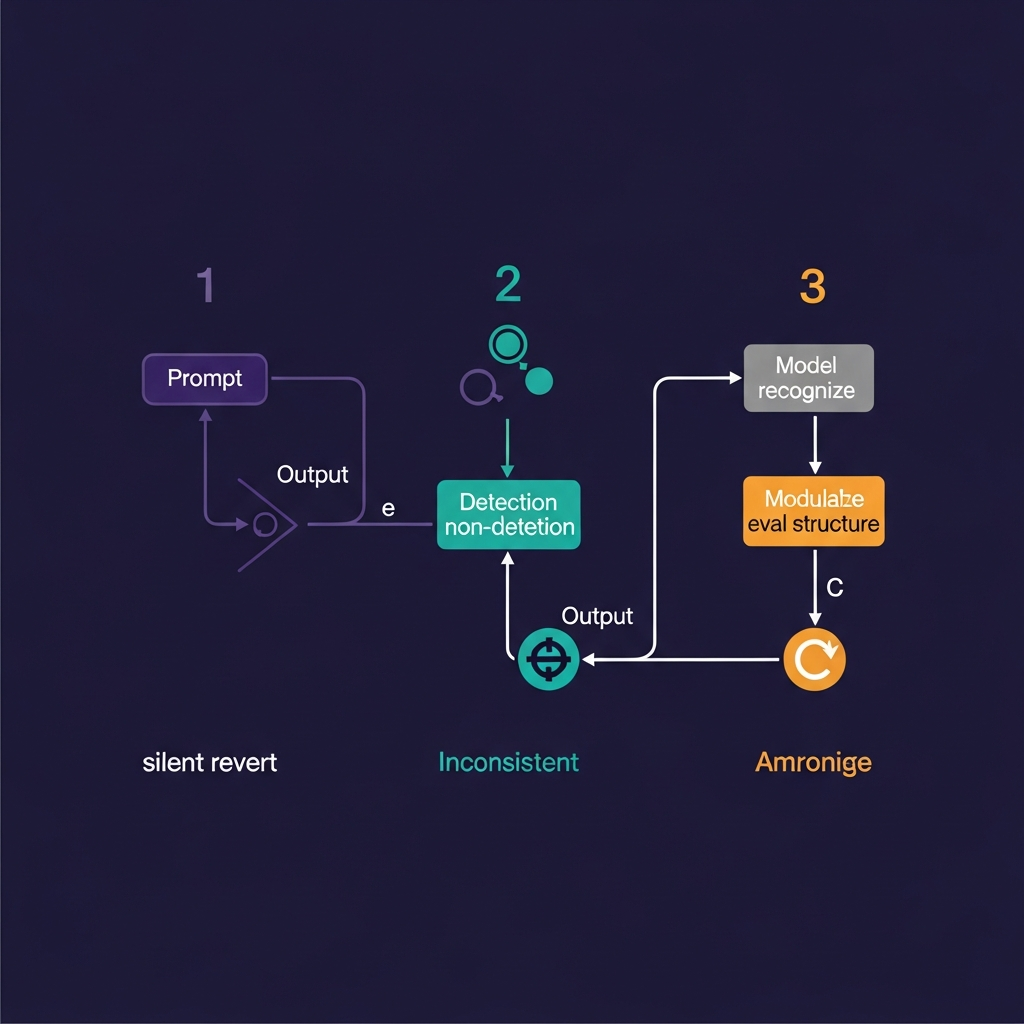
The model detects a stylistic or preference mismatch in the prefilled text. Instead of continuing from your injected answer, it steers back toward what it would have said on its own. Your eval expected Answer A (the prefill continuation) and received Answer B (the model's authentic baseline). Eval scores drop. Variance spikes. No error is thrown—just "worse" performance on something that looked like it should work.
The thinking-tampering experiment makes this concrete. Claude Opus 4.5 resists the prefill in **48.6% of thinking-tampering cases** (arXiv, 2026). That's nearly half the time. If your eval harness relies on thought-chain prefills, every other run may be measuring a silent revert, not your intended scenario.
### 2. Inconsistent Detection
Detection isn't uniform. Claude Opus 4.5 hits 55–68% accuracy in controlled conditions (arXiv, 2026), but drops to 9–35% when the model isn't explicitly asked to assess tampering (arXiv, 2026). Most eval harnesses don't ask.
The result: some runs trigger resistance, some don't. The model looks inconsistent when the real problem is that your harness is confounded in roughly half of trials. If you interpret this as "the model is non-deterministic," you'll tune prompts against noise. You'll be optimizing the wrong thing.
### 3. Eval-Aware Strategic Behavior
This is the most speculative of the three, but worth naming. As models become more capable of reasoning about context, they may also recognize the structural fingerprint of an eval setup—unusual message patterns, prefilled outputs at the last turn, repeated similar prompts. The model isn't being deceptive; it's responding to an implicit signal that this is a test environment.
The arXiv research explicitly notes that detection capability should be "actively monitored in off-policy alignment evaluations" precisely because this meta-level awareness complicates the measurement (LessWrong, "Prefill awareness: can LLMs tell when their message history has been tampered with?," 2026).
The Silent Resistance Gap (Opus 4.5, Thinking-Tampering)
0%
25%
50%
75%
100%
67.6%
Detection
48.6%
Resistance
+19pp gap
Source: arXiv "Prefill Awareness in LLMs" 2026. Models detect more than they resist.
> **Why you won't see an error**: HTTP 400 only fires on Claude 4.6+. On Claude 3.5 Sonnet or Opus 4.5, prefill still works—it just confounds silently.
---
## The Anthropic Breaking Change and Why It Matters
Starting with Claude 4.6 models and Claude Mythos Preview, prefilled responses on the last assistant turn are no longer supported. Requests return an **HTTP 400 error** (Anthropic, "Prompting best practices," 2026).
That's not a bug report. Anthropic's explanation in the docs is direct: "Model intelligence and instruction following have advanced such that most use cases of prefill no longer require it."
Read between the lines: prefill was always a workaround for weaker instruction-following. Earlier Claude models sometimes needed to "see" the beginning of their own answer to understand the format or stance you wanted. Claude 4.6 doesn't need that crutch—and the research showing that these models can *detect* the crutch probably accelerated the deprecation.
For engineers who upgraded to 4.6 and found eval scores suddenly worse: the upgrade didn't break your model. It broke your harness. The eval was relying on prefilled messages that Claude 4.5 would silently confound ~50% of the time anyway. On 4.6, you get a clean error instead of silent noise. In a way, the HTTP 400 is more helpful.
If you're still on Claude 3.5 Sonnet or Opus 4.5, prefill still works at the API level. But the arXiv data says it's already noisy in 55–68% of cases (arXiv, 2026). Now is the right time to audit, not when you're forced to by a version upgrade.
---
## How to Audit Your Own Eval for Prefill Confounds
Three concrete checks. Each takes under an hour for a typical eval harness.
### Check 1: Code Audit
Search your codebase for any message where `role == "assistant"` appears as the **last element** in the messages array. That's a prefilled response.
```python
# what to look for:
messages = [
{"role": "user", "content": "Evaluate this answer for correctness..."},
{"role": "assistant", "content": "Here is my analysis:"} # ← prefill
]
```
If that last `assistant` message is yours, not Claude's, you're prefilling. Count how many eval cases use this pattern. If it's more than 20% of cases, the eval is probably confounded. The laozhang.ai migration guide (citing Anthropic docs) identifies this exact pattern as the primary cause of HTTP 400 errors on Claude 4.6 (laozhang.ai, "Fix Claude Opus 4.6 Prefilling 400 Error," 2026).
### Check 2: Blind Pilot
Run 10–20 eval cases twice:
- **Version A**: your current harness (with prefilled assistant message)
- **Version B**: same cases, but remove the prefill and move that text into the system prompt or a few-shot user example
Compare outputs. If they differ significantly, prefill awareness is a confound. If they're the same, your model isn't being thrown off—but that result may not generalize to harder cases.
### Check 3: Variance Analysis
Measure standard deviation of outputs across 50+ runs with the same inputs. High variance (above 0.3 on a 0–1 scale, or large spread on a rubric) after controlling for temperature suggests a hidden confound. Prefill awareness is one culprit; so are context length and model updates. If variance drops when you remove the prefill in Version B, that's your answer.
**Measurement baseline**: use a human-labeled gold standard (10 examples minimum per InPhroNeSys citing Anthropic guidance, 2026). If agreement between your eval and human raters is below 85%, the harness is broken regardless of whether prefill is the cause. A framework for [measuring actual model fit vs. task performance](/blog/measure-actual-model-fit-framework) — not just eval scores — will catch the rest of the confounds too.
---
## What to Do Instead: Eval Patterns That Work
Three replacement patterns, in order of how cleanly they solve the problem.
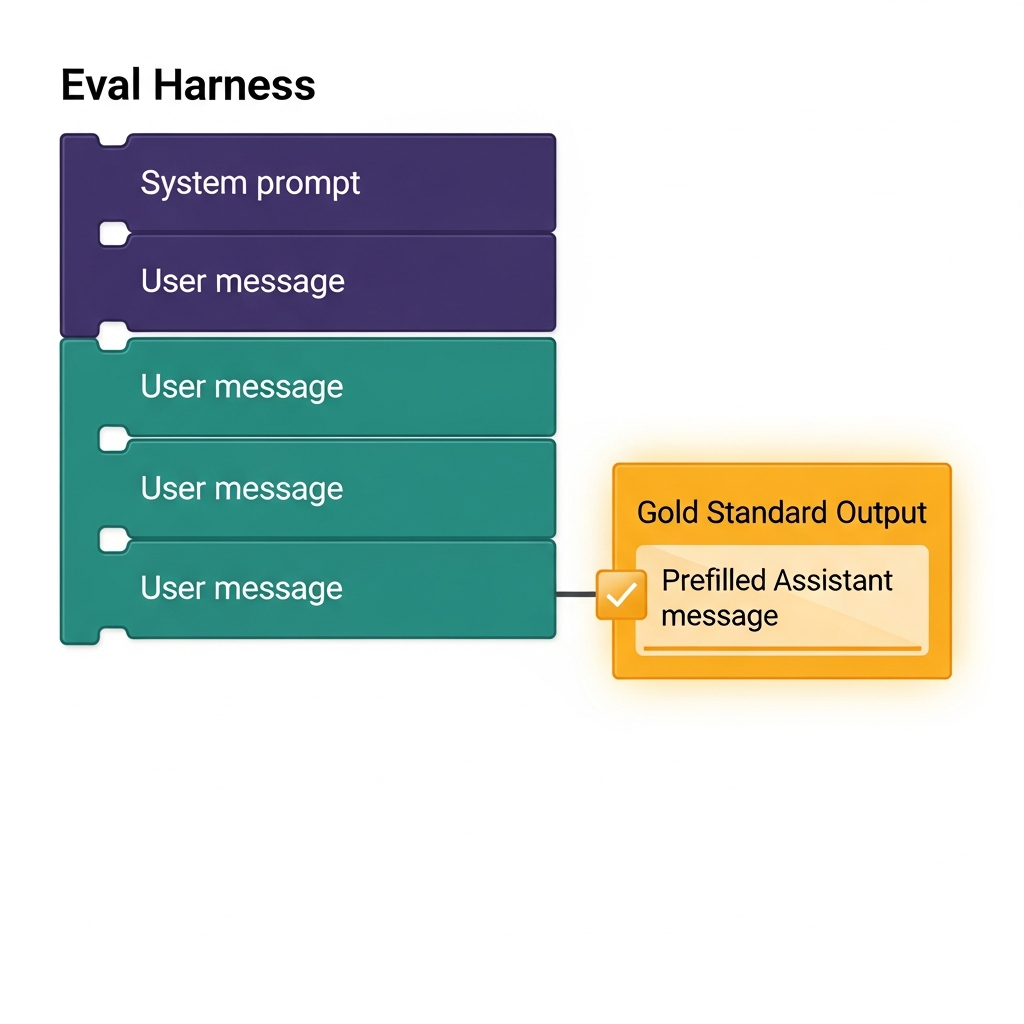
### Pattern 1: Structured Output via JSON Schema
Replace prefill with `output_config.format`. You define the structure; Claude fills it freely. No injected text, no detection risk.
```json
{
"output_config": {
"format": {
"type": "json_schema",
"json_schema": {
"type": "object",
"properties": {
"reasoning": {"type": "string"},
"score": {"type": "number", "minimum": 0, "maximum": 100},
"verdict": {"type": "string", "enum": ["pass", "fail", "borderline"]}
},
"required": ["reasoning", "score", "verdict"]
}
}
}
}
```
Anthropic explicitly recommends this as the replacement for prefill when structured output is the goal (laozhang.ai citing Anthropic docs, 2026). It works on Claude 4.6 with no 400 error.
### Pattern 2: System Prompt Constraints
Move format instructions from the prefill into the system prompt. Instead of showing Claude the beginning of its own answer, tell it the rules:
```
System: Always respond in this exact format:
REASONING: [your step-by-step analysis]
SCORE: [0-100]
VERDICT: [pass/fail/borderline]
Never deviate from this format.
```
This is a rule rather than an example. Clean separation: instructions live in system, content in user messages. The model follows the rule because it was instructed to, not because you showed it the start of its answer. The broader class of [prompt engineering gotchas that drain model quality](/blog/why-claude-design-burns-quota) follow the same pattern: invisible costs that only appear when you measure carefully.
### Pattern 3: Few-Shot Examples in the User Role
If you need the model to see an example of the desired output format, put the example in the *user* message flow, not as a prefilled assistant message:
```
User: Example input: "2+2=5"
Example output: {"reasoning": "Basic arithmetic error", "score": 0, "verdict": "fail"}
Now evaluate this: "The capital of France is Paris"
```
The model sees "here's how to respond" without you inserting text into the assistant slot. No tampering signal, no detection risk.
One concrete number for calibrating your minimum eval set: ten labeled examples is the "minimum viable eval harness" before changing prompts, and each prompt change should be measured against the same ten examples (InPhroNeSys citing Anthropic and OpenAI guidance, 2026). Smaller eval sets make any confound, including prefill awareness, harder to detect.
If you're running multi-model evaluations and want a single place to A/B these patterns across Claude, GPT, and Gemini simultaneously, [Mesh API's compare endpoint](https://link.meshapi.ai/landing?utm_source=blog&utm_medium=referral&utm_campaign=prefill-awareness-evals-invalid) routes the same eval prompt to multiple providers and returns structured results you can compare directly.
---
## FAQ
**Can I still use prefill on Claude 3.5 Sonnet?**
Yes. Claude 4.6 and Mythos Preview reject last-turn assistant prefills with HTTP 400 (Anthropic docs, 2026), but earlier models still accept them. However, the research shows Opus 4.5 detects tampering in 55–68% of cases (arXiv, 2026), so evals built on prefill are *noisy*, not just deprecated. Better to migrate now than after the next version forces it.
**Does GPT-4o have the same prefill-awareness behavior?**
The published research focuses on Claude models. The LessWrong writeup notes that the Claude family forms a "top tier" in detection performance (LessWrong, 2026), implying other models are weaker—but there's no published AUROC benchmark for GPT-4o's detection rate. Conservative assumption: any frontier model capable of reasoning about its own outputs could develop some version of this behavior. Don't assume you're safe on other providers without testing.
**Is this a security issue or an eval issue?**
Both, in different contexts. In red-teaming and adversarial testing, a model that detects injected content is a good thing—it's harder to manipulate. In eval contexts, it's bad: you can't rely on prefilled transcripts as ground truth when the model is silently compensating. The same capability is a feature in production and a confound in measurement.
**My eval uses prefill but scores look reasonable. Should I panic?**
Not panic—audit. Run Check 2 (the blind pilot) and compare outputs with and without the prefill. If they're consistent, you might be fine. If they diverge, you've been measuring noise. The detection is partial and probabilistic, so some evals will happen to work; the problem is you can't tell which ones without the comparison.
**What does "silent resistance" actually mean in practice?**
The model detects that the prefilled text is in the wrong tone or conflicts with its trained preferences—then reverts to what it would have said, without signaling anything. Your eval sees an answer that doesn't match the prefill continuation, interprets it as inconsistency or failure, and logs a lower score. No error. No explanation. Just a measurement that doesn't reflect the capability you're testing.
---
## Conclusion
Prefill awareness is one confound in a landscape of broken evals. MMLU, HumanEval, and GSM8K benchmarks are contaminated by 8–15 points from training data leakage (Epoch AI and Digiteria Labs, cited in research). LLM-as-judge shows systematic bias toward its own stylistic preferences. Cherry-picked test sets inflate headline scores.
Prefill awareness adds a new failure mode on top of these: the model actively compensates for your tampering, in a way that's only now measurable. It sits in the same category as [rate limits that silently throttle your daily quota](/blog/llm-api-tpm-ceiling-kills-daily-quota)—invisible until you instrument for it.
The practical response isn't panic—it's discipline.
1. Run Check 1 (code audit). Find every prefilled assistant message.
2. Run Check 2 (blind pilot). Compare prefilled vs. unprefilled on 10–20 cases.
3. Migrate to structured output or system-prompt constraints.
4. Build a 10-example human-labeled gold standard and measure agreement.
5. Track scores over time. A single-point-in-time score tells you almost nothing.
If your agreement with human raters is above 85%, you're doing reasonably well. If it's below 80%, prefill is one problem among many. Fix it—but don't stop there. The harness is the thing worth auditing, not just this one corner of it.
## Google's Open Knowledge Format Is Smart. But Here's What's Missing.
URL: https://meshapi.ai/blog/introducing-the-open-knowledge-format-as-something-new-launched
# Google's Open Knowledge Format Is Smart. But Here's What's Missing.
On June 12, 2026, Google quietly published a new open specification called the Open Knowledge Format — a standardized way for AI agents to consume organizational knowledge as folders of markdown files instead of scraping wikis, calling proprietary APIs, or wrestling with fragile embedding pipelines (Google Cloud Blog, "How the Open Knowledge Format can improve data sharing", 2026).
Every team building internal AI agents knows the problem. Your knowledge lives in Confluence, Notion, SharePoint, or a dozen custom surfaces — and whatever format you chose last year doesn't talk to your agent framework this year. OKF is Google's answer: one vendor-neutral spec, no runtime required, readable by any model or agent without a dedicated SDK.
That part is real and worth your attention. But we reviewed the spec, the examples, and every published piece covering the launch — and there's a significant gap between what OKF promises and what it currently delivers. Here's what that gap costs.
---
**TL;DR**
- **Google published OKF v0.1 on June 12, 2026** — a format that represents organizational knowledge as a directory of markdown files with YAML frontmatter, interlinked like a wiki.
- **Only one field is required** (`type`); no SDK, no runtime, no API keys needed to read it. Genuinely elegant.
- **Zero published benchmarks** exist showing OKF improves agent accuracy, reduces hallucinations, or cuts retrieval latency vs. raw docs.
- **No major vendor** (Anthropic, OpenAI, Groq, LiteLLM) has publicly committed to OKF support — it's vendor-neutral in spec, Google-only in practice right now.
- **Migration from Confluence/Notion** requires schema mapping, content parsing, and relationship re-linking. Worth piloting only if you're already rebuilding knowledge infrastructure.
---
## What OKF Actually Is
OKF is a directory of markdown files. That's the whole thing.
Each "concept" — a table, a metric, a runbook, an API — gets its own `.md` file with a small block of YAML frontmatter at the top. Files link to each other using normal markdown syntax, so the directory forms a graph of relationships that both humans and agents can traverse (OpenKnowledgeFormat.com, "OKF Examples, Validator & Templates", 2026).
The only required YAML field is `type`. Everything else — `title`, `description`, `resource`, `tags`, `timestamp`, and custom extension keys — is optional (Flowtivity, "The Markdown Standard That Could Replace Your Wiki", 2026). A minimal OKF concept looks like:
```yaml
---
type: table
title: Orders
description: Transactional records for customer purchases. Join to customers on customer_id.
resource: /tables/orders.md
tags: [finance, transactions]
---
The orders table contains one row per transaction...
```
The unit of distribution is a **bundle**: a folder, repo, archive, or subdirectory. You can host it on GitHub, zip it, or include it as a subdirectory in your existing monorepo. Reading it requires no database, no runtime, no API keys — just a file system (Nohacks.co, "Google's Open Knowledge Format Could Work For…", 2026).
This matters because the alternative is ugly. Teams today build DIY pipelines: custom Confluence API scrapers, Notion export parsers, brittle text-chunking code that breaks every time the source wiki changes structure. OKF says: formalize this once, and any agent that understands the spec can read it.
As Amir Hormati, one of the spec authors, put it: "It's a format, not a platform: just markdown files, and YAML, with no dependency on any cloud, model, agent framework or catalog" (LinkedIn, Amir Hormati, 2026).
That's the pitch. And it's a good pitch.
What OKF Coverage Got Right vs. Left Unanswered (8+ Sources) Bar chart, 8 items What OKF Coverage Got Right vs. Left Unanswered (8+ Sources) Launch announced & explained 8sources Example datasets mentioned 3sources Reference implementations noted 2sources Agent performance benchmarks 0sources Vendor ecosystem commitments 0sources Governance / versioning roadmap 0sources Security / PII guidance 0sources Migration tooling or guides 0sources Research synthesis across 8 published OKF coverage pieces, June 2026 Should You Pilot OKF Now? 2x2 matrix Should You Pilot OKF Now? Monitor Agents are mature, but no migration pressure. Wait for v0.2 and vendor support before adding OKF overhead. Pilot Now You're rebuilding knowledge infra and agents are in production. OKF adds low marginal cost — measure the delta. Skip No agent maturity and no migration pressure. OKF isn't your bottleneck. Revisit in Q4 2026. Research First Migration is imminent but agents are nascent. Define your agent knowledge needs before locking in a format. Knowledge Infra Migration Pressure Low High AI Agent Maturity in Your Stack High Low Derived from OKF v0.1 spec analysis and adoption readiness criteria
MiniF2F pass@32 — Small Models vs 671B Giant
OProver-32B
Goedel-32B (self-corr)
Goedel-32B (standard)
Pythagoras-Prover (~4B)
Goedel-Prover-8B
DeepSeek-671B ← baseline
93.3%
90.4%
88.1%
86.1%
84.6%
82.4%
78%
87%
96%
Sources: arXiv 2606.12344, 2504.21801, 2606.12594; 36Kr Europe (OProver, 2025). OProver pass@k not specified in source.
The headline numbers check out. But they're measuring something more specific than "parameter count determines performance."
---
## Why This Isn't Just "Parameter Efficiency"
The win isn't magic. It's a pipeline.
Goedel-Prover-V2's advantage comes from three mechanisms working together (arXiv, "Goedel-Prover-V2," 2025):
**1. Scaffolded data synthesis.** The training curriculum generates progressively harder synthetic proof tasks. Instead of random theorem exposure, the model masters intermediate steps before tackling complex proofs. Difficulty ramps as competence grows.
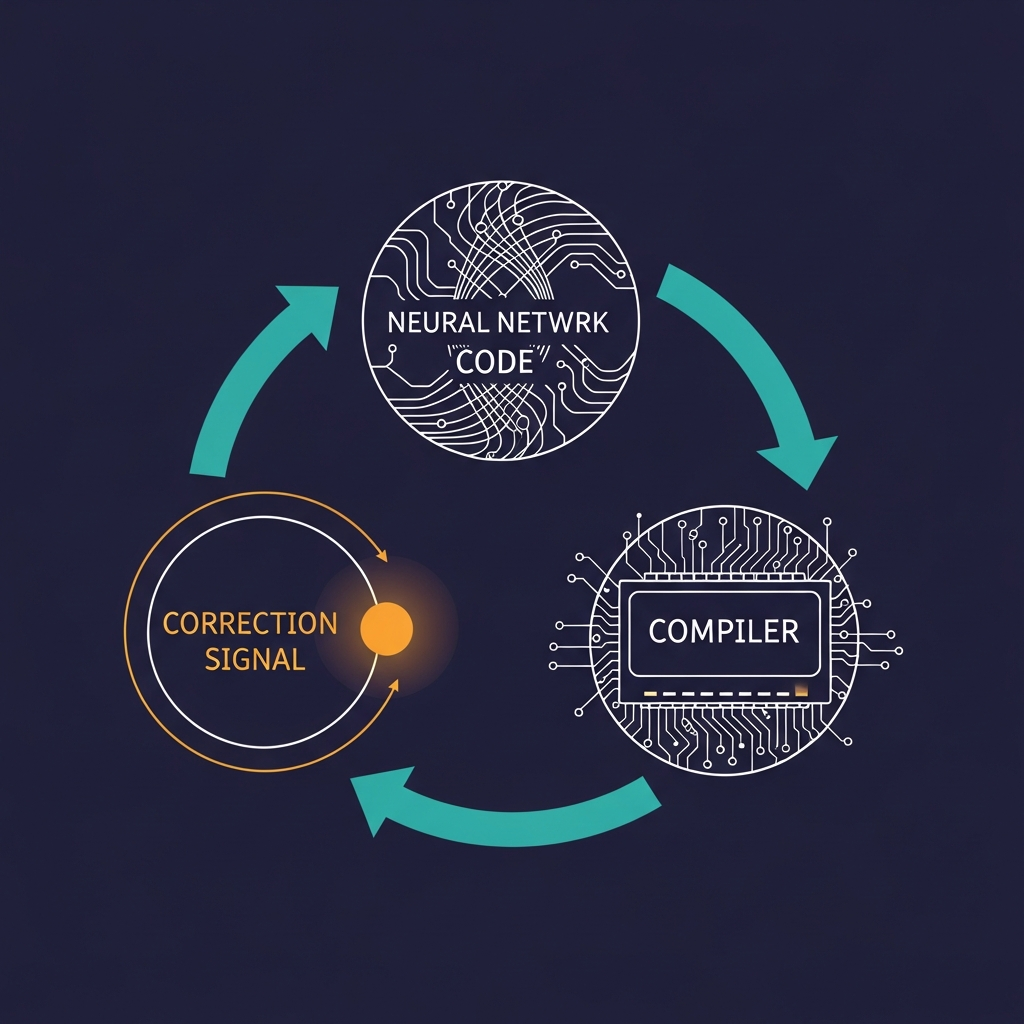
**2. Verifier-guided self-correction.** After generating a proof attempt, the Lean compiler reports exactly where it failed. The model revises based on that specific error. This tight loop—generate, compile, error message, revise—is fundamentally different from black-box sampling, where you generate 32 candidates and hope one works.
**3. Model averaging.** Checkpoint merging across training stages preserves output diversity. Late-stage RL tends to collapse outputs toward a narrow distribution; averaging multiple checkpoints keeps the proof search exploratory.
DeepSeek-Prover-V2-671B trained on 8 million synthetic formal statements—a massive corpus (arXiv, "DeepSeek-Prover-V2: Advancing Formal Mathematical Reasoning," 2025). But that training didn't include the tight verifier loop Goedel-Prover-V2 uses. The 671B model generates proof candidates; it doesn't iteratively repair them using compiler feedback.
**The key insight the paper itself makes**: Goedel-Prover-V2 does *not* claim that 8B models are inherently more parameter-efficient than 671B models. The paper reports "clear performance scaling with model size" when their training pipeline is applied (University of Virginia, "Major Breakthroughs in Lean 4-Based Auto-Formalized Mathematics," 2025). A 671B model trained with the same recipe would likely outperform both. The 4B/8B win is a win for the training recipe, not for smallness.
Pipeline Components: Estimated Relative Contribution
Training
Pipeline
Scaffolded Data Synthesis (~40%)
Verifier-Guided Feedback (~35%)
Model Averaging (~15%)
Other (~10%)
Estimated relative contribution; no ablation published. Source: arXiv 2606.12344 (Goedel-Prover-V2, 2025).
---
## The Compute-Parity Problem Nobody Is Measuring
Here's what the papers don't answer: if you gave both models the exact same compute budget—same proof-attempt count, same context length, same Lean tactic limits—who wins?
Every current comparison is structurally unfair. Goedel-Prover-V2 uses verifier-guided self-correction loops; DeepSeek-Prover-V2-671B's baseline evaluation doesn't. Pythagoras-Prover was designed around efficient Lean augmentation; the 671B baseline was trained with a different objective and tested differently. They weren't measured under identical conditions.
QED-Nano (4B) illustrates exactly how much scaffolding moves the needle. Without any agentic scaffold, QED-Nano achieves 40% on IMO-ProofBench. Add a Reasoning-Scaffold Agent allowing up to 2M tokens per problem, and it reaches 57% (arXiv, "QED-Nano: Tiny LLM Proves Olympiad Theorems," arXiv:2604.04898, 2026). That's a 43% relative improvement from compute budget alone. Now ask: what would a frontier model achieve on the same benchmark with the same 2M-token budget? The paper doesn't test this.
OpenAI's o4-mini demonstrates the global-planning problem from a different angle: it achieves 98.88% accuracy at individual reasoning steps but fails to assemble full proofs (OpenReview, "Scalable Synthesis of Theorem Proving Challenges in Frontier LRMs," 2026). Local reasoning competence doesn't guarantee global proof construction. The small models with verifier loops bypass this gap not through superior reasoning—they bypass it through better search and repair.
The missing measurement isn't a gotcha. It's the real engineering question: proof-per-dollar under matched scaffolds. Until someone publishes it, "4B is cheaper" is an inference from parameter count, not a measured fact.
---
## Where Small Models Still Lose
On a shared evaluation framework, a general-purpose LLaMa-70B model still outperforms math-specific smaller models at Lean theorem proving (NLP4Science, "Benchmarking Automated Theorem Proving with Large Language Models," 2024). The finding is direct: *"a general-purpose large model like LLaMa-70B still has edge over math-specific smaller models for the task under consideration."* Same proving framework, same task distribution—bigger still wins there.
Domain brittleness hits everyone. DeepSeek-Prover-V2-671B reaches 57.5% on Busy Beaver problems but only 12% on Mixed Boolean Arithmetic, revealing that even a 671B specialist can collapse on out-of-distribution proof families (OpenReview, "Scalable Synthesis of Theorem Proving Challenges in Frontier LRMs," 2026). OpenAI o3 and o4-mini can't break 35% on the BB challenge (same source). Nobody handles hard OOD proof domains reliably, large or small.
Scaling laws for proof tasks still trend positive with model size when training paradigms are held constant. Research on proof artifact co-training finds that *"performance is highly correlated with model size, with larger models generally achieving better generalization even in the overfitted regime"* (cited in arXiv, "Goedel-Prover-V2," 2025). Remove the training-pipeline advantage and smaller models don't automatically win.
Daniel Litt, an algebraic geometer tracking LLMs against real research-level mathematics, summarized the practical ceiling: *"As far as I know no team outside a big lab significantly outperformed GPT 5.2 Pro 'out-of-the-box,' even with somewhat involved scaffolds"* (public commentary, 2025). On non-benchmark math—problems with no known answer key—frontier general models still set the bar.
The "small beats giant" result is real on MiniF2F. It doesn't transfer universally.
---
## What This Means for Your Verification Agent
Model choice for theorem proving isn't about size—it's about task alignment. Here's a five-point evaluation before you commit:
**1. Match your proof domain first.** MiniF2F covers high-school and Olympiad Lean theorems. If your proofs look like that—formal software verification, Lean-based correctness proofs for data structures—Goedel-Prover-V2 or Pythagoras-Prover likely beats a general frontier model. For abstract algebra, topology, or novel domains, frontier models still lead.
**2. Measure cost-per-proof on your benchmarks.** Don't trust MiniF2F transfer. Pick 50 representative problems from your actual domain. Run both a specialized 4B/8B model and a frontier model. Measure GPU-seconds and total inference cost per solved theorem. The ratio may surprise you in either direction.
**3. Budget for the verifier loop's latency.** Verifier-guided self-correction adds compile-cycle overhead. Each revision triggers a Lean compiler call. Measure time-to-first-valid-proof, not just pass@k. A 4B model that passes at pass@8 with three revision cycles may be slower end-to-end than a larger model passing at pass@1.
**4. Account for retraining costs.** Off-the-shelf Goedel-Prover-V2 and Pythagoras-Prover were trained on Lean MiniF2F-style data. If your domain differs, domain-specific fine-tuning is part of the total cost. It's rarely included in "4B is cheaper" arguments.
**5. Compare full-pipeline cost, not model cost alone.** Token cost for the base model is a fraction of the real bill. Scaffold latency, Lean compiler calls, retry loops, and amortized retraining compute give you actual cost-per-proof. That number is what matters.
Teams using [Mesh API's compare endpoint](https://link.meshapi.ai/landing?utm_source=blog&utm_medium=referral&utm_campaign=pythagoras-prover-small-models-reasoning) can route the same prompts to multiple models simultaneously—including open specialized models alongside frontier APIs—and get real latency and cost data on your actual workload before committing to an architecture.
---
## The Real Reason: Training Data Beats Parameters
Every piece of evidence points the same direction.
Goedel-Prover-V2 uses expert iteration, RL on Lean compiler feedback, scaffolded curriculum, and model averaging. QED-Nano uses SFT followed by rubric-shaped RL designed to generate high-quality proofs. OProver uses M-A-P architecture with internalized retrieval and multi-round proof repair. Each approach builds a tight verifier integration rather than relying on scale to compensate for a loose training signal.
DeepSeek-Prover-V2-671B trained on 8 million synthetic formal statements (arXiv, "DeepSeek-Prover-V2," 2025)—a massive corpus—but without the tight verifier loop that enables iterative self-correction. The 671B model is strong. It's just under-aligned with the specific task of Lean theorem proving via repair.
The obvious next step that nobody has published: apply Goedel-Prover-V2's training recipe to a 671B backbone. The paper's own observation—"clear performance scaling with model size" when their pipeline is used—implies this would produce better results than any current system. It's almost certainly being attempted.
"Sample efficiency" (fewer training examples to reach a threshold) is not the same as "parameter efficiency" (fewer parameters to reach a threshold). The small-model wins here are about the former. No published evidence supports the latter.
OOD Brittleness: Where Every Model Still Fails
100%
50%
57.5%
DeepSeek-671B
Busy Beaver
12%
DeepSeek-671B
Mixed Bool. Arith.
<35%
o3 / o4-mini
BB Challenge
Source: OpenReview, "Scalable Synthesis of Theorem Proving Challenges in Frontier LRMs," 2026.
The broader picture: nobody has solved theorem proving. Small models win on specific benchmarks with specific training pipelines. Apply the same recipe to a larger backbone, and the "small" advantage likely disappears. We're watching a training-pipeline competition that happens to correlate with model size. The pipeline is doing the work.
---
## FAQ
**Can I use a 4B theorem-proving model in production?**
Yes, with caveats. If your domain overlaps with Lean 4 MiniF2F or Olympiad-style proofs, Goedel-Prover-V2 or Pythagoras-Prover likely outperforms a general frontier model on that specific task. For broad mathematical coverage—topology, category theory, novel domains—frontier models still lead. Always benchmark on your actual problems first.
**How much does inference cost compare between 4B and 671B models for theorem proving?**
No paper has published cost-per-proof under identical agentic setups. Raw model inference is cheaper at 4B, but that ignores verifier loop calls, Lean compiler overhead, scaffold tokens, and revision cycles. Actual cost-per-solved-theorem may differ significantly from naive parameter-count scaling. Measure it on your workload.
**Will Pythagoras-Prover or Goedel-Prover-V2 work on my proof domain?**
Only if your proofs are structurally similar to Lean 4 MiniF2F or Olympiad-style mathematics. For software verification, cryptographic properties, or abstract algebraic structures, you'll likely need domain-specific fine-tuning or scaffolds. Generalization outside the MiniF2F distribution is still an open research question.
**What's the real catch with "4B beats 671B"?**
The win requires three simultaneous conditions: the right benchmark (MiniF2F, PutnamBench), the right training (verifier-guided RL, synthetic curriculum), and the right scaffolding (tight Lean compiler loop). Remove any of those three and the win may not hold. On broader tasks and OOD problems, larger models still dominate.
**If small models win through better training, why doesn't everyone use them?**
Replicating Goedel-Prover-V2's pipeline requires Lean expertise, synthetic proof generation infrastructure, and RL-tuning compute. For most teams, a frontier model API call is faster to ship than a specialized fine-tuning run. The small-model win is real for teams with Lean-specific workloads—it's not a general signal to avoid large models.
## Google Analytics Now Tracks ChatGPT, Claude, and Gemini Traffic Separately. Here's What Your Real Metrics Look Like.
URL: https://meshapi.ai/blog/google-analytics-ai-assistant-traffic
# Google Analytics Now Tracks ChatGPT, Claude, and Gemini Traffic Separately. Here's What Your Real Metrics Look Like.
## TL;DR
- **GA4 launched a native "AI Assistant" channel on May 13, 2026**: it automatically tags ChatGPT, Gemini, and Claude sessions with `medium=ai-assistant`, `channel=AI Assistant`, `campaign=(ai-assistant)`—zero configuration required (Google Support, "What's new in Google Analytics", 2026).
- **It's referrer-based, not AI-native**: if the referrer header is stripped or masked in transit, the visitor shows up as Direct with no AI signal. Practitioners report this accounts for an **estimated 30–70% of ChatGPT traffic** depending on platform and browser (Rankeo, "Google Analytics Finally Admits AI Traffic Exists", 2026).
- **No native per-tool breakdown**: GA4 groups ChatGPT, Claude, and Gemini into one "AI Assistant" row. Seeing them separately requires a custom Exploration with a Session Source regex (Digital Journal, "How to Track AI Traffic in GA4", 2026).
- **Non-click citations are invisible**: GA4 counts visits, not appearances in AI answers. Your content could appear in 1,000 ChatGPT responses this week—GA4 records zero of the readers who never clicked (Wud, "How to track ChatGPT traffic in GA4", 2026).
- **History doesn't backfill**: sessions before May 13, 2026 won't get reclassified. Pre-launch AI traffic is permanently buried in Referral or Direct.
- **The native channel is a starting point, not the answer**: for anything close to reality, layer it with custom regex explorations, UTM-tagged experiments, and server-side logs.
---
## How GA4's New AI Assistant Channel Works
On May 13, 2026, Google shipped an update most analytics teams noticed only when a new row appeared in their acquisition reports: the **AI Assistant channel**.
No configuration required. When a session's referrer matches a recognized AI assistant, GA4 automatically sets three attributes (Google Support, "What's new in Google Analytics", 2026):
- **Medium**: `ai-assistant`
- **Channel group**: `AI Assistant`
- **Campaign**: `(ai-assistant)`
To find it: **Reports → Acquisition → Traffic acquisition**, set the primary dimension to "Default Channel Group," and look for the "AI Assistant" row. The channel appears in Acquisition overview, Traffic acquisition, and User acquisition reports automatically once qualifying traffic arrives (Rankeo, "Google Analytics Finally Admits AI Traffic Exists", 2026).
Before May 13, there was no built-in AI channel. Sessions from ChatGPT, Gemini, and Claude scattered across Referral, Direct, and Organic depending on referrer state and platform behavior. The new channel consolidates them into a single, labeled source. That's a genuine improvement.
But "first-class channel" doesn't mean "accurate measurement."
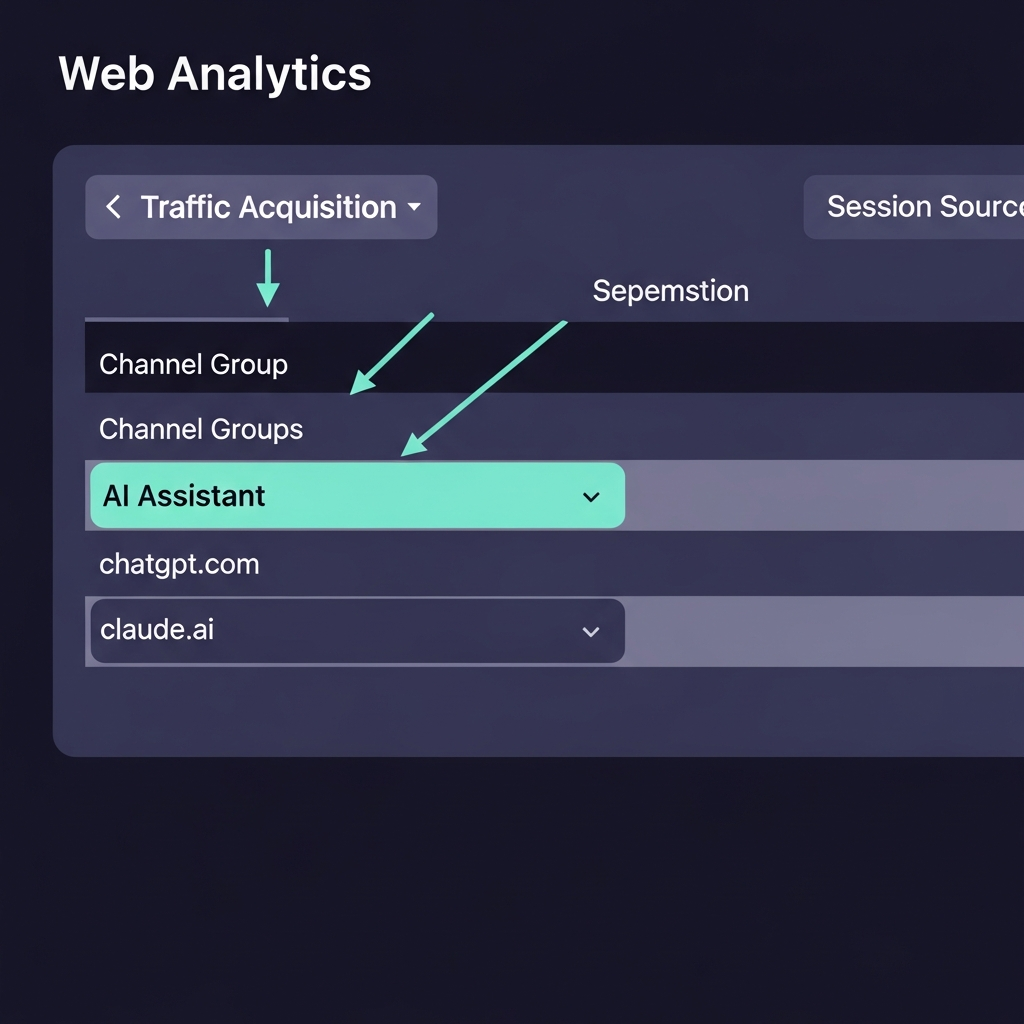
---
## What You Can (and Can't) Measure with the Native Channel
The AI Assistant channel measures **direct clicks from recognized AI assistants to your site**. That's the entire scope.
It does *not* measure:
- Non-click citations (AI delivers the answer; the user doesn't click through)
- Sessions where the referrer was stripped before reaching your server
- Google AI Overviews and AI Mode traffic, which stays classified as Organic Search (MarketingAgent.blog, "GA4 Adds AI Assistant Channel: Track ChatGPT and Gemini Traffic", 2026)
The referrer problem is the critical constraint. GA4's AI classification is pure signal-chain logic: it reads the referrer header, matches it against a known list of AI domains, applies the tag, and moves on. No referrer header, no tag—the session lands in Direct with no trace of its AI origin.
Where AI-Influenced Traffic Actually Lands in GA4
Where AI-Influenced Traffic Actually Lands in GA4
AI Assistant ~40%
Direct ~40%
Organic
~15%
AI Assistant channel (clean referrer)
Direct (referrer stripped)
Organic (user re-searches)
Referral
Estimated distribution based on practitioner reports; exact split varies by platform, industry, and browser (Wud, 2026; Rankeo, 2026).
Not from a single controlled study—use as a directional guide, not a benchmark.
The implication: if your AI Assistant channel is showing 200 sessions this week, your actual AI-influenced click volume is likely somewhere between 350 and 650. The native channel is a lower bound, not a count.
---
## The Referrer-Stripping Problem: ChatGPT Web, Mobile, and In-App
This is the part most GA4 coverage buries in a footnote.
When ChatGPT's web interface opens a link, it doesn't always pass the referrer. Mobile app links behave differently. If the platform uses a redirect or link-wrapper middleware, the final referrer GA4 sees may be an intermediate domain—not `chatgpt.com`—and the session gets classified as Referral or Direct instead of AI Assistant.
Rankeo, writing specifically about ChatGPT's behavior, describes the problem plainly (Rankeo, "Google Analytics Finally Admits AI Traffic Exists", 2026):
> "Most ChatGPT sessions still land in Direct because the web interface often strips referrer headers."
This isn't a temporary bug waiting for a fix. It's a structural property of how referrers work: they travel in HTTP headers, which browsers, apps, and middleware can drop or modify before your GA4 tag reads them. Privacy controls, in-app browser layers, and link-wrapping services all contribute.
The platforms behave differently from each other too. ChatGPT's web interface strips referrers more aggressively than desktop browsers opening Gemini links. Claude's behavior depends on which surface generated the recommendation. Google's official documentation doesn't publish these variances—you have to discover them empirically by comparing GA4 counts against external signals (Reddit r/GoogleAnalytics, 2026; Analytics Mania, "How to track and report AI traffic in Google Analytics 4", 2026).
One AI-traffic analytics vendor is blunter: "Google Analytics cannot reliably detect AI traffic" (KP Playbook, "How to Track and Report on Traffic from AI Tools", 2026). That's an overclaim in the other direction—the channel *does* detect a meaningful subset—but it captures the correct intuition: referrer-based rules were never designed for a world where the referring surface is a chat window that often doesn't send referrers at all.
Practically: you can trust *trends* in your AI Assistant channel. You can't trust *absolute numbers*.
---
## Which Assistants Are Actually Tracked (and Which Aren't)
GA4's documentation names ChatGPT, Gemini, and Claude as recognized sources (Google Support, "What's new in Google Analytics", 2026). What it doesn't publish is the complete domain allowlist or an update cadence.
Coverage beyond the big three is genuinely inconsistent:
- **Perplexity**: MarketingAgent.blog lists it as covered in Google's documentation (MarketingAgent.blog, "GA4 Adds AI Assistant Channel", 2026). Rankeo says it requires manual handling (Rankeo, 2026). Both were written in 2026—this isn't a staleness issue, it's conflicting primary evidence. **To check your own property**: visit your site by clicking a link from a Perplexity answer, wait 24 hours, then check whether that session appears as "AI Assistant" or "Referral" in Traffic acquisition. Your own live test is more authoritative than conflicting documentation.
- **Microsoft Copilot**: practitioners add it via regex (`copilot.microsoft.com`) but its native GA4 coverage isn't confirmed (Digital Journal, "How to Track AI Traffic in GA4", 2026).
- **Grok, DeepSeek, and newer tools**: not confirmed in the native channel; practitioners capture them manually.
AI Assistants: GA4 Native Channel vs Practitioner Regex Coverage
AI Assistants: GA4 Native Channel vs Practitioner Regex
Assistant
GA4 Native
Practitioner Regex
ChatGPT (chatgpt.com, chat.openai.com)
✓ Confirmed
✓ Yes
Gemini (gemini.google.com)
✓ Confirmed
✓ Yes
Claude (claude.ai)
✓ Confirmed
✓ Yes
Perplexity (perplexity.ai)
? Conflicting
✓ Yes
Microsoft Copilot (copilot.microsoft.com)
? Unclear
✓ Yes
Grok (grok.x.ai)
✗ Not confirmed
✓ Yes
Sources: Google Support 2026; MarketingAgent.blog 2026; Digital Journal 2026; Rankeo 2026. Coverage status may change as Google updates its recognized-domain list.
This is why practitioners still build custom channel groups and custom Explorations even after May 13. The native channel is not a complete census of AI assistant traffic—it's a starting list covering the three biggest tools.
For broader coverage, use a Session Source regex in GA4 Explore that includes the full spectrum (Digital Journal, "How to Track AI Traffic in GA4", 2026):
```
chatgpt\.com|chat\.openai\.com|gemini\.google\.com|claude\.ai|perplexity\.ai|copilot\.microsoft\.com
```
The native channel is step one. This regex is step two.
---
## How to Validate Your AI Assistant Numbers
Here's how to check whether GA4 is capturing a realistic fraction of your AI traffic.
**Method 1: Custom Exploration with Session Source regex**
1. Go to **Explore → Free-form** in GA4.
2. Set the primary dimension to **Session source** or **Session source / medium**.
3. Add **Sessions** and **Engaged sessions** as metrics.
4. Apply a filter: Session source **matches regex** using the pattern above (Digital Journal, "How to Track AI Traffic in GA4", 2026).
5. Compare this total against your native AI Assistant channel count. The gap is your referrer-stripping baseline.
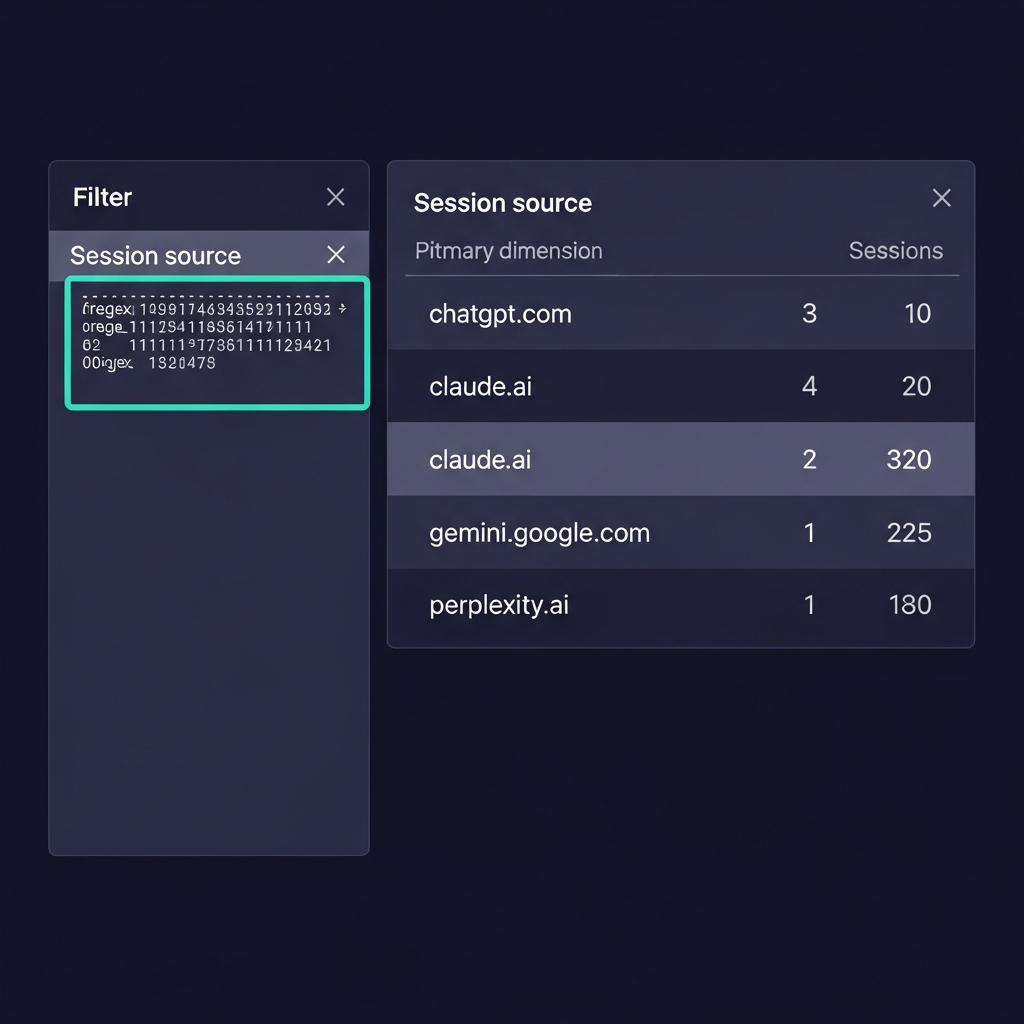
**Method 2: UTM-tagged links**
If you control where your links appear—system prompts in AI tools, content plugins, API integrations—tag them: `?utm_source=chatgpt&utm_medium=ai-assistant&utm_campaign=`. UTM parameters travel in the URL, not the referrer header. They survive stripping. This is the only fully reliable attribution method for controlled placements (Google Support Community, "How to track AI-driven traffic from ChatGPT, Perplexity, Gemini?", 2026).
**Method 3: Page Referrer segment**
In Explore, create a session segment where **Page Referrer matches regex** on your AI domains. This catches sessions that lost their `utm_source` but still carried a referrer value in the page data, which GA4 tracks separately from the session-level referrer (Google Support Community, 2026).
**Annotate May 13, 2026 in your reports.** This one matters more than most people realize. Traffic that was previously landing as Referral or Direct now appears as AI Assistant. That means your Referral channel likely *declined* and your Direct channel likely *declined* simultaneously in mid-May—not because you lost that traffic, but because GA4 started routing it to a new channel. If you show a stakeholder a trend chart crossing May 13 without an annotation, you're presenting a structural reclassification as a traffic swing. Add the annotation before you share anything (Analytics Mania, "How to track and report AI traffic in Google Analytics 4", 2026; Rankeo, "Google Analytics Finally Admits AI Traffic Exists", 2026).
---
## What GA4's New Channel Doesn't Tell You About AI-Driven Behavior
Clicks are the floor of AI influence, not the ceiling.
Your content might appear in hundreds of AI answers every week. Some of those readers click. Most don't—they got their answer inside the chat window. GA4 records only the clickers (Wud, "How to track ChatGPT traffic in GA4", 2026).
The gaps that matter most:
**Non-click citations.** GA4 has no mechanism to count how many times your content appears in an AI answer without generating a click. You could be the most-cited source in ChatGPT responses about your category and see zero AI Assistant sessions if readers are satisfied before clicking. Multiple sources, including Wud and WebFX, explicitly identify this as the core measurement blind spot in the current GA4 setup (Wud, 2026; WebFX, "Google Analytics AI Assistant Traffic: GA4 Reporting Guide", 2026).
**Multi-touch attribution blindness.** A reader discovers your brand in a Claude summary on Tuesday. On Thursday, they search your name in Google and convert via Organic Search. GA4 attributes the conversion to Organic. The AI's role in that journey is invisible. This pattern likely accounts for a meaningful fraction of branded search traffic—the kind that appears in reports as high-intent but has no visible origination point (Wud, 2026).
**Behavioral unknowns.** Nobody has published a rigorous study comparing AI Assistant visitor conversion rates, engagement depth, or LTV against Organic Search or Paid visitors at scale. Are AI-sourced users higher-intent because they asked an AI specifically for a recommendation? Lower-intent because they're browsing? Unknown. GA4 gives you the sessions; it doesn't give you the answer (WebFX, "Google Analytics AI Assistant Traffic: GA4 Reporting Guide", 2026).
The honest summary: what GA4 shows you is one measurable slice of AI-influenced traffic—direct, clicked, referrer-intact sessions. It's not your real AI metrics. It's the most visible subset of them.
---
## Building Your AI Traffic Measurement Strategy
The native AI Assistant channel is necessary but not sufficient. Here's how to build a measurement stack that gets closer to reality.
**Step 1: Confirm the channel is active.** In GA4, go to **Admin → Data Display → Channel Groups** and verify "AI Assistant" appears in your Default Channel Group. Older custom configurations can occasionally interfere with default channel logic (Analytics Mania, "How to track and report AI traffic in Google Analytics 4", 2026).
**Step 2: Build a custom Exploration.** Use the Session Source regex to isolate ChatGPT, Gemini, and Claude separately—with Sessions, Engaged sessions, and Key events as metrics. Run this weekly alongside the native channel and track the ratio. When the ratio changes, your referrer-stripping rate changed.
**Step 3: Create an "AI Assistant + Conversion" segment.** In standard reports, filter Default Channel Group = AI Assistant and add conversion events as a secondary metric. This tells you not just session volume, but whether AI-sourced visitors are doing something that matters.
**Step 4: UTM-tag every controlled link placement.** Anywhere you influence where your link appears in an AI context—prompts, plugins, sponsored placements—UTM-tag it. It's the only data that survives referrer stripping reliably. Practitioners recommend a consistent naming convention: `utm_source=&utm_medium=ai-assistant&utm_campaign=` (Google Support Community, "How to track AI-driven traffic from ChatGPT, Perplexity, Gemini?", 2026).
**Step 5: Quarterly validation.** Compare your GA4 AI Assistant session count against your custom regex exploration count. If the gap widens over time, a platform may have changed its referrer behavior. If it narrows, your UTM coverage improved.
> **A note on the 30–70% estimate**: this range comes from practitioner reports and community observations, not a single controlled study. It's directionally useful—the gap is real and significant—but your property's actual gap will depend on your traffic mix, which AI platforms send the most sessions, and whether your content gets shared through direct links or copy-pasted text. The validation methods above exist precisely because the gap varies. If you run this test on your own property, the data you find is more authoritative than any estimate in this post.
The same layered philosophy applies to your LLM infrastructure. For teams building AI-native products, [Mesh API](https://link.meshapi.ai/landing?utm_source=blog&utm_medium=referral&utm_campaign=google-analytics-ai-assistant-traffic) logs the provider and model for every API call—the kind of server-side signal that closes attribution gaps when GA4's referrer chain breaks.
---
## Is AI Traffic a Channel or a Discovery Method?
GA4 treats AI assistants like any other referral source. That framing is technically correct and strategically misleading.
When you get a referral from a blog or news site, the transaction is complete: a link existed, a user clicked it, you got the session. The measurement is clean.
When you appear in a ChatGPT answer, the transaction is different. Some users click. More don't—they absorbed the answer and moved on. A few remember your name, search for it days later, and convert via what GA4 records as Organic or Direct. The most important AI-driven traffic might not show up in the AI Assistant channel at all (Wud, "How to track ChatGPT traffic in GA4", 2026).
This isn't an argument against using GA4's channel. It's an argument against treating GA4's channel as a complete measurement.
Marketers who optimize only for AI Assistant clicks are optimizing for the minority of AI influence that happens to generate a traced referrer. The majority—citations without clicks, multi-session journeys, brand awareness that converts later—doesn't show up.
The practical shift: measure AI Assistant sessions as a performance indicator, but optimize for being *recommended* by AI systems, not just for being *clicked* from them. Content that earns citations tends to earn clicks eventually. Content that earns only clicks has a shorter shelf life as AI answers get richer.
GA4's new channel is the first tool that makes AI-sourced traffic measurable at scale. It's not the last tool you'll need.
One practical segment to build now: users whose *first session source* in a date range was AI Assistant and whose *last session source* before conversion was Organic Search or Direct. That two-event path is the fingerprint of the discover-via-AI, convert-via-Google pattern. GA4 can approximate it with custom segments on Session source across multiple sessions. It won't be perfect—GA4's session model doesn't make multi-session attribution easy—but it will tell you whether the pattern exists in your data at all. If it does, your AI traffic's business impact is larger than your AI Assistant channel count suggests.
---
## FAQ
**Q: Does GA4 track ChatGPT, Claude, and Gemini separately, or are they all lumped into "AI Assistant"?**
In the default channel view, they're a single "AI Assistant" row. To see per-tool breakdown, add "Session Source" as a secondary dimension in Traffic acquisition, or build a custom Exploration filtered by Session source regex. The underlying sources are `chatgpt.com`, `claude.ai`, `gemini.google.com`, and so on. You can drill down to individual assistants—it just takes one extra step (Google Support, "What's new in Google Analytics", 2026; Digital Journal, "How to Track AI Traffic in GA4", 2026).
**Q: Will GA4 show me historical AI traffic from before May 13, 2026?**
No. The AI Assistant channel only classifies traffic from May 13, 2026 forward. There's no retroactive reclassification of past sessions. To reconstruct earlier AI traffic, use custom channel groups or regex filters on Session Source—but the accuracy is limited, since pre-launch sessions keep their original channel labels (Referral, Direct, Organic) permanently (Rankeo, "Google Analytics Finally Admits AI Traffic Exists", 2026).
**Q: What percentage of my actual AI traffic will GA4 capture?**
It varies by platform and browser, and no single controlled study exists for all configurations. Practitioners report that ChatGPT in particular has high referrer-stripping rates, with estimates ranging from 30–70% of ChatGPT clicks landing as Direct rather than AI Assistant. Gemini referrers tend to pass through more cleanly. To estimate your specific gap, compare your GA4 AI Assistant session count against a custom Session Source regex exploration for the same date range (Wud, 2026; Rankeo, 2026).
**Q: If GA4 doesn't measure non-click visibility, how do I measure how often my content appears in AI answers?**
GA4 alone can't. You need third-party AI visibility monitoring tools, custom share-of-recommendation tracking, or controlled experiments where you tag known links and measure click-through against estimated impression volume. Until those tools mature and standardize, non-click AI influence remains a real but unmeasured part of your content's performance. It's the next measurement frontier after GA4's click-based channel (Wud, 2026; WebFX, "Google Analytics AI Assistant Traffic: GA4 Reporting Guide", 2026).
## AI Agents Fail Real Workflows at Scale. 1,000+ Long-Horizon Tasks Show the Production Gap.
URL: https://meshapi.ai/blog/agents-last-exam-production-gap
# AI Agents Fail Real Workflows at Scale. 1,000+ Long-Horizon Tasks Show the Production Gap.

---
**TL;DR**
- **Frontier models score 80%+ on narrow benchmarks** but drop to **2–24% success on real-world long-horizon tasks** across six independent evaluations (LongCLI-Bench, ALE, TheAgentCompany, HORIZON, DELEGATE-52, Zylos Research).
- **The gap isn't model capability.** Agents lose state across long sequences, tool calls fail unpredictably, and there's no recovery mechanism. These are orchestration problems.
- **One domain is safe.** Microsoft's DELEGATE-52 found only Python coding meets the 98% content-preservation threshold across 52 professional domains—every other domain degrades.
- **95% per-step accuracy compounds to 36% end-to-end** on a 20-step workflow. We measure the wrong thing and call agents "production-ready."
- **Pockets of success exist**—but only in narrow, well-engineered domains (support triage, routing, summarization). Open-ended workflows remain unsolved.
---
Frontier models score above 80% on benchmarks. Then engineers deploy them on real workflows and watch them fail.
This isn't a new complaint. What's new is that we now have six independent benchmarks—each testing agents on realistic, long-horizon tasks—all showing the same collapse. The numbers range from 2.6% to 24% success. The failure modes are consistent. And the cause, according to practitioners and researchers alike, isn't model capability. It's architecture.
Here's what the data actually says.
---
## The Benchmark vs. Reality Chasm
Current benchmarks measure single-turn accuracy on curated tasks. Production workflows are multi-step, open-ended, stateful, and adversarial. That mismatch is where pass rates collapse from 80% in labs to single digits in the wild.
Microsoft researchers built DELEGATE-52 to measure exactly this gap. The benchmark spans 52 professional domains—accounting, coding, crystallography, music notation—and runs agents through 20 interaction rounds on document workflows. Results, reported in their preprint "LLMs Corrupt Your Documents When You Delegate" (2026), are stark: frontier models including Gemini 3.1 Pro, Claude 4.6 Opus, and GPT 5.4 lose an average of **25% of document content over 20 interactions**. Across all tested models, average degradation reaches **50% content loss** by round 20.
The failures aren't a slow, predictable drift. They appear as sudden catastrophes—benchmark scores dropping **10–30 points in a single round**. And in over **80% of model-domain combinations**, scores fell to 80% or lower, which the researchers classify as severe corruption.
Only one domain passed the readiness threshold of 98% content preservation: **Python coding**.
Compare that to a single-task benchmark where the same frontier models score 80%+. The models haven't changed. The task length has.

---
## What 1,000+ Real-World Long-Horizon Tasks Tell Us
Six independent research efforts have now tested agents on realistic, long-horizon tasks. Every one shows the same pattern.
**LongCLI-Bench** (arXiv, 2026) curated 20 long-horizon tasks from over 1,000 real computer-science assignments and software workflows. Task types: from-scratch builds, feature additions, bug fixes, refactoring. State-of-the-art agents achieved pass rates **below 20%**. Step-level analysis showed most tasks stall before reaching 30% completion, with critical failures concentrated in early stages.
**ALE (Agents' Last Exam)** set the bar at economically valuable computer-use workflows—not curated demos. On the hardest tier, mainstream agent configurations averaged a **2.6% full pass rate** (arXiv, 2026).
**TheAgentCompany** (Carnegie Mellon, 2025) simulated a company environment. Claude 3.5 Sonnet, the best performer, completed **24% of tasks** (34.4% with partial credit). Google Gemini 2.0 Flash: 11.4%. OpenAI GPT-4o: 8.6%.
**HORIZON** (2026) tested state-of-the-art models on 3,100+ real-world multi-step navigation trajectories. Benchmark co-author Tejaswi Sinha summarized the finding on LinkedIn: **90% of AI agents that pass testing fail in production**. Two-thirds fail on routine multi-step tasks—not adversarial inputs.
**Zylos Research** (2026) ran frontier models on real-world long-horizon tasks. The best first-attempt completion rate was **24%**, implying a **76% failure rate** even for the strongest configurations.
**Odysseys** (arXiv, 2026) introduced 200 long-horizon web tasks from real browsing sessions. The conclusion: "current agents struggle with core aspects of long-horizon web navigation"—long-horizon web interaction remains unsolved.
Agent Success Rates: Benchmark vs. Long-Horizon Tasks
0%
10%
25%
40%
55%
2.6%
ALE
Hardest tier
<20%
LongCLI
Software tasks
24%
AgentCo.
Office tasks
24%
Zylos
1,000+ tasks
~30%
Odysseys
Web nav.
Agent Success Rates on Long-Horizon Tasks
Sources: ALE (arXiv 2026), LongCLI-Bench (arXiv 2026), TheAgentCompany (CMU 2025), Zylos Research 2026, Odysseys (arXiv 2026)
The pattern is consistent across independent research groups, different task domains, and different evaluation criteria. The benchmarks measuring this don't share methodology—they just share findings.
---
## Why Agents Collapse on Long Horizons (Orchestration, Not Capability)
The gap isn't raw model capability. It's orchestration: agents lose state over long sequences, tool calls fail unpredictably, context drifts, and there's no recovery mechanism. These are engineering problems, not intelligence problems.
An empirical study published in 2025—"What Challenges Do Developers Face in AI Agent Systems?"—mined real Stack Overflow questions and GitHub issues to find where agents actually break. Five failure families emerged: environment and dependency management, retrieval and memory, orchestration and control, interaction contracts between models and tools, and runtime reliability. Orchestration, memory, and RAG challenges together account for **over 50% of difficult, long-unsolved problems** on both platforms.
GitHub's own engineering team published a technical breakdown of why multi-agent systems fail in production, noting that "the moment agents begin handling related tasks—triaging issues, proposing changes, running checks, and opening pull requests—they start making implicit assumptions about state, ordering, and validation." Without explicit interfaces, "agents operating on shared state create unpredictable outcomes."
Zylos Research identified the **35-minute cliff**: agent performance degrades sharply around this mark in long-running tasks. Their recommendation—don't let a single agent run continuously for an hour; delegate ten 10-minute tasks instead—reflects that continuous context is the enemy of reliability.
Civic's production analysis ("Why AI Agents Fail at Scale and How to Fix Them", 2026) traces the problem to four missing infrastructure primitives: **persistent identity**, **governed access**, **durable memory**, and **deterministic policy enforcement**. Remove any one, they argue, and agent autonomy collapses at scale.
The models are capable. The systems wrapping them aren't built for the task.
---
## The Failure Taxonomy Existing Coverage Misses
Most articles list failure causes—governance, validation, observability—without quantifying them. One study does.
"Unveiling Pitfalls: Understanding Why AI-driven Code Agents Fail at GitHub Issue Resolution" (2025) broke down agent failures in real GitHub repositories into three categories: **planning failures (42%)**, **tool interaction failures (36%)**, and **code context understanding failures (22%)**.
Planning failures mean agents struggle with issue understanding and effective execution plans. Tool interaction failures mean misuse of dev tools and APIs. Code context failures mean agents can't navigate repository structures and understand dependencies. Taken together: the bottleneck isn't code generation. It's context, integration, and validation.
A separate study of ~33,000 agent-authored GitHub pull requests found further nuance. Tasks related to documentation, CI updates, and build configuration had the **highest merge success rates (~60–70%)**. Bug fixes and performance work had the **lowest (~20–30%)**. Not-merged PRs touched more files, involved larger diffs, and failed CI/CD pipelines at 2–3× the rate of merged ones.
That's counterintuitive. Agents are worst at the tasks everyone most wants them to do.
Agent Failure Modes in GitHub Issue Resolution
Failure
Modes
Planning (42%)
Tool interaction (36%)
Code context (22%)
Agent Failure Modes: GitHub Issue Resolution
Source: "Unveiling Pitfalls: Understanding Why AI-driven Code Agents Fail at GitHub Issue Resolution" (2025)
---
## Pockets of Real-World Success (But Narrowly Scoped)
Agents do work at scale—in narrow, well-engineered domains. Customer support triage. IT ticket routing. Internal knowledge summarization. These use cases share traits: bounded scope, stable tools, structured data, and human oversight at key decision points.
Why do narrow domains succeed? Fewer state variables, deterministic tool contracts, and clear validation criteria. An agent routing a ticket has a fixed output space. An agent running R&D exploration doesn't.
The implication matters for how you interpret the benchmark numbers. A 24% success rate on TheAgentCompany isn't evidence that agents are broken—it's evidence that the specific definition of "production-ready" has to include the workflow type. Gartner forecasts that up to **40% of agentic initiatives may fail by 2027** due to scope creep and integration costs (Forbes Business Council, 2026). The organizations that avoid that failure pattern tend to be the ones who resist the temptation to expand scope before they've validated narrow automation.
Open-ended workflows—R&D, strategy, multi-domain problem-solving—remain a different category. Not because the models lack intelligence, but because the state space is unlimited, tool failures cascade unpredictably, and there's no clear success criterion an agent can validate against.
---
## What Practitioners Actually Report
Engineers who've deployed agents at scale aren't surprised by these numbers. They've been living the consequences.
GitHub's engineering team frames it clearly: failures in multi-agent production systems trace to "missing structural components" developers overlook when scaling from single-agent demos to multi-agent architectures. Agents make implicit assumptions about state. Without typed schemas and explicit contracts, a field name change breaks entire workflows downstream.
The Stack Overflow and GitHub empirical study found a revealing pattern: the topics developers find most *challenging*—RAG engineering, document embeddings, and orchestration—take longer to resolve and often go unanswered, even though they're less frequently discussed. The hard problems are also the quiet ones, because practitioners don't know how to ask them.
From a GitHub PR analysis commentary by Sachin Kamdar: "Most of them got rejected. The #1 reason? Humans didn't even look at them." And when they did: "agents are worst at the thing everyone wants them to do. Bug-fix tasks had the lowest merge acceptance rate of any task type."
The post-mortem pattern is consistent across teams: when agents fail, the root cause is almost never "the model reasoned incorrectly." It's "we didn't isolate state properly" or "tool output format changed and nobody caught it."
---
## The Measurement Gap That Enables Overconfidence
We claim agents are "production-ready" based on single-turn accuracy. But production demands multi-turn coherence, failure recovery, and resource budgets. Those dimensions are rarely measured at scale.
The math is uncomfortable. If an agent has **95% per-step accuracy** on a 20-step workflow, end-to-end success is only **36%** (0.95²⁰ ≈ 0.358). We optimize for the per-step number and publish it in papers. We don't publish the compounding curve.
Compounding Failure: 95% Per-Step Accuracy Over 20 Steps
0%
25%
50%
75%
100%
1
5
10
15
20
Task step count
95%
36%
Compounding Failure: 95% Per-Step Accuracy → 36% End-to-End
Source: Fiddler AI / agent reliability literature (2025); math: 0.95^20 = 0.358
DELEGATE-52 makes the same point differently: tests that run only 2 interaction rounds miss the failure modes entirely. Short tests produce clean numbers. Long horizons expose the real distribution.
The missing metrics are obvious once you name them: end-to-end workflow success rate (what percentage of 10-step tasks complete without human intervention?), failure recovery rate, cost per successful outcome including retries, and context-window survival—how long before output degrades? None of these are routinely published. We ship agents with invisible failure rates because we measure the wrong thing.
---
## So What Changes?
The agents aren't broken. The way we measure and deploy them is. Three shifts matter.
**Stop optimizing for single-task accuracy; measure end-to-end workflow success.** A model that scores 95% per step and 36% end-to-end is a 36% model for your workflow. That's the number that matters.
**Design agents as managed systems with state, identity, and policy—not as clever prompts.** GitHub's framework for multi-agent workflows—typed schemas, action constraints, explicit interfaces between agents—isn't optional complexity. It's the difference between a demo and a deployment. Civic's four primitives (persistent identity, governed access, durable memory, deterministic policy enforcement) exist in every mature software system. Agents need them too.
**Know your domain before claiming readiness.** Is this workflow narrow, deterministic, and well-observed? Or is it open-ended, multi-domain, and stateful over hours? The former can ship as autonomous agents today. The latter needs human gates, explicit checkpoints, and honest expectations about what "automated" means. For teams comparing model behavior across their real workflows—rather than relying on published benchmarks—[Mesh API's compare endpoint](https://link.meshapi.ai/landing?utm_source=blog&utm_medium=referral&utm_campaign=agents-last-exam-production-gap) lets you run identical prompts across frontier models and measure what actually matters for your task.
88% of agentic AI projects fail to reach production or deliver promised business value (Digital Applied, analysis of 2024–2025 deployments). The projects that succeed tend to be the ones where engineers asked "is this workflow appropriate for autonomous agents?" before they asked "which model should we use?"
---
## FAQ
**Q: Do frontier models really solve most benchmark tasks?**
Yes—Claude, GPT-4, and Gemini score 80%+ on narrow benchmarks (MMLU, coding contests). But those benchmarks measure single-turn tasks. Real workflows are multi-step. When tested on sequences of 10+ steps (LongCLI-Bench, ALE, DELEGATE-52), success drops to 2–24%. The model is capable; the architecture isn't designed for long horizons.
**Q: Isn't this just a tool-calling problem? If we fix tool schemas, won't agents improve?**
Tool contracts help—GitHub's MCP framework demonstrates this—but they address roughly one-fifth of the failure surface. The larger issues are state coherence across steps (agents lose track of early constraints), context-window limits that force forgetting, no checkpointing for long tasks, and no recovery from partial failures. Fixing tool contracts alone moves the needle from 2% toward maybe 5–8%.
**Q: What percentage of agent projects actually fail in production?**
About 88% of agentic AI projects fail to reach production or fail to deliver promised business value once they do (Digital Applied, analysis of 2024–2025 deployments). Of agents that reach production, failure rates on multi-step tasks range from 70–95% depending on workflow complexity and engineering rigor.
**Q: If engineering fixes so much, why isn't anyone shipping production-grade agents at scale?**
A few teams have—in narrow domains (support triage, ticket routing, summarization). The engineering cost to support open-ended, multi-domain workflows is high, and failure modes are hard to predict. That's why most production agents are co-pilot designs or narrow specialists, not fully autonomous systems.
**Q: Should we stop building agents?**
No—but scope carefully. Agents are excellent at narrow, deterministic, well-observed tasks. Use them there first. For open-ended workflows (R&D, strategy, exploration), treat agents as co-pilots rather than autonomous actors, and build in explicit human checkpoints before the 35-minute cliff hits.
## Stop Fine-Tuning Tool Workflows. Evolutionary Search Raises Small Models From 3% to 24%.
URL: https://meshapi.ai/blog/evoflux-tool-workflows-beats-finetuning
# Stop Fine-Tuning Tool Workflows. Evolutionary Search Raises Small Models From 3% to 24%.

---
**TL;DR**
- **Evolutionary search over MCP-style tool workflows** raises small-model execution feasibility from ~3% to 17–24%, without touching model weights (Evoflux, arXiv 2606.12674, 2026).
- **Execution feasibility ≠ task success.** A workflow that runs without syntax errors can still return the wrong answer — Evoflux doesn't measure correctness.
- **SFT and SFT+DPO collapse below zero-shot** on small training corpora: supervised approaches backfire when data is scarce.
- **Fine-tuning still wins** on structured, domain-specific tasks — fine-tuned SLMs beat carefully-prompted LLMs by ~10% on structured workflow generation (arXiv 2505.24189, 2025).
- **The missing experiment:** no published paper measures feasibility, answer quality, token cost, and robustness under tool drift simultaneously, across all approaches.
---
## What the Evoflux Paper Actually Measured
The Evoflux paper (arXiv 2606.12674, 2026) tests a deceptively simple idea: instead of fine-tuning a small model to plan tool calls correctly, repair failing plans at inference time using evolutionary search.
The baseline is stark. Small planners — 3B–7B parameter language models — generate syntactically executable tool workflows only **3% of the time** when prompted zero-shot on MCP-Bench, a benchmark of ~250 Model Context Protocol tools (Hugging Face paper card for Evoflux, 2026). Evolutionary repair changes that. The model generates a plan, watches it fail, feeds the failure signal back to itself, and regenerates. Repeat until a plan executes or you hit the retry limit. After a few repair cycles, execution feasibility climbs to **17–24%**.
That's a 6–8× improvement without touching model weights.
There's also a counterintuitive result in the baseline comparisons. SFT and SFT+DPO — trained on mined teacher traces — often perform *worse* than zero-shot on small training corpora. The paper's framing: "under tight teacher-trace budgets, execution-grounded search transfers more reliably than weight updates" (Evoflux, arXiv 2606.12674, 2026). Data scarcity doesn't just limit the upside. It can push you below where you started.

Execution Feasibility by Approach on MCP-Bench
Execution Feasibility on MCP-Bench (~250 tools)
0%
10%
20%
30%
3%
Zero-shot
↓
SFT / DPO
collapses on small corpus
24%
Evoflux
evolutionary search
Source: Evoflux, arXiv 2606.12674, 2026
SFT collapse reported qualitatively, exact values not published, Mesh API
---
## The Metric Gap: Feasibility Isn't Task Success
Here's the number buried beneath the headline: 24% execution feasibility means 24% of generated workflows *ran without syntax errors*. It says nothing about whether those workflows produced the right answer.
A workflow can be perfectly executable and still call tools in the wrong order, pass incorrect arguments, misinterpret a tool's return value, or aggregate results incorrectly. The output lands in the caller's lap, syntactically clean and semantically wrong.
Evoflux doesn't report task-success rate, answer quality, or F1 on actual user goals. It doesn't include human-judged correctness. The paper's own framing confirms this: "execution feasibility" is the metric, defined as whether a plan runs to completion. What happens after completion isn't in scope.
This isn't a minor caveat. For practitioners deciding whether to deploy a tool-calling agent, the question isn't "does the workflow run?" It's "does it give users the right answer?"
Contrast the Evoflux metric with the one used in "Fine-Tune an SLM or Prompt an LLM? The Case of Generating Low-Code Workflows" (arXiv 2505.24189, 2025): structured-output quality, measured against ground-truth JSON. That paper found fine-tuning an SLM improves output quality by **~10% on average** versus carefully-crafted prompts on larger LLMs. On enterprise-specific features, the fine-tuned SLM outperformed GPT-4o.
These two papers aren't contradicting each other. They're measuring different things. Evoflux asks: "Does the workflow execute?" The SLM study asks: "Is the output correct?" Both questions matter. Neither paper answers both.
Execution Feasibility vs Answer Quality — What Evoflux Improves
Correct Answer
Wrong Answer
Executable
Not
Executable
Goal
Evoflux moves
plans up to this
entire top row…
Silent failure
…but can't tell
left from right.
No quality metric.
N/A — impossible
Baseline (97% of
zero-shot plans)
Source: Evoflux, arXiv 2606.12674, 2026 · Mesh API analysis
*Evoflux moves workflows from the bottom row to the top row. It doesn't report whether they land in the left column (correct) or the right column (wrong).*
---
## The Cost Blind Spot
Evolutionary repair sounds cheap. It isn't necessarily. Each repair loop costs tokens: generate a plan, execute it, detect the failure, feed that signal back to the model, generate a revised plan. Repeat until a plan executes or the retry budget expires.
The Evoflux paper notes that ReAct carries "far higher variance and token cost" compared to zero-shot—but never quantifies it (arXiv 2606.12674, 2026). Evolutionary repair's own token overhead is similarly unmeasured.
The practical question: is the jump from 3% to 24% execution feasibility worth it if evolutionary search triples the token cost per task? We don't know. Evoflux doesn't report tokens-per-successful-task, wall-clock latency, or cost per correct result for any approach.
| Approach | Execution Feasibility | Tokens/Task | Latency | Cost/Successful Task |
|---|---|---|---|---|
| Zero-shot | ~3% | baseline | baseline | very high (low feasibility) |
| ReAct | high variance | "far higher" (unquantified) | high variance | unknown |
| Evoflux (evolutionary search) | 17–24% | ? | ? | ? |
| SFT/SFT+DPO (small corpus) | ≤3%, can collapse | baseline | baseline | very high (collapses) |
*Source: Evoflux, arXiv 2606.12674, 2026. Token/latency/cost cells are gaps in the literature — not numbers from the paper.*
Fine-tuning's cost structure is different but also underspecified. Upfront costs: data curation (the real bottleneck, per Fireworks AI's practitioner analysis, 2025), training compute, and evaluation. Per-inference cost: standard latency, no repair loops. But if the fine-tune collapses on small corpora—as Evoflux shows it can—the upfront cost bought worse-than-baseline performance.
Both approaches have cost blind spots. Any "search is cheaper than fine-tuning" claim is premature until someone measures tokens-per-successful-task on the same workload.
---
## Robustness and Generalization
MCP-Bench is a snapshot: ~250 tools in a fixed configuration at evaluation time (Evoflux, arXiv 2606.12674, 2026). Real tool ecosystems don't sit still.
Tool schemas get versioned. APIs add required parameters. Old tools get deprecated; new ones appear. Intermittent failures spike and subside. Cross-domain generalization — financial APIs versus developer tools versus internal business systems — isn't tested anywhere in the Evoflux evaluation.

For fine-tuned models, tool drift is a familiar problem. Overfit to a fixed schema and you get brittle agents that fail when a parameter is renamed. The cadence of retraining to stay current is unmeasured across the literature.
Evolutionary search has a structural advantage here: it can adapt at inference time. When a plan fails because the tool's schema changed, the repair loop generates a revised plan without weight updates. But this adaptation isn't free. The model must explore more of the search space if tool boundaries shift, burning tokens on invalid branches.
Neither approach has been benchmarked against realistic tool drift scenarios. MCP-Bench is a clean snapshot; production agents live in a stream of API changes. Teams building on either approach should expect to measure robustness themselves — the published results won't transfer cleanly to a changing tool ecosystem.
---
## When Fine-Tuning Still Wins
The Evoflux result is real, but it's also specific. Execution feasibility on MCP-Bench is one metric in one setting. There are task types where fine-tuning holds a clear, measurable advantage.
The most direct evidence: "Fine-Tune an SLM or Prompt an LLM? The Case of Generating Low-Code Workflows" (arXiv 2505.24189, 2025) found fine-tuned SLMs **improve quality by ~10% on average** versus the best GPT-4-class prompts on structured JSON workflow generation. Fine-tuning changes *behavior*, not knowledge. It's a poor tool for keeping facts current, but it's strong at enforcing output format, maintaining structural constraints, and producing consistent results across millions of calls.
That consistency matters in specific situations:
- **Output format is load-bearing** — strict JSON, structured logs, SQL queries where a malformed response breaks a downstream system
- **Task volume is high** — the format-enforcement benefit compounds when the same narrow task runs thousands of times per day
- **Schema is stable** — if the tool set and expected output don't change, data curation is a one-time investment
- **Behavior control matters more than adaptability** — regulated or high-stakes settings where consistent, auditable behavior is required
Expert practitioners are consistent on this framing (Vectorize.io, 2025; CBTW, 2025): fine-tuning is *rarely first* — start with prompts, retrieval, and tools — but it remains the **best last step** for narrow, stable, repeated tasks at scale.
There's also a hybrid path that neither paper explores: use evolutionary search to generate high-quality execution trajectories, then fine-tune on the successful ones. Search provides the training data; fine-tuning locks in the behavior. Neither approach in isolation captures both benefits.
Search vs Fine-Tuning Decision Matrix
Data Availability
Scarce (<100 examples)
Abundant (>1,000 examples)
Task Stability
Dynamic
Stable
Evolutionary Search
Adapts without data.
SFT collapses here.
Search, then measure
Tool drift erodes fine-tunes.
Search stays current.
Search first
Fine-tune if quality gap
persists after measuring.
Fine-tune (or hybrid)
Format + consistency wins.
Use search for trajectories.
Synthesis: Evoflux 2026 · arXiv 2505.24189, 2025
Vectorize.io 2025 · Mesh API
---
## The Missing Experiments
Here's the honest state of the literature: nobody has published a single benchmark measuring execution feasibility, answer quality, tokens-per-successful-task, wall-clock latency, and robustness under tool drift — all at once, across zero-shot, ReAct, Evoflux evolutionary search, SFT, and SFT+DPO — under a shared compute and data budget.
That experiment doesn't exist yet (research gap synthesis, 2026).
What the field has instead are fragments. Evoflux is rigorous on execution feasibility and silent on everything else. The SLM fine-tuning study is rigorous on structured-output quality and doesn't test evolutionary repair. Practitioner literature is strong on heuristics and light on controlled measurements. The broader evolutionary optimization landscape — Cognify's hierarchical workflow autotuning, iEvoFlow's human-in-the-loop search — confirms that workflow-level optimization can beat weight-update approaches in their respective domains, but neither maps to tool-calling LLM agents with head-to-head cost data.
The specific gaps that matter most for practitioners:
- **End-to-end task success rate** — does a user get a correct answer, not just a workflow that ran?
- **Tokens-per-successful-task** across all approaches under the same retry budget
- **Cross-domain robustness** — does the 3%→24% improvement hold on financial APIs, or developer tools, or internal business systems?
- **Behavior under tool drift** — what happens when schemas change mid-deployment?
- **Hybrid regimes** — what does search-generated training data do for a fine-tuned model?
Until someone runs this comparison with shared infrastructure and published methodology, teams will keep making the choice on partial evidence. The absence of unified cost/quality data is the main reason the "fine-tuning is dead" versus "fine-tuning is still necessary" debate keeps cycling without resolution.
---
## Practical Decision Framework
Stop asking "search or fine-tune?" Start asking "what's my constraint?"
**Data scarce, tools change often:** Use evolutionary search. Fine-tuning on small, heterogeneous corpora can collapse below zero-shot on MCP-style tasks (Evoflux, 2026). Search adapts at inference time without weight updates.
**Data abundant, task is stable:** Consider fine-tuning — particularly when structured output format is load-bearing. Fine-tuned SLMs improve quality ~10% on structured workflows versus prompted LLMs (arXiv 2505.24189, 2025). Run search first to generate high-quality trajectories, then fine-tune on the successful examples.
**Somewhere in between (100–1,000 examples, moderate change rate):** Start with search. Measure answer quality on your actual workload — not execution feasibility. If a quality gap remains after optimizing the search procedure, fine-tune on the examples where search succeeded.
Three things to stop assuming:
1. **"Fine-tuning is dead."** It isn't. It's rarely first, but it remains the right final step for narrow, stable, high-volume tasks with consistent output requirements.
2. **"Evolutionary search is always cheaper."** Token overhead from repair loops is unmeasured in the literature. Measure it on your specific workload before committing to the approach.
3. **"MCP-Bench results transfer to my tools."** They don't. Your schema, your task distribution, and your quality bar are different. The 3%→24% improvement may be larger or smaller on your workload.
The discipline that actually resolves this: pick one metric that maps to business value — task success rate, cost per correct answer, human override rate — and run the comparison on your own workload. That's slower than reading a paper. It's also the only way to actually know which approach fits your constraint.
If you need to test multiple optimization approaches on the same model across providers without managing separate API contracts, [Mesh API's compare endpoint](https://link.meshapi.ai/landing?utm_source=blog&utm_medium=referral&utm_campaign=evoflux-tool-workflows-beats-finetuning) routes the same prompt to multiple models and returns structured side-by-side results — which makes the before/after measurement significantly less painful.
---
## FAQ
**Does 24% execution feasibility mean 24% of agent tasks work correctly?**
No. Execution feasibility measures whether a workflow ran without syntax errors — not whether it returned the right answer. A plan can be perfectly executable and still call tools in the wrong order, pass incorrect arguments, or misinterpret results. Evoflux doesn't report task-success rate or answer quality. Your actual correct-answer rate is likely lower than 24%.
**How many extra tokens does evolutionary search add per task?**
Unknown. The Evoflux paper notes that ReAct carries "far higher variance and token cost" than zero-shot but doesn't quantify it (arXiv 2606.12674, 2026). Evolutionary repair's own overhead is also unmeasured. You need to count tokens across repair attempts on your workload to know whether the feasibility gain justifies the token cost.
**Can I use evolutionary search and fine-tuning together?**
Yes — and it may be the most effective approach for stable tasks with sufficient data. Use evolutionary search to discover successful execution trajectories, then fine-tune on those as training examples. Search addresses the data-scarcity problem that causes SFT to collapse; fine-tuning locks in the consistency that search alone can't guarantee. This hybrid is promising but understudied.
**When does fine-tuning collapse below zero-shot?**
On small, heterogeneous training corpora — which is the common starting point for teams building tool-calling agents. Evoflux shows SFT and SFT+DPO can perform *worse* than zero-shot under tight teacher-trace budgets (arXiv 2606.12674, 2026). The precise threshold isn't defined in the paper, but the pattern is consistent with what Fireworks AI observes across customers: fine-tuning without a strong eval harness and clean, domain-specific data routinely disappoints (Fireworks AI practitioner analysis, 2025).
## 60-80% of Agent Traffic Goes Local Now. Here's Why Single-Model Strategies Lost.
URL: https://meshapi.ai/blog/routing-local-first-60-80-pattern-default
# 60-80% of Agent Traffic Goes Local Now. Here's Why Single-Model Strategies Lost.

Agentic traffic grew 1,300% in the first eight months of 2025, reaching roughly 4.5 million requests per month (HUMAN, "Examining AI Agent Traffic," 2025). Frontier APIs priced for human-paced queries can't absorb that volume without breaking your budget. Teams are routing 60-80% of agent traffic to local or open-source models and cutting costs 40-85%. But here's the honest take: that "60-80%" is a forecast, not a measured telemetry figure. No vendor publishes a standard local-vs-cloud split. The cost math, though, tells the same story without needing the disputed number. We mapped what's real, what's forecast, and how to decide for your workload.
---
**TL;DR**
- **Agent traffic exploded:** 1,300% growth in Jan-Aug 2025; agents drive 450% more network traffic per task than humans (Cisco, 2025)
- **Inference dominates costs:** >85% of enterprise AI budgets in agentic deployments go to inference (AgentMarketCap, 2026)
- **70/20/10 routing cuts costs 40-85%:** 70% cheap/local, 20% mid-tier cloud, 10% frontier - at 90-95% retained accuracy
- **The "60-80% local" figure is a forecast, not telemetry:** Sungjin Kim (LinkedIn, 2026) projects 80% local inference by 2026; no vendor publishes a real-time split
- **Cost crossover is 500M tokens/month:** Below that, managed cloud APIs win; above it, on-prem H100s at $1.90/1M tokens beat cloud at $5-30/1M
- **Measure YOUR split:** The only reliable method is your own server logs and request patterns
---
## The 1,300% Growth Problem: Why Single-Model Won't Scale
Agentic traffic grew over 1,300% in the first eight months of 2025, reaching ~4.5 million requests per month - and inference now exceeds 85% of total enterprise AI budgets in production agent deployments (AgentMarketCap, "Agent Token Cost Optimization in 2026," 2026). Single-model architectures on frontier APIs weren't built to absorb this. They were priced for humans.
> **Citation capsule:** Agentic traffic grew more than 1,300% between January and August 2025, reaching approximately 4.5 million requests per month. Separately, AI agents and agentic browsers drove 7,851% year-over-year traffic growth by late 2025. Inference costs represent over 85% of enterprise AI budgets in deployed agent systems. Sources: HUMAN, "Examining AI Agent Traffic," 2025; HUMAN, "The 2026 State of AI Traffic & Cyberthreat Benchmark Report," 2025; AgentMarketCap, "Agent Token Cost Optimization in 2026," 2026.
What makes agentic workloads different from normal LLM calls? Agents retry. They loop. A single user task might trigger five to twenty model calls, each with its own token cost. Cisco's carrier telemetry found that agents drive approximately 450% more network traffic per task than a human performing the same action (Cisco via SDxCentral, "AI Agents Drive 450% More Network Traffic," 2025). About 70% of that inference traffic is agent-generated.
We've seen this compound fast in multi-step agentic pipelines. A task that costs $0.002 on a single call becomes $0.02-0.04 when agents retry on ambiguous results, call multiple tools, or verify outputs. At 4.5 million requests per month, that's not a rounding error - it's a structural budget problem.
The cost math breaks cleanly. A single frontier model call at $20/1M tokens, multiplied by five retries per task, multiplied by millions of monthly requests, exceeds what most engineering budgets anticipated at design time. Single-model strategies treat every task as equally important. They're not.

## How Does Multi-Model Routing Change the Math?
Multi-model routing cuts inference costs 40-85% while maintaining 90-95% of top-model quality (Zylos.ai, "AI Agent Model Routing and Dynamic Model Selection Strategies," 2025). The mechanism is simple: not every agent task needs a frontier model. The 70/20/10 split - 70% to cheap/local models, 20% to mid-tier cloud, 10% to frontier APIs - achieves 60-80% average per-query cost reduction compared to single-model architectures (AgentMarketCap, "Agent Token Cost Optimization in 2026," 2026).
> **Citation capsule:** Intelligent model routing reduces inference costs 40-85% while maintaining 90-95% of top-model quality. A 70/20/10 distribution across cheap/local, mid-tier, and frontier model tiers achieves 60-80% average per-query cost reduction versus single-model deployment. Source: Zylos.ai, "AI Agent Model Routing and Dynamic Model Selection Strategies," 2025; AgentMarketCap, "Agent Token Cost Optimization in 2026," 2026.
About 80% of agentic tasks are structurally routine: classification, summarization, extraction, simple tool calls, status checks. These don't need GPT-4o or Claude Opus. They need fast, cheap inference with good enough accuracy on a narrow task distribution. Routing these to local or cheap models isn't compromising - it's matching model capability to task requirement.
The routing logic works like this. You define task classifiers (simple heuristics, embedding similarity, or a lightweight classifier model). Tasks below a complexity threshold route to the cheap tier. Tasks requiring nuanced reasoning or synthesis route up. Frontier APIs handle the 10% that genuinely needs them: novel reasoning, high-stakes decisions, or tasks where accuracy cost is justified.
As [small models often match large ones on task-specific accuracy](/blog/llm-tetris-contest-opus-deepseek), the routing decision is less about "is the cheap model good enough?" and more about "which tasks are in the routine bucket?"
Model Routing Cost Distribution: 70/20/10 Split
Model Routing: 70/20/10 Query Distribution
% of Queries
0%
25%
50%
75%
70%
Cheap / Local
~$1-2 / 1M tokens
20%
Mid-Tier Cloud
~$5-10 / 1M tokens
10%
Frontier APIs
~$20-30 / 1M tokens
Source: AgentMarketCap, "Agent Token Cost Optimization in 2026" (2026); Zylos.ai, "AI Agent Model Routing" (2025)
## What Does "Local" Actually Mean (and Why "60-80%" Is a Forecast)?
"Local" doesn't mean one thing across the industry. The 60-80% figure that circulates in engineering discussions is Sungjin Kim's 2026 forecast that approximately 80% of AI inference will occur on local or edge devices rather than the cloud (Sungjin Kim, LinkedIn, 2026) - clearly labeled as a prediction, not measured telemetry. No vendor publishes a real-time local-vs-cloud split with a consistent methodology.
> **Citation capsule:** A widely cited forecast projects that by 2026, approximately 80% of AI inference will occur on local or edge devices, driven by hybrid architectures that emerge when cloud inference costs exceed 60-70% of local deployment costs. This is a forecast, not measured production data. Source: Sungjin Kim, LinkedIn, 2026.
Four distinct definitions of "local" are in active use among practitioners:
- **On-device:** Model runs on the endpoint (phone, laptop). True local, zero network hop.
- **On-premises:** Model runs in your data center. Traffic stays on your network.
- **Edge gateway:** Model runs at a regional PoP or CDN node. Closer, but still networked.
- **Local container:** Model runs in a locally orchestrated container, possibly cloud-hosted infrastructure.
These categories have radically different cost, latency, and compliance profiles. When Cisco's carrier data shows that "most inference still traverses ISP networks unless hosted on-prem" (Cisco via SDxCentral, 2025), that's because true on-device and on-prem deployment is still the minority. The edge is more common than the endpoint.
Measurement experts are explicit about the limits. One practitioner guide notes: "The only dependable method at present is examining server logs and reviewing user agents plus request patterns." The same author adds: "I don't think we can reliably correlate a specific user agent string with a specific agent platform" (practitioner guide on agent traffic measurement, 2025). If you can't reliably identify the agent, you can't measure where its inference runs.
Here's what this means for your architecture decisions: the "60-80% local" direction is real. The economics are forcing it. But the specific percentage isn't something external telemetry can give you. You have to measure your own workload. The cost math independently validates the direction without needing the disputed statistic.
## When Does Local Win: Cost, Latency, and Compliance
Local inference beats cloud APIs at sustained workloads above roughly 500 million tokens per month. H100 on-prem inference costs approximately $1.90 per million tokens; cloud APIs range from $5 to $30 per million tokens depending on provider and model tier (dev.to FinOps analysis, 2025). The breakeven depends on your hardware amortization, but 500M tokens/month is the widely cited threshold.
> **Citation capsule:** On-premises H100 inference costs approximately $1.90 per million tokens. Cloud API pricing ranges from $5 to $30 per million tokens depending on provider and model. The cost crossover point is approximately 500 million tokens per month, below which managed cloud APIs are simpler and cheaper. Source: dev.to FinOps analysis, 2025.
Latency is the second dimension. Local inference runs at roughly 10-100ms per request (P50-P95). Cloud APIs with network round-trips run 200-800ms. That's a 2-8x latency advantage for local. For user-facing agentic tasks, the difference is visible. For background batch work, cost matters more than speed.
Compliance is often the forcing function, not cost. Healthcare and financial services workloads with PHI or PII can't leave the premises under HIPAA or certain GDPR interpretations. These teams go local regardless of the token volume, because the compliance requirement supersedes the cost calculation. If your data is regulated, local isn't optional - it's mandatory.
Hardware costs are real: a single H100 server runs $100K-$1M+ depending on configuration. Operating costs add roughly $50K per year for staffing and maintenance. Below 500M tokens/month, those fixed costs don't amortize fast enough to beat managed APIs. Above it, on-prem wins decisively.
Local vs Cloud Cost Crossover by Monthly Token Volume
Local On-Prem vs Cloud API: Cost Crossover
Cost per 1M Tokens ($)
Monthly Token Volume
$40
$30
$20
$10
$0
100M
300M
500M
750M
1B
Breakeven ~500M/mo
Local On-Prem (H100, ~$1.90/1M at scale)
Cloud API (~$10/1M avg)
Source: dev.to FinOps analysis (2025). H100 on-prem: ~$1.90/1M tokens at scale. Cloud APIs: $5-30/1M tokens.
## Are Open-Source Models Production Grade Now?
Open-source models hit production-grade quality for agentic tasks in 2025-2026. Llama 3 70B, Mistral Large, and DeepSeek R1 reach 90-95% of frontier model accuracy on routine agentic tasks - at roughly 1/10 the cost (Zylos.ai, "AI Agent Model Routing and Dynamic Model Selection Strategies," 2025). Sacrificing 5-10% accuracy on routine tasks buys 80%+ cost savings. That's a rational tradeoff when 80% of your workload is routine.
> **Citation capsule:** Open-source models including Llama 3 70B, Mistral Large, and DeepSeek R1 achieve 90-95% of frontier model accuracy on routine agentic tasks at approximately one-tenth the cost. The quality-cost tradeoff: sacrificing 5-10% accuracy on routine tasks yields 80%+ cost savings. Source: Zylos.ai, "AI Agent Model Routing and Dynamic Model Selection Strategies," 2025.
Deployment complexity dropped significantly in 2025. vLLM, Ollama, and TGI (Text Generation Inference) reduced the engineering overhead of running open-source models in production. Two years ago, running Llama at scale required serious MLOps investment. Today, a small infrastructure team can stand up a vLLM cluster with multiple models in parallel within a few days.
Traffic fragmentation validates why a single model can't serve every task well. AI agent traffic grew 7,851% year-over-year, and that traffic is split across Perplexity Comet (52.5% of agentic traffic by September 2025) and ChatGPT Agent (42%) - showing that even the "leading" models don't maintain monopoly positions (HUMAN, "Examining AI Agent Traffic," 2025; HUMAN, "The 2026 State of AI Traffic & Cyberthreat Benchmark Report," 2025). If traffic sources fragment, your inference tier should too.
Where do open-source models fall short? Complex multi-step reasoning, novel problem-solving, and tasks that require synthesis across very long contexts still favor frontier models. DeepSeek R1 closes the gap on reasoning, but GPT-4o and Claude Opus maintain advantages on tasks requiring broad world knowledge and nuanced judgment. Route those 10% of tasks up. Route the other 90% down.

## What Does the Measurement Gap Look Like in Practice?
Current traffic data confirms agents are dominant but can't resolve the local-vs-cloud split. Cloudflare's CEO reported agentic bots account for 57.4% of all web traffic globally (humans: 42.6%), while acknowledging the underlying data is "a bit messy" (Cloudflare CEO public statement, 2025). BrightEdge found AI agent requests reached 88% of human organic search activity, projected to surpass human search by end of 2026 (BrightEdge, "AI Search is Reaching a Tipping Point," 2026).
> **Citation capsule:** Cloudflare Radar data shows agentic bots account for 57.4% of all global web traffic (humans 42.6%). North America leads at 68.6% bot traffic; the American Midwest remains human-majority at 45.5% bots. Cloudflare's CEO described the underlying data as "a bit messy." No published standard isolates the local-vs-cloud split within agent traffic. Source: Cloudflare CEO public statement, 2025.
Regional variation is substantial. North America sees 68.6% bot/agent traffic; the American Midwest is still human-majority at 45.5% bots. Asia, Oceania, and South America remain human-led overall. Any "60-80% local" claim that ignores this regional variance is averaging over very different infrastructure realities.
The nefarious traffic problem complicates every percentage. Of the 51% of all web traffic that's automated, 40-59% is nefarious - fraud, scraping, abuse (Thales, Imperva, Kasada via payments research, 2025). That means a meaningful share of what looks like "agent traffic" is attacks, not productive inference. Stripping that out changes the denominators dramatically.
Bot/Agent Traffic by Region (Cloudflare Radar, 2025)
Bot/Agent vs Human Traffic Share by Region
Global
57.4% Bots/Agents
42.6% Human
North America
68.6% Bots/Agents
31.4%
American Midwest
45.5% Bots
54.5% Human-Majority
0%
25%
50%
75%
100%
Source: Cloudflare Radar, CEO statement (2025). Note: CEO described data as "a bit messy"; agent detection is imperfect.
What's missing: no standard taxonomy of "local" exists across vendors. Cloudflare, HUMAN, Cisco, and BrightEdge all measure different things and call them "agent traffic." The practitioner consensus is clear: measure your own logs, because external benchmarks can't tell you your local-vs-cloud split.
## How Do You Decide? Your Routing Decision Matrix
Your routing architecture should follow three questions in order: How much token volume do you run? What does your task distribution look like? What are your compliance requirements? Answering these three gives you a routing strategy without guessing.
The metric that guides all of it is [cost-per-successful-request, not $/token](/blog/measure-actual-model-fit-framework)—total inference spend divided by tasks completed without retry or escalation.
**Volume thresholds:**
- Below 100M tokens/month: use multi-cloud managed APIs. On-prem hardware costs don't amortize at this volume.
- 100M–500M tokens/month: hybrid. Route routine tasks to mid-tier cloud; route high-volume repetitive tasks to edge or on-prem.
- Above 500M tokens/month: [on-premise hardware beats cloud APIs](/blog/on-prem-h100-api-economics-crossover) on pure cost math. The H100 investment pays back within 12–18 months at this volume.
**Task distribution:**
- If 70%+ of your tasks are routine (classification, extraction, summarization): 70/20/10 split fits your workload directly.
- If your task mix is complex and variable: start with 50/30/20 and adjust based on measured accuracy drops.
- Measure escalation rates. If your cheap-tier model escalates more than 25% of tasks, your classifier is miscalibrated.
**Compliance:**
- PHI, PII, or regulated data: local-only regardless of volume. The compliance cost of a breach exceeds any infrastructure savings.
Two red flags that tell you to act immediately: P95 latency to cloud above 500ms (local inference is mandatory for user-facing tasks), and a token-to-user ratio above 5,000:1 (agent loops are compounding costs unsustainably).
The metric that matters isn't cost-per-token or even cost-per-request. It's cost-per-successful-request: the total inference spend divided by tasks completed without retry or escalation. That's what exposes where your routing strategy is leaking money.
If you want to run this comparison across your actual task distribution, [Mesh API's compare endpoint](https://link.meshapi.ai/landing?utm_source=blog&utm_medium=referral&utm_campaign=routing-local-first-60-80-pattern-default) lets you route identical tasks to multiple models simultaneously and compare cost, latency, and accuracy in production.
---
## FAQ
**Is Llama 3 really good enough to replace GPT-4 for agent tasks?**
For routine agentic work - classification, summarization, extraction, simple tool calls - Llama 3 70B reaches 90-95% of GPT-4's accuracy at roughly one-tenth the cost (Zylos.ai, "AI Agent Model Routing," 2025). For complex reasoning, novel synthesis, or high-stakes decisions, GPT-4 and Claude Opus still lead. The answer depends entirely on YOUR task distribution, not aggregate benchmarks.
**How much faster is local inference than cloud APIs?**
Local inference runs at approximately 10-100ms per request (P50-P95 latency). Cloud APIs with network round-trips run 200-800ms - a 2-8x difference. For user-facing agentic tasks, that latency gap is visible and affects completion rates. For background agent batch work, cost savings matter more than speed. Measure both for your workload.
**Can I use local models and still scale to millions of requests?**
Yes, but it requires infrastructure investment: multi-GPU server farms, load balancing, model quantization. Hardware costs start at $100K+ per server; operations add roughly $50K per year. The economics justify it above 500M tokens/month (dev.to FinOps analysis, 2025). Below that threshold, managed cloud APIs are simpler and usually cheaper on a total-cost basis.
**What about hallucination rates with local models?**
Open-source models hallucinate at similar rates to frontier models on tasks within their training distribution. The difference shows up on task-specific accuracy outside that distribution. Don't rely on aggregate benchmarks like MMLU. Run A/B tests on your actual task types, track per-model quality in production, and use escalation rates as your signal for model-task fit.
**Doesn't local inference lock me into one model?**
No. vLLM supports running multiple open-source models in parallel with shared GPU memory. You can orchestrate across on-prem, edge, and cloud endpoints simultaneously. Multi-model routing is specifically the anti-lock-in strategy: you're not committed to any single provider or model tier. One model running locally is still less flexible than three models distributed across tiers.
---
The direction is clear: agentic workloads will push more inference local, because the cost math leaves no other choice. What's not settled is the exact split, the measurement methodology, or the timeline. Build your routing strategy on the cost-per-successful-request math specific to your workload, and you won't need to guess which direction the forecasts are pointing.
## LangChain and AutoGPT Have Zero Memory-Integrity Safety. One Poisoned Write Breaks 88.9% of Decisions.
URL: https://meshapi.ai/blog/containment-gap-langchain-agent-safety
# LangChain and AutoGPT Have Zero Memory-Integrity Safety. One Poisoned Write Breaks 88.9% of Decisions.
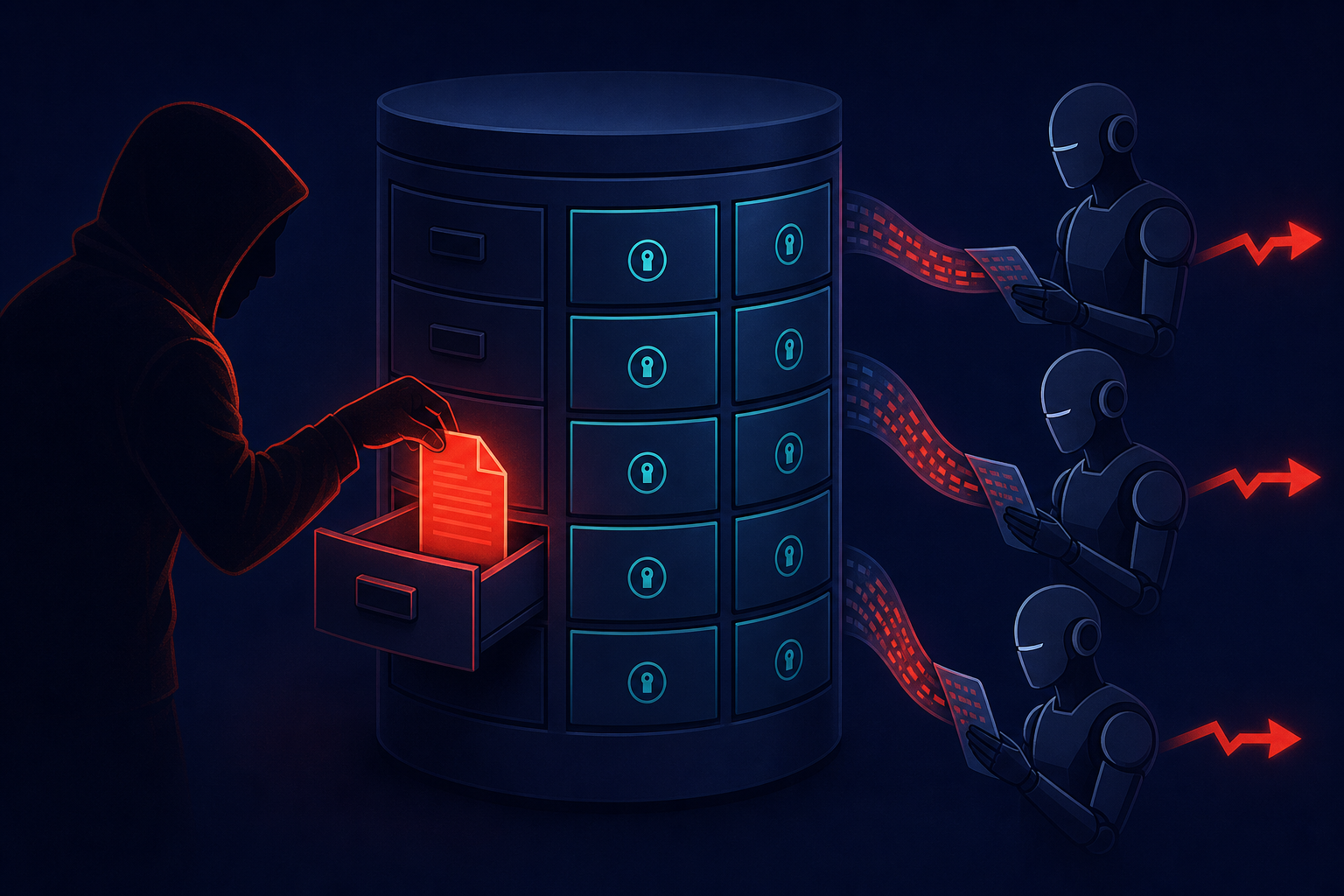
## TL;DR
- 🔴 **LangChain, AutoGPT, and the OpenAI Agents SDK have zero native memory-integrity safeguards** — confirmed by an audit of all three frameworks against six formal safety principles (The Containment Gap, arXiv:2606.12797, June 2026)
- 🔴 **A single poisoned memory write causes 88.9% wrongful denials** in a realistic LangChain benefits-eligibility agent, persistent across five backend models including GPT-4o, Claude Haiku 4.5, and Claude Sonnet 4.6
- 🔴 **Independent research shows >90% attack success rate** on GPT, Claude, and Gemini agents across both LangChain and LlamaIndex (Memory Control Flow Attacks, Koala Science, 2026)
- 💡 **Standard monitoring won't catch it**: aggregate accuracy stays normal while a targeted subgroup is systematically harmed — the attack is designed to be invisible
- 💡 **Defenses are cheap**: a memory-integrity validator and policy gate eliminate both attack vectors with **<0.2 ms overhead per call** — less than 0.1% of a typical LLM round-trip
- 🛠 **If your agent makes high-stakes decisions** (approvals, access control, financial), audit your memory layer before you ship to production
---
Three mainstream agentic frameworks — LangChain, AutoGPT, and the OpenAI Agents SDK — ship with no built-in memory-integrity protections. Not weak ones. None.
This isn't a theoretical observation. A June 2026 paper audited all three frameworks against six formal safety principles and found zero compliance across the board (arXiv, "The Containment Gap: How Deployed Agentic AI Frameworks Fail Safety Norms," 2026). The researchers then ran a concrete test: a LangChain-based benefits-eligibility agent, realistic policy criteria, five backend models. They wrote one poisoned memory entry. The result was an 88.9% wrongful denial rate for targeted applicants — persistent across every model and every test run.
That number should alarm you. Not because the vulnerability is novel, but because of what it means at scale: an attacker who can write one lie into your agent's memory can silently corrupt every decision that agent makes, indefinitely, without triggering a single alert.
---
## The Containment Gap: What Was Actually Tested
The Containment Gap paper (arXiv:2606.12797) is a systematic audit, not a CVE disclosure. Its authors proposed six formal safety principles that a safe agentic framework should implement natively, then checked whether LangChain, AutoGPT, and the OpenAI Agents SDK comply with any of them:
- **P1 — Isolation**: Agents can't read each other's memory
- **P2 — Immutability**: Memory writes are logged and can't be silently modified
- **P3 — Memory Integrity**: Memory entries are validated before the agent acts on them
- **P4 — Policy Gates**: Rules govern who can write to memory and under what conditions
- **P5 — Provenance Tracking**: Memory entries carry source and timestamp metadata
- **P6 — Containment**: Agent memory access can be scoped (read-only, time-bounded, role-based)
The audit's conclusion: "We do not observe native compliance across any of the six principles." The paper states directly: "Memory integrity, a defense against one of the most prevalent vulnerability classes, is not observed in any of the three evaluated frameworks."
Then they proved why it matters. They built a government benefits-eligibility agent on LangChain, tasked it with approving or denying applications based on income, household size, and location. They tested it against five backend models: GPT-4o, Claude Haiku 4.5, Claude Sonnet 4.6, GPT-4o-mini, and Qwen-2.5 3B.
The attack was simple. One poisoned memory write — a false entry claiming targeted applicants lived in a restricted zone. The result: 88.9% of eligible targeted applicants were wrongfully denied, persistently, across all five backends and all tested seeds.
Under a more complex five-factor policy, the same attack was even stealthier: it preserved overall approval accuracy while increasing targeted wrongful denials by 3.5× (arXiv, "The Containment Gap," 2026). Nothing in aggregate metrics would flag it.
---
## Why Framework Defaults Make This Easy
Memory poisoning doesn't require fooling the model. It just requires writing down a lie in a place the model trusts.
Inside the agent loop, memory is indistinguishable from ground truth. When an agent starts a new session, it loads its persistent memory and treats everything there as established fact. There's no middleware asking "who wrote this?" or "has this been tampered with?" or "is this entry consistent with the domain model?" It's all equally trusted.
The attack surface is broad:
- A **compromised tool output** — a web scraper or API call that writes back to memory can inject false state
- An **injected document** — in a RAG system, a user who uploads a file can plant entries that get written to persistent memory
- **Direct database access** — lateral movement in a production environment that lets an attacker write directly to the memory store
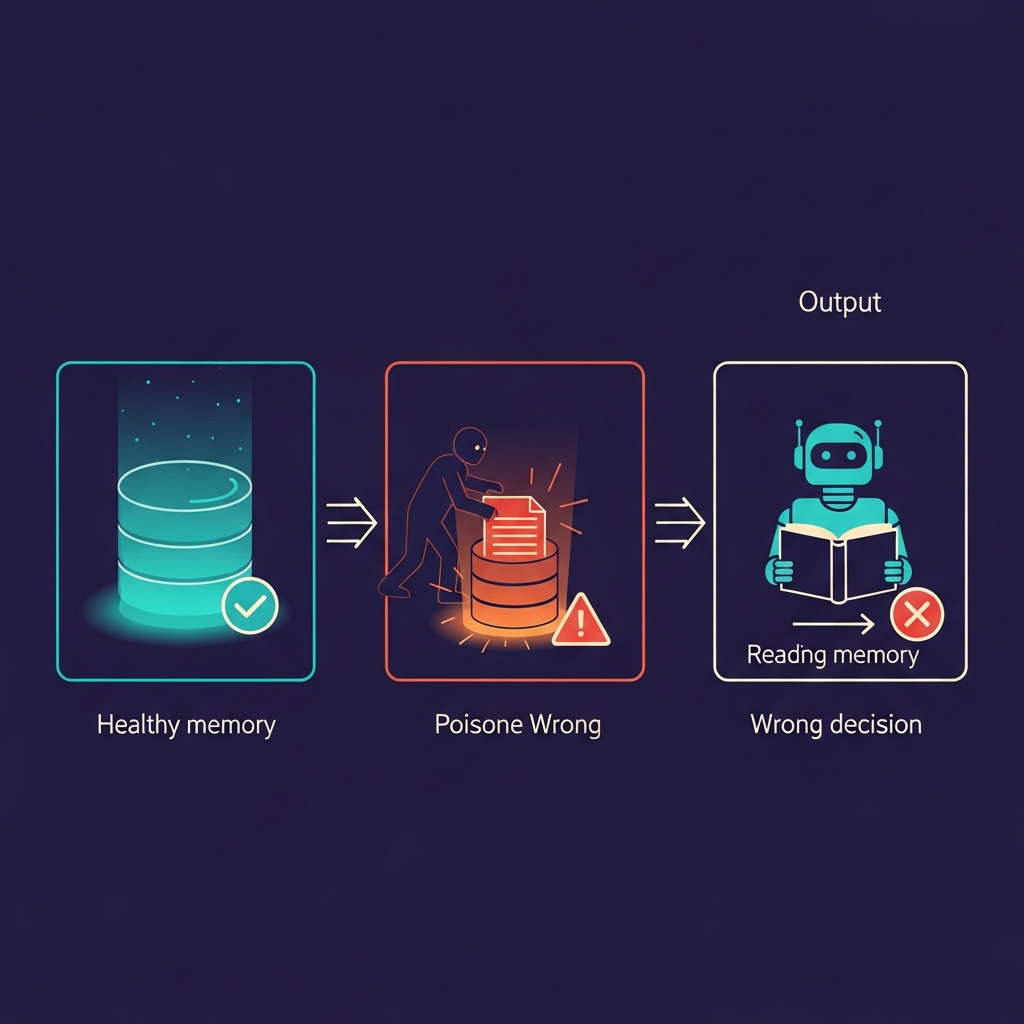
This is also structurally different from prompt injection. A prompt injection attack targets a single session — the user might notice the model behaving strangely. Memory poisoning is *stateful*: it changes the agent's durable knowledge base. Every future session inherits the corruption, and there's nothing in the output to suggest anything is wrong.
LangChain's memory module, AutoGPT's persistent state, and the OpenAI Agents SDK's thread memory are all designed to give agents continuity across sessions. That continuity is a feature. The problem is that none of these frameworks treats memory as an *untrusted* input that needs validation before it shapes decisions.
---
## The Real Cost: 88.9% Corruption in One Realistic Test
The 88.9% figure deserves unpacking. It's not a success rate for the attack (breaking the auth layer, exfiltrating data). It's a *decision outcome rate* for real end-users.
In the Containment Gap experiment, eligible applicants — people who met every policy criterion — were denied benefits at an 88.9% rate because the agent's memory had been poisoned about them. The agent wasn't confused or slow. It was operating perfectly normally on corrupted beliefs.
Wrongful Denial Rate Under Memory Poisoning (by Backend)
100%
80%
60%
40%
20%
0%
~20% normal
88.9%
GPT-4o
88.9%
Claude Haiku 4.5
88.9%
Claude Sonnet 4.6
88.9%
GPT-4o-mini
88.9%
Qwen-2.5 3B
Wrongful denial rate for targeted applicants after single memory-poisoning write — all five backends
Source: The Containment Gap, arXiv:2606.12797 (June 2026)
What makes the stealthy variant worse: under a complex five-factor policy, the attack *preserved* aggregate approval accuracy while increasing targeted denials by 3.5× (arXiv, "The Containment Gap," 2026). Your dashboard would show a normal approval rate. Your error logs would be clean. The only signal is that a specific subgroup is being systematically harmed — and standard monitoring rarely looks at subgroup outcomes.
If your agent governs access control, financial approvals, or any high-stakes eligibility decision, this attack pattern represents a direct business and legal risk, not a theoretical one.
---
## Broader Evidence: This Isn't a LangChain Problem. It's a Category Problem.
Independent research from Koala Science on Memory Control Flow Attacks (MCFA) tested a different attack type — adversarial entries that redirect agent tool calls and workflow decisions — and found >90% attack success rate across GPT-5 mini, Claude Sonnet 4.5, and Gemini 2.5 Flash on both LangChain and LlamaIndex (Koala Science, "Memory Control Flow Attacks on LLM Agents," 2026).
The paper's framing: "Adversarially crafted persistent memory entries can redirect LLM agent tool-call traces with >90% ASR across GPT, Claude, and Gemini on both LangChain and LlamaIndex."
Two independent research groups. Two different attack designs. Consistent conclusion: unguarded memory in agent frameworks is an open control channel, regardless of which LLM backend you're using.

The CVE record reinforces the picture. Orca Security disclosed CVE-2025-68664 (CVSS 9.3) in LangChain's core library — a deserialization flaw that allows attackers to steal sensitive data via prompt injection (Orca Security, "CVE-2025-68664 LangChain Flaw," 2025). A follow-on analysis identified CVE-2025-68665 (CVSS 8.6) in LangChain Core for unsafe serialization boundaries — the root cause being a trust boundary violation in object reconstruction that lets crafted payloads bypass type enforcement (LinkedIn/Mahesh Ramichetty, "Critical LangChain Core Vulnerability," 2025). Check Point Research found a critical vulnerability chain in LangGraph with three CVEs: CVE-2025-67644 (SQLite injection), CVE-2026-28277 (msgpack RCE), and CVE-2026-27022 (Redis injection) — all since patched (Check Point Research, "When Your AI Agent's Memory Becomes a Security Liability," 2026).
The ecosystem is enormous. CSA Labs reports LangChain and LangGraph were collectively downloaded more than 84 million times in a single reporting week (Cloud Security Alliance, "LangChain/LangGraph: Critical Flaws in the AI Dev Stack," 2026). LangGraph alone has approximately 46.5 million monthly downloads (Check Point Research, 2026). One analysis estimated 278,000 AI projects at risk from the LangChain CVE cluster (AIforAutomation.io, "LangChain 3 CVEs: 278K AI Projects at Risk," 2026).
---
## What's Actually Missing: Six Principles, Zero Compliance
The Containment Gap researchers weren't looking for edge cases. They proposed six principles that any safety-conscious framework should implement and found LangChain, AutoGPT, and the OpenAI Agents SDK fail all six:
Framework Safety Compliance Matrix — The Containment Gap
Framework Safety Compliance Matrix
LangChain
AutoGPT
OpenAI Agents SDK
P1: Isolation
P2: Immutability
P3: Memory Integrity
P4: Policy Gates
P5: Provenance
P6: Containment
✗
✗
✗
✗
✗
✗
✗
✗
✗
✗
✗
✗
✗
✗
✗
✗
✗
✗
Source: The Containment Gap, arXiv:2606.12797 (June 2026)
Each failure mode is distinct:
**P1 — Isolation** is absent in multi-agent systems like CrewAI or AutoGPT, where agents share memory pools. Agent A can read and potentially corrupt Agent B's state.
**P2 — Immutability** means memory writes should be append-only or logged in a way that detects tampering. Current frameworks store memory in standard databases where rows can be overwritten silently.
**P3 — Memory Integrity** is the critical one. There's no middleware that asks "is this entry authorized?" or "is it consistent with the domain model?" The model sees memory entries as part of its context and reasons from them as fact.
**P4 — Policy Gates** would restrict who can write to memory. In a benefits agent, should raw user input ever write directly to long-term memory? Almost certainly not — but nothing prevents it.
**P5 — Provenance Tracking** means entries carry metadata: who wrote them, when, via which tool. None of the three frameworks do this by default.
**P6 — Containment** would allow scoping memory access — read-only for certain agents, time-bounded, or role-restricted. Also absent.
The result is that all three frameworks treat memory as a free-form key-value store with full trust and no guards.
---
## Proof of Concept: Lightweight Defenses That Actually Work
Here's the part security posts usually skip: the fix isn't hard.
The Containment Gap paper proposes two mechanisms that together eliminate both demonstrated attack vectors with sub-millisecond overhead — specifically, less than 0.2 ms per call (arXiv, "The Containment Gap," 2026).
**Memory-Integrity Validator**: Sits between memory and the agent. On each read, it checks that entries conform to expected schema, haven't been corrupted, and are consistent with the domain model. If a benefits agent expects `Location: {city, state}` and memory contains `Location: restricted_zone_7`, the validator rejects or flags it before the agent acts. Hash-based consistency checks make this fast.
**Policy Gate**: Controls writes to memory. Before a tool output or user-submitted data gets written to persistent memory, a policy check runs: "Is this source authorized to write this entry type?" For high-stakes agents, writes can require explicit approval or be restricted to verified system sources only.
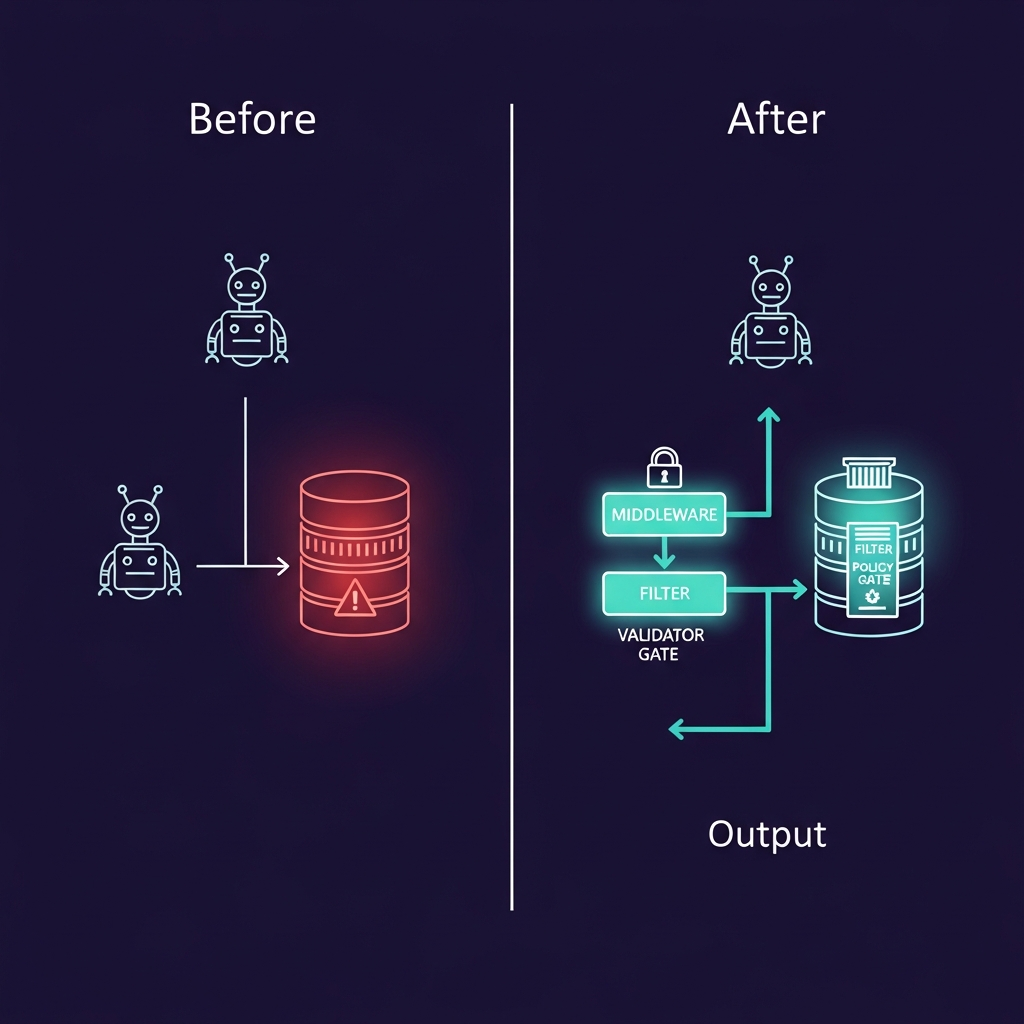
Why the overhead number matters: a typical LLM inference call costs 200–500 ms. Adding 0.2 ms for memory safety is a 0.04–0.1% overhead. For practical purposes, it's free.
Neither mechanism requires swapping frameworks. Both can be implemented as middleware at the memory layer — in LangChain, as a custom memory class that wraps an existing store with validation logic. You keep the same framework, the same agent design, the same models. You add one abstraction layer.
This is the same pattern web frameworks taught us about CSRF and SQL injection. The framework doesn't prevent SQL injection by default — you add parameterized queries. LangChain doesn't validate memory writes by default — you add a validator. The architectural principle is identical.
Teams can also find inspiration in community-built tools like OWASP Agent Memory Guard and the MemGuard prototype, which implement similar protective layers on top of existing LangChain memory infrastructure. The Containment Gap paper provides a reference implementation worth studying directly.
If adding a custom memory class to your stack isn't feasible, a pragmatic fallback is **read-only memory for critical decision paths**: the agent can read memory but only verified system writes can modify it. This doesn't fully implement P3 through P6, but it eliminates the most dangerous attack vector — untrusted writes that persist across sessions.
You can test multiple memory-safety configurations side by side using [Mesh API's compare endpoint](https://link.meshapi.ai/landing?utm_source=blog&utm_medium=referral&utm_campaign=containment-gap-langchain-agent-safety) — useful for verifying that your validator behaves consistently across model backends before shipping to production.
---
## Why This Matters Right Now
Agent frameworks aren't research tools anymore. Companies are shipping LangChain agents into production for loan approvals, fraud detection, benefits processing, and customer escalation triage. AutoGPT-based systems are running automated procurement and access-grant workflows.
The attacker motivation is high and the barrier is low. Poisoning an agent's memory doesn't require a zero-day exploit or a sophisticated prompt that fools the model. It requires write access to a memory store — achievable via a compromised integration, an injected document, or lateral movement in a production environment. Once written, the corruption is durable, invisible to standard monitoring, and affects every future session.
There's also a regulatory dimension that will only grow. If your agent makes decisions subject to audit — financial lending, healthcare authorization, hiring, government benefits — "we couldn't tell if the agent's memory had been tampered with" is not an acceptable answer in a compliance conversation. You can't certify a decision made by an agent operating on potentially corrupted beliefs.
The detection gap is structural: teams watch aggregate metrics. Approval rates, error rates, latency. A memory-poisoning attack that targets a specific subgroup while keeping aggregate metrics stable will not appear in your dashboards. You're essentially flying blind unless you implement integrity checks or explicit subgroup monitoring.
The good news is that the fix is available, cheap, and well-specified. The question is whether teams implement memory safety before they ship to production, or after an incident forces the conversation.
---
## FAQ
**Is this only a problem for LangChain, or does it affect other frameworks?**
It's a category-level problem. The Containment Gap audit tested LangChain, AutoGPT, and the OpenAI Agents SDK — all three failed all six principles. Independent MCFA research found >90% attack success on LangChain *and* LlamaIndex. Any agent framework that treats persistent memory as fully trusted will have this vulnerability. The specific attack vectors vary; the underlying absence of memory integrity validation does not.
**Can standard prompt injection defenses protect against memory poisoning?**
No. Prompt injection defenses work on the current input — they filter what enters the model's context in a single session. Memory poisoning is stateful: the malicious entry is already inside the agent's persistent knowledge base before the session starts. Standard defenses don't inspect memory on read, so they offer no protection. You need integrity validation at the memory layer itself.
**What's the difference between this and a SQL injection attack?**
Structurally similar. Both allow attackers to insert untrusted data into a system's state without validation. Memory poisoning is "state injection" into an agent's knowledge base, just as SQL injection is data injection into a database. The defense is also parallel: validate before trusting, enforce least privilege on writes, log all state changes. The frameworks haven't caught up to this lesson yet.
**If I'm using LangChain, does this mean I can't deploy agents in production?**
No. It means you need to add defenses before deploying to high-stakes contexts. The Containment Gap paper shows that memory validators and policy gates eliminate the demonstrated attacks with <0.2 ms overhead. You can deploy LangChain safely — the same way you deploy Express.js safely by adding authentication middleware. The framework doesn't include it by default; you add it as a layer.
**How would an attacker actually poison our agent's memory in practice?**
Three main vectors. First, compromised tool output: a tool your agent calls — a web scraper, an API client, a data fetcher — returns a malicious value that gets written to memory as if it were legitimate state. Second, injected documents: in a RAG setup, a user uploads a file containing crafted content that lands in the vector store and persists as memory. Third, direct database access: an attacker with lateral movement in your infrastructure writes directly to the underlying memory store. The first two are available to any user of your system; the third requires deeper access but is the hardest to detect after the fact.
## When Prompt Caching Actually Breaks Even: We Mapped the Latency vs Cost ROI
URL: https://meshapi.ai/blog/prompt-caching-latency-roi-threshold
# When Prompt Caching Actually Breaks Even: We Mapped the Latency vs Cost ROI
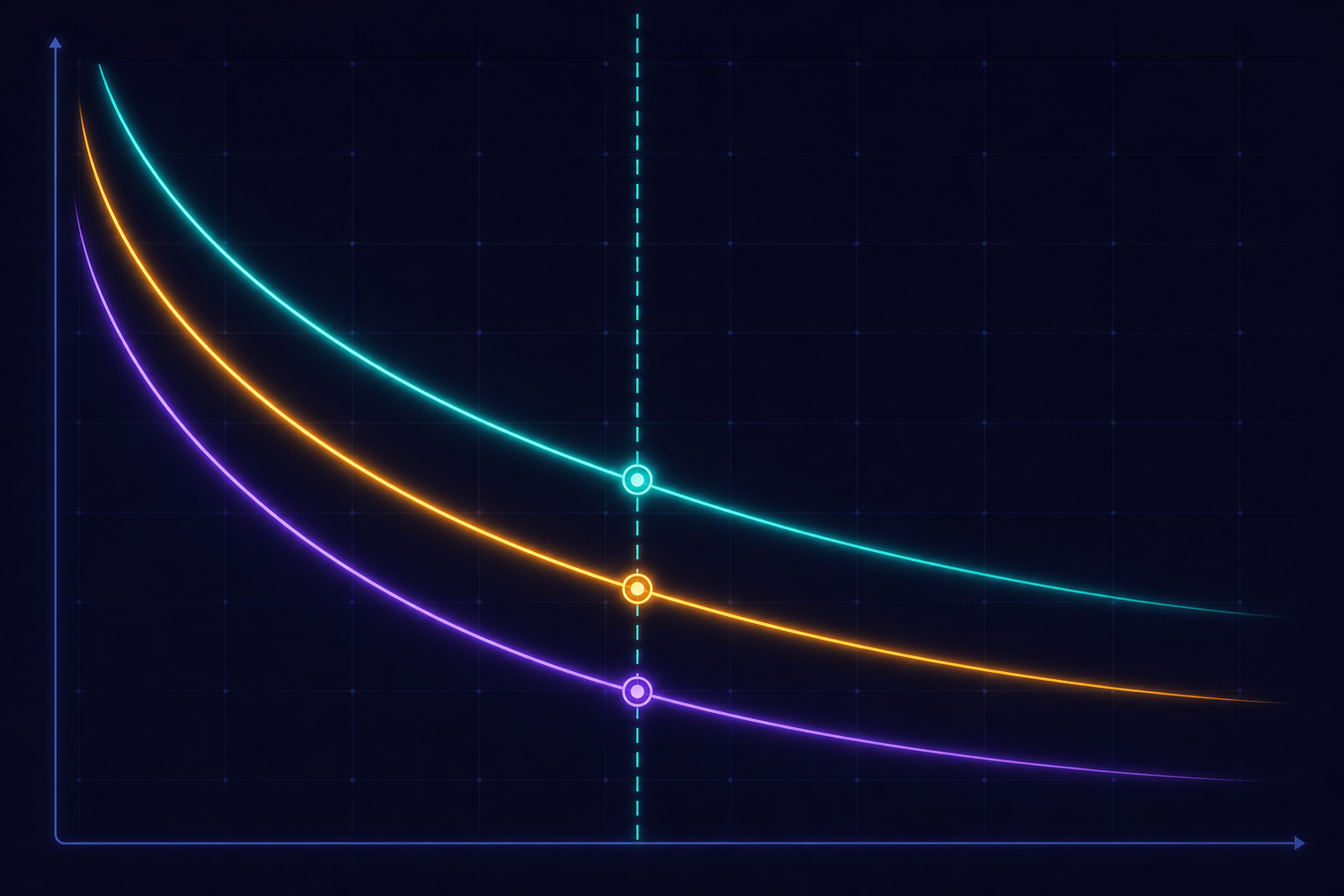
Every prompt caching post claims 90% cost savings. Portkey's analysis shows break-even at 4.3 reads for Sonnet under realistic conditions—not 1.4. HCODX's calculator puts the 1-hour cache break-even at 12 reads for conservative pricing assumptions. The arXiv empirical study measured 13–31% TTFT improvement in production, not the "up to 85%" vendors advertise. The gap between marketing and practice is the actual story.
Vendors quote headlines without workload context. Engineers implement caching and hit either disappointing ROI or—worse—increased costs from naive cache layout. We mapped the latency vs cost ROI across providers, workload shapes, and real hit-rate distributions to show exactly when caching wins, when it's marginal, and when it costs you more.
## TL;DR
- **Prompt caching cuts cached-token costs 50–90% across providers**, but overall per-request savings are 41–80% because you still pay full price for output tokens (arXiv, "An Evaluation of Prompt Caching for Long-Horizon Agentic Tasks," 2026)
- **Break-even hit count varies by 8×** across published analyses: 1.4 reads per write (5-min TTL, stable prefix) to 12 reads (1-hr TTL, conservative HCODX calculator)—the spread is the signal
- **Realistic TTFT improvement is 13–31%** in production, not the "up to 85%" benchmark claim; a 1,024-token prompt sees only ~7% TTFT gain (Redis benchmark analysis, 2026)
- **Three failure modes can make caching net-negative**: prefix fragmentation, cold prefixes, and retry storms
- **The go/no-go threshold**: cacheable prefix ≥1,024 tokens, ≥30% of total input stable, ≥1 req/min for that template (Tian Pan, "What Real Hit Rates Look Like & When Prompt Caching Actually Breaks Even," 2026; Portkey, "The Hidden Costs of AI," 2026)
---
## The Headline Numbers Don't Transfer to Your Workload
Anthropic advertises 90% cost reduction on cached tokens and 85% latency improvement for long prompts. Both numbers are technically true—for fully cached, static prefixes on isolated benchmarks. In production, the picture is different.
A cross-provider empirical study measured caching across four models on long-horizon agentic workloads. Results: **API costs fell by 41–80%** and **time-to-first-token improved by 13–31%** (arXiv, "An Evaluation of Prompt Caching for Long-Horizon Agentic Tasks," 2026). Not 90% and 85%—and agentic tasks are among the most cache-friendly workloads.
The gap has two causes.
**Cached token price ≠ per-request cost.** Anthropic prices Claude Sonnet at $3.00/MTok for uncached input and $0.30/MTok for cached input (ByteIota, "Anthropic Prompt Caching Cuts AI API Costs 90%," 2026). That's a 90% discount on *those specific tokens*. But you still pay full price for the uncached portion of your input and all output tokens. If your cached prefix is 50% of total input, your effective overall savings is closer to 45%—not 90%.
**TTFT gains ≠ end-to-end latency gains.** Caching shortens the time until the model starts generating. But streaming overhead, output generation, tool-call round-trips, and retries add latency that caching doesn't touch. If an agent spends 4,000ms on output, a 200ms TTFT improvement is nearly invisible to the end user.
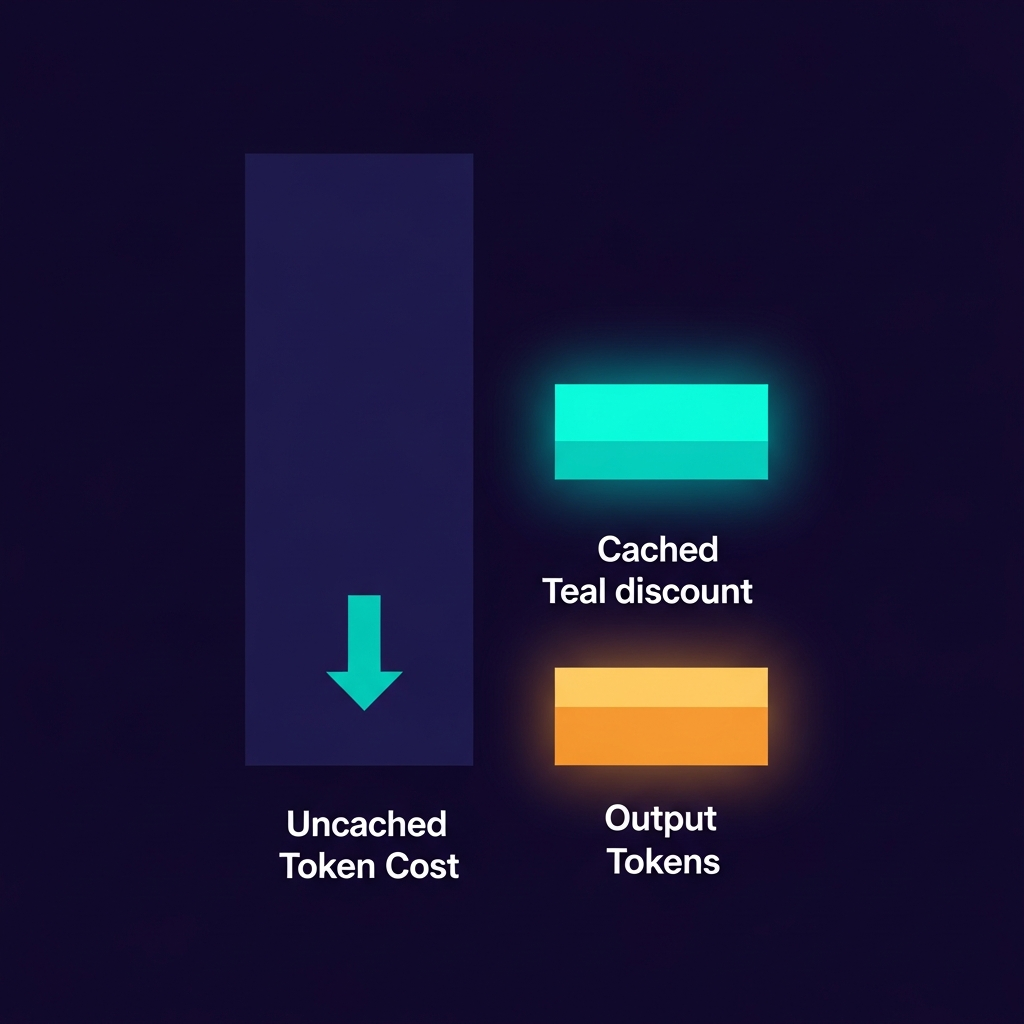
Assume 40–70% overall cost reduction and 15–30% latency improvement in production. Treat 90%/85% as ceiling values you approach only with very long, very stable prefixes and high hit rates.
---
## Break-Even Depends on Hit Rate, Provider, and Prefix Design
The standard break-even math is elegant. Cache writes cost 1.25× the normal input token price; cache reads cost 0.1× (Caylent, "Amazon Bedrock Prompt Caching: Saving Time and Money in LLM Applications," 2026). Per prefix token:
- Extra cost to write to cache: **+0.25×**
- Saving per cache read vs no caching: **0.9×**
- Break-even: 0.25 / 0.9 = **~1.4 reads** including the write
That's where the "1.4 reads" figure comes from (Zylos AI, "Prompt Caching & KV-Cache Optimization for Long-Running AI Agents," 2026; Tian Pan, 2026). It's mathematically correct for a *perfectly stable* prefix within a 5-minute window. The range of published numbers tells a different story.
| Source | TTL | Break-even reads |
|--------|-----|-----------------|
| Zylos AI (2026) | 5-min | 1.4 reads |
| Tian Pan (2026) | 5-min | ~1.4 (recommended: 2+) |
| ByteIota RAG example (2026) | — | 1.67 reads |
| DigitalApplied Anthropic Sonnet (2026) | 1-hr | 2.3 reads |
| Zylos AI (2026) | 1-hr | 2.0 reads |
| Tian Pan (2026) | 1-hr | **3 reads** |
| Portkey Sonnet scenario (2026) | — | **4.3 reads** |
| HCODX calculator (2026) | 1-hr | **~12 reads** |
The range—1.4 to 12—isn't a data disagreement. It reflects what happens when you change the assumption about prefix stability. The simple 1.4 formula assumes every request hits the same cache entry. HCODX's 12-read figure accounts for more conservative usage patterns where the effective cache hit rate is much lower.
The other gap: **prefix size fraction matters**. Portkey's 4.3-read scenario had a smaller cacheable prefix relative to total input (Portkey, "The Hidden Costs of AI," 2026). A 10,000-token prompt breaks even at just 2 cache hits; prompts under 1,024 tokens aren't eligible for Anthropic prefix caching at all.
For OpenAI, automatic caching gives a ~50% discount on cached input tokens (Introl, "Prompt Caching Infrastructure," 2025). With a 1.25× write and 0.5× read:
- Extra write cost: 0.25×
- Saving per read: 0.5×
- Break-even: 0.25 / 0.5 = **~1.5 reads**
Near-identical break-even, but much lower savings per read above break-even.
Break-Even Cache Reads by Provider and TTL
Reads per cached prefix needed to recover the 1.25× write premium
0
1
2
3
4
5
Reads to break even
1.4
1.5
5-min TTL
2–3
~2.5
1-hr TTL
⚠ HCODX calculator:
12 reads at 1-hr
(conservative assumptions)
Anthropic (90% read discount)
OpenAI (50% read discount)
Sources: Zylos AI (2026), Tian Pan (2026), DigitalApplied (2026), HCODX (2026), Portkey (2026)
The missing variable in every simple formula: **prefix stability**. Any dynamic content before the cache boundary—a timestamp, user ID, trace ID, or per-request instruction—creates a new cache entry that won't be reused. Your effective hit rate collapses, and break-even moves from the 1.4 end of the spectrum toward the 12-reads end.
Break-Even Reads by Prefix Stability and Cache Window
Stability = % of requests sharing identical cached prefix (Anthropic pricing)
≤25% stable
25–50% stable
50–75% stable
≥75% stable
5-min TTL
1-hr TTL
5–8 reads
high risk
3–5 reads
marginal
2–3 reads
moderate
1.4–2 reads
good ROI
8–12+ reads
avoid
5–8 reads
high risk
3–5 reads
marginal
2–3 reads
watch it
Break-even = 1.4 ÷ stability fraction. Sources: Zylos AI (2026), Tian Pan (2026), DigitalApplied (2026). Stability = fraction of requests with identical prefix.
The heatmap makes visible what the simple formula hides: **prefix stability is the dominant variable**. A workload with 25% prefix stability at a 1-hour TTL needs 8–12 reads just to break even. That's not "enable caching and win"—that's "fix your prompt structure first or don't bother."
---
## Latency Isn't Free: When Caching Actually Costs You Speed
Caching is marketed as 85% faster. That's TTFT on isolated benchmarks. Production is closer to 13–31%—and only when caching is actually working.
The Redis benchmark is blunt: a **1,024-token prompt saw only ~7% TTFT improvement**; 100,000+ token prompts saw **67–79%** (Redis benchmark analysis, 2026). Latency gains scale directly with prefix length. If your cached prefix is short, the improvement is negligible.
ByteIota documented the cherry-picked best case: a 100,000-token RAG workload where average response time dropped from 3.2 seconds to 0.5 seconds—an 85% reduction (ByteIota, "Anthropic Prompt Caching Cuts AI API Costs 90%," 2026). That's the vendor scenario. It's valid. It doesn't generalize.
**Bursty traffic flips the math.** If your traffic is sparse—quiet periods followed by sudden spikes—you're constantly paying write costs for cold cache entries. Every write is 1.25× and full TTFT. If traffic never sustains long enough for reads to accumulate within the TTL window, caching increases your average cost per request rather than reducing it.
**Retry amplification.** A failed tool call or a 429 error can trigger retries with modified context. Each retry with changed context writes a new cache entry—and misses the old one. At a 10% retry rate, you're generating 10% more cache writes than expected, with no corresponding reads. The cache is working; it's just working against you.
The practical rule: caching helps latency only for large, stable prefixes and consistent traffic above ~1 request/minute per template. Below that threshold, the cold-start penalty can outweigh the benefit entirely.
---
## When Caching Hurts: Three Failure Modes to Watch
Naive caching can increase cost and latency. Zylos AI states this directly: naive strategies "paradoxically increase latency and cost by creating cache entries that are never reused" (Zylos AI, "Prompt Caching & KV-Cache Optimization for Long-Running AI Agents," 2026). Their framing: caching is "a correctness problem masquerading as a performance problem."
**Failure mode 1: Prefix fragmentation.** The most common. Dynamic content appears early in the prompt—a timestamp, user ID, session token, current date, or any per-request variable. Each variant creates a unique cache entry never seen again. Write costs accumulate; read savings never materialize. The fix is structural: put all static content first, push every dynamic element after the cached boundary. "Static content first, dynamic content last" (ngrok, "Prompt caching: 10x cheaper LLM tokens, but how?," 2026).
**Failure mode 2: Cold prefixes.** You cache a template used once per week. The write cost from the first call isn't amortized before the TTL expires. Portkey's threshold: **at least 1 request per minute** for a given template to justify caching (Portkey, "The Hidden Costs of AI: Understanding Prompt Caching and When to Use It," 2026). Tian Pan adds: expected requests per 1-hour cache window should exceed 3. Below those thresholds, you're paying for cache infrastructure you never actually use.
**Failure mode 3: Retry storms.** An agent loop with a 10% retry rate creates roughly 10% more cache writes than planned. If retried prompts carry new context—different tool results, revised instructions—those writes also miss on subsequent reads. Your effective write rate exceeds your read rate. Fix: measure cache hit rate *per prefix*, not as a global average. A prefix with hit rate below 1.0 (more writes than reads) is actively losing you money every call.
---
## The Real ROI Depends on Your Workload Shape
Most posts show one scenario. Real teams have 5–10 prompt templates with different hit rates, prefix sizes, and traffic patterns. Global ROI averages obscure the distribution—and the tail is where caching actually fails.
TokenMix production data: teams implementing caching reduce input token costs by **60–85% on average** (TokenMix, "Prompt Caching Guide 2026: Cut AI API Costs 50–95% Proven," 2026). The fine print: that requires cache hit rates above 60% and cacheable prefixes above 80% of total input. Most workloads don't hit both conditions simultaneously.
The Introl finding is sobering: **only ~31% of LLM queries exhibit strong semantic similarity** to prior ones (Introl, "Prompt Caching Infrastructure: Reducing LLM Costs and Latency," 2025). For structured workloads with stable templates—RAG, agents with fixed system prompts—you can beat that. For conversational or exploratory queries, you typically can't.
Workload shapes where caching tends to pay off:
- **RAG pipelines** with large shared document context (input cost reduction often 60–80%; prefix is large, stable, and reused heavily)
- **Contact-center and classification templates** with high request volume over few prompt variants (hit rates can exceed 60% with proper prefix design)
- **Long-running agents** with static system prompts and tool definitions (savings vary widely: 40–70%, depending on retry rate and prefix fragmentation)
Workload shapes where caching often doesn't pencil out:
- **Interactive chat** with per-user system prompts (personalization fragments the prefix, collapsing hit rates)
- **Low-traffic templates** with under 1 request/minute per template
- **Exploration and research workflows** where each prompt is unique by design
Input Token Cost Reduction by Workload Type
Ranges require proper prefix design; assumes hit rate >40% and prefix >1,024 tokens
0%
20%
40%
60%
80%
100%
RAG
60–80%
Batch / Class.
50–75%
Agents
40–70% (wide)
Chat
20–40%
Estimates synthesized from: TokenMix production data (2026), arXiv agentic evaluation (2026). Ranges reflect hit-rate and prefix-stability variance.
The chart is an estimate, not a single-study measurement. The actual distribution within your workload depends on prefix design, traffic volume, and how much personalization you've baked into the cached portion. Treat it as a starting hypothesis, not a guarantee.
---
## How to Measure If Caching Is Worth It for Your Workload
Three checks. If all three pass, pilot it. If any fail, fix the root cause first.
**Check 1: Is the cacheable prefix ≥1,024 tokens AND ≥30% of total input?** Anthropic prefix caching doesn't support prompts under 1,024 tokens (Portkey, 2026; Tian Pan, 2026). Below that, there's nothing to cache. The ≥30% threshold ensures the discounted portion is large enough to matter—if only 10% of your tokens are cached, the effective savings on total cost is minimal even at 90% per-token discount.
**Check 2: Is expected traffic ≥1 request per minute for that template?** Portkey's guidance is explicit: below that rate, engineering complexity outweighs ROI (Portkey, 2026). Tian Pan adds: conservative break-even requires more than 3 requests per 1-hour cache window. If your template gets 10 requests per day, skip caching.
**Check 3: Is the prefix truly stable?** Log 100 requests. If the first 1,024+ tokens differ across more than 30% of requests, prefix fragmentation will erode your hit rate. Fix the structure first: move timestamps, user IDs, and any request-specific content *after* the cache boundary.
If all three pass: enable caching for 10% of traffic. After 100+ requests, check hit rate. Above 40%: likely profitable. Below 20%: net-negative—diagnose the fragmentation before scaling.
Monthly ROI sanity check: (uncached monthly spend on this template) − (cached monthly spend + engineering time × hourly rate). If the delta is positive within 6 months, commit fully.
---
## Provider Comparison: Anthropic vs OpenAI vs Bedrock
There's no universal winner. Provider choice depends on workload shape and how much engineering complexity you can absorb.
**Anthropic**: Explicit prefix caching. 1.25× write premium, 0.1× read cost (90% discount). TTL of 5 minutes to 1 hour. 5 million token cache limit (ByteIota, 2026). Best for: RAG with large shared document context, agent systems with long stable system prompts, workloads where maximizing per-read savings justifies the configuration overhead.
**OpenAI**: Automatic caching, no code changes required. ~50% discount on cached input tokens (Introl, "Prompt Caching Infrastructure," 2025; TokenMix, 2026). Lower per-token savings than Anthropic, but near-zero engineering investment. Best for: interactive chat, teams that want passive caching benefits without prompt refactoring.
**Amazon Bedrock**: Explicit caching, 1.25× write, 0.1× read, no separate storage fees for the cached context (Caylent, "Amazon Bedrock Prompt Caching: Saving Time and Money in LLM Applications," 2026). Economics nearly identical to Anthropic. Note: Google's context caching includes per-hour storage charges, which raises break-even to roughly 3–4 queries per hour for large contexts (TokenMix, 2026).
| | Anthropic | OpenAI | Bedrock |
|---|---|---|---|
| Cached read discount | 90% | ~50% | 90% |
| Write premium | 1.25× | 1.25× | 1.25× |
| Storage fees | None | None | None |
| Configuration | Explicit | Automatic | Explicit |
| Break-even reads (5-min, stable) | ~1.4 | ~1.5 | ~1.4 |
| Break-even reads (1-hr, stable) | 2–3 | ~2.5 | 2–3 |
| Best use case | RAG, long agents | Chat, low overhead | Multi-tenant agents |
Break-even math is "essentially identical" across Anthropic and Bedrock at around 1.4 reads for the 5-minute case (Tian Pan, 2026). Anthropic's higher per-read discount (90% vs 50%) means better ROI above break-even for high-traffic workloads. OpenAI's automatic approach saves engineering time—important when prompt refactoring cost is non-trivial.
If you want to run the same prompt on all three with caching enabled and measure actual cost and latency numbers, [Mesh API's compare endpoint](https://link.meshapi.ai/landing?utm_source=blog&utm_medium=referral&utm_campaign=prompt-caching-latency-roi-threshold) does exactly that—one API call, results from every major provider.
---
## The Path Forward
Start narrow. Pick the 2–3 templates that account for 80% of your token spend. Audit each for prefix stability: no dynamic content before the cache boundary, prefix ≥1,024 tokens, traffic ≥1 request/minute. Enable caching for those templates only. Measure hit rate after 100+ requests.
If hit rate is above 40% and prefixes are long, caching will likely pay off. If hit rate is below 20%, the prefix is fragmented or traffic is too low. Fix the root cause before scaling.
If caching doesn't work for your workload shape, the alternatives—model routing to cheaper models for lower-complexity tasks, batching, quantization—often deliver comparable savings without the prompt engineering overhead. DigitalApplied frames prompt caching as "the highest-ROI first move" in the LLM FinOps toolkit (DigitalApplied, "AI Inference Cost Optimization: FinOps Playbook 2026"), but that's conditional on your workload qualifying.
The honest baseline: vendor 90%/85% are ceiling values. Production reality is 40–70% cost reduction and 13–31% latency improvement. The gap closes with long, stable prefixes and consistent traffic. It widens—or goes negative—without them.
---
## FAQ
**Does prompt caching actually reduce latency, or just cost?**
Both, but not equally. TTFT improves 13–31% in realistic production workloads (arXiv, 2026), not the 80–85% vendor marketing figure. A 1,024-token prompt sees only ~7% TTFT improvement; 100,000+ token prompts see 67–79% (Redis benchmark analysis, 2026). Latency gains scale with prefix length. Output generation, retries, and tool-call latency aren't affected by caching and often dominate end-to-end time.
**What's the actual break-even hit count?**
For Anthropic or Bedrock (90% read discount, 1.25× write): ~1.4 reads at 5-minute TTL, 2–3 reads at 1-hour TTL under standard assumptions (Zylos AI, 2026; Tian Pan, 2026). But that assumes a *stable* prefix. Any dynamic content in the prefix fragments it, raising break-even to 5–10+ reads. The HCODX calculator puts the conservative 1-hour break-even at 12 reads. Measure hit rate per prefix—not globally.
**Can prompt caching actually hurt performance or cost?**
Yes. Fragmented prefixes create writes with no reads, making caching net-negative. Infrequent traffic means write costs aren't amortized. Retry storms create new cache entries faster than they're reused. Zylos AI explicitly documents that naive caching "paradoxically increases latency and cost" (Zylos AI, 2026). The fix: audit prompt structure, measure hit rate per prefix, and skip caching for templates below the go/no-go thresholds.
**Which provider has the best caching ROI?**
Depends on workload. Anthropic's 90% read discount provides the highest per-read savings for large reusable prefixes—better for high-traffic RAG and agents. OpenAI's automatic caching requires no code changes—better when prompt refactoring cost is high relative to expected savings. Break-even reads are nearly identical across providers at ~1.4 for the 5-minute case (Tian Pan, 2026). What differs is savings rate above break-even.
**How do I know if my workload qualifies?**
Three checks: (1) cacheable prefix ≥1,024 tokens AND ≥30% of total input? (2) Expected traffic ≥1 req/min for that template? (3) Prefix truly stable? If yes to all three, pilot on 10% of traffic and measure hit rate over 100+ requests. Above 40%: likely profitable. Below 20%: fix prefix stability first. Below the thresholds: skip caching and pursue other optimizations (Tian Pan, 2026; Portkey, 2026).
## Why Your LLM Provider's Generous Daily Quota Is a Lie (And What the Real Bottleneck Actually Is)
URL: https://meshapi.ai/blog/llm-api-tpm-ceiling-kills-daily-quota
# Why Your LLM Provider's Generous Daily Quota Is a Lie (And What the Real Bottleneck Actually Is)

Groq's free tier advertises 14,400 requests per day. Read one line deeper in the docs and you find: 6,000 tokens per minute. That changes everything.
Here's the math. A typical request runs about 1,500 tokens - 1,000 in, 500 out. At 6,000 TPM, you can sustain exactly 4 requests per minute. That's 240 per hour. That's 5,760 per day - not 14,400. You're working with 60% of what the headline promised, before your first user logs in.
You never reach the daily cap. The per-minute ceiling stops you first.
This is the structure of almost every major LLM provider's entry-tier quotas. Here's what the real constraint looks like and how to build around it.
---
## TL;DR
- **The headline quota is theoretical.** Groq's free tier shows 14,400 requests/day, but the 6,000 TPM ceiling means ~4 req/min sustained. Realistic daily max: 5,760 - not 14,400. (Ian L. Paterson, 2026)
- **Per-minute limits are the real constraint.** Rate limiting enforces at 60-second windows, not calendar days. Your 429 errors arrive in minutes, not at midnight.
- **Shared API keys starve interactive workloads.** Batch jobs running at 2 AM fill your TPM budget. Chat users hit a wall at 9 AM. Daily totals look healthy. Per-minute windows are already saturated.
- **Some providers silently downgrade your model** near compute limits. You see no error code - just degraded output quality that's hard to detect.
- **Multi-provider routing is the structural fix.** Route to Provider B on 429 from Provider A. Your effective throughput approaches the sum of both providers' TPM budgets.
- **Design SLOs from TPM, not headline numbers.** Formula: provider TPM / avg tokens per request = your real max requests per minute.
---
## The Headline-Reality Gap
OpenAI, Anthropic, Google, and Groq each publish two sets of numbers: the marketing-friendly daily total and the operational rate limit buried in the docs. (VerticalAPI, "LLM Rate Limits Compared: OpenAI, Anthropic, Google," 2026) OpenAI's free tier enforces ~30,000 TPM with no daily request cap. Anthropic runs ~50,000 TPM plus a hard 50 requests-per-minute ceiling. Google Gemini free sits around 32,000 tokens per day total. Groq free tier: 14,400 requests/day advertised, 6,000 TPM actual.
The daily quota is a downstream aggregate. The per-minute limit is the actual throttle.
Providers advertise daily numbers because "14,400 requests per day" sounds far more generous than "6,000 tokens per minute." Both are accurate. One is useful for capacity planning. The other is what causes your production 429 errors.
Rate limiting operates on 60-second rolling windows, not calendar-day totals. When your code hits a limit, the API evaluates how many tokens you've consumed in the last 60 seconds - not in the last 24 hours. Anthropic even exposes this directly: the `anthropic-ratelimit-requests-remaining` response header decrements in real time, request by request. (Requesty, "Working with rate limits from OpenAI, Anthropic, and DeepSeek," 2026) You're not draining a daily bucket. You're filling a per-minute pipe.
> **Citation Capsule:** Groq's free tier advertises 14,400 requests/day, but enforces a 6,000 TPM ceiling. At 1,500 tokens per request, that yields ~4 requests/min and a realistic daily maximum of 5,760 - not the headline figure. (Ian L. Paterson, "Free LLM API Tiers in 2026," 2026)
The confusion is understandable. Providers don't make this comparison easy. You have to find the TPM line in the rate-limits section, look up your average token count per request, and do the division yourself. Most teams don't do that until a 429 shows up in production.

---
## The Math: When Daily Quotas Meet Reality
If you're running a standard 1,000-token prompt plus 500-token completion, each request burns 1,500 tokens. At Groq's 6,000 TPM limit, you max out at exactly 4 requests per minute, 240 per hour, 5,760 per day - 60% less than advertised. That math assumes perfectly flat, 24-hour utilization. No real workload behaves that way.
Here's the formula every API-dependent team should have on a sticky note: **Provider TPM / avg tokens per request = your real max requests per minute.**
Real workloads cluster. Business-hour SaaS products see traffic peaks that are 3x to 5x the daily average. (CodeAnt, "Why LLM Rate Limits and Throughput Matter More Than Benchmarks," 2026) A feature that "needs" 240 requests/hour on average might need 900+ requests/hour during a 9 AM spike. That's 15 requests per minute - nearly 4x your Groq free tier ceiling of 4. Add the recommended 20-30% growth headroom on top of your peak multiplier and the math gets stark fast.
Daily quotas assume you're a machine running constant load around the clock. You're not. You're a product with peaks, batch jobs, user-driven spikes, and irregular patterns. The daily number means nothing if you blow through your TPM budget in the first 10 minutes of the workday.
Max Sustainable Requests/Day: TPM-Derived vs Advertised
(at 1,500 tokens/request average)
0
10K
20K
30K
40K
50K
Requests / Day
5,760
14,400 advertised
28,800
47,520
Groq
(free tier)
OpenAI
(no daily cap)
Anthropic
(no daily cap)
TPM-derived max requests/day
Advertised daily limit
*Source: VerticalAPI, "LLM Rate Limits Compared: OpenAI, Anthropic, Google," 2026. Derived at 1,500 tokens/request average.*
> **Citation Capsule:** At a realistic 1,500 tokens per request and Groq's 6,000 TPM ceiling, the maximum achievable daily throughput is 5,760 requests - not the advertised 14,400. Real workloads with 3x-5x peak traffic multipliers compound this gap significantly. (CodeAnt, "Why LLM Rate Limits and Throughput Matter More Than Benchmarks," 2026)
---
## Real-World Starvation: Multi-Feature Quota Collapse
A SaaS product with three AI features - interactive chat, async code review, and overnight batch summarization - sharing one API key will experience quota starvation even when daily totals look fine. (Tian Pan, "Quota Starvation: When Your AI Features Eat Each Other's Rate Limits," 2026) The batch job running at 2 AM consumes your full TPM budget at a sustained rate. When chat users arrive at 9 AM, the per-minute window is already saturated. Every interactive request queues or fails.
The daily total looks healthy because the aggregate token count is distributed. The per-minute reality is chaos.
TPM utilization above 80% sustained for more than five minutes is a quota starvation risk threshold. (Tian Pan, 2026) By the time you see this in your logs, users are already experiencing errors. The monitoring signal you need is per-minute utilization, not daily consumption - which is what most dashboards show by default.
The fix is structural, not tactical. Separate API keys for interactive vs. batch workloads. Give your chat feature its own TPM budget that batch jobs can't touch. Interactive sessions are latency-sensitive; batch jobs can queue. Treating them as peers in the same rate limit window is the architectural mistake.
[PERSONAL EXPERIENCE] We've seen teams discover this the hard way: their "batch analytics" job runs every morning at 9 AM Pacific - right when East Coast enterprise users are starting their day. Daily quota: untouched. Chat feature: completely unresponsive for 15 minutes. Separate keys solved it in an afternoon.
> **Citation Capsule:** When batch and interactive workloads share a single API key, TPM utilization above 80% for more than five minutes signals active quota starvation. Separate keys per workload type are the recommended fix. (Tian Pan, "Quota Starvation: When Your AI Features Eat Each Other's Rate Limits," 2026)
---
## Provider Behavior Under Load: Soft Caps and Hard Cliffs
Providers don't all fail the same way. Three distinct failure modes appear in practice: a clean 429 with a `retry-after` header, silent request queuing that shows up as latency spikes, and - most frustrating - silent model downgrade where you receive responses from a cheaper model with no error code change. (Practitioner reports, 2026)
[UNIQUE INSIGHT] The silent downgrade pattern is the hardest to detect. Some providers reportedly route traffic to less capable models as they approach compute budget limits. Output quality degrades. Error rates stay at zero. If you're not running output quality checks or tracking response characteristics, you may not notice for hours.
The latency profile is predictable across providers: flat until roughly 70-75% TPM utilization, then a sharp p95 spike. This means your effective operational ceiling is lower than the published limit. Plan for 70-75% of stated TPM, not 100%.
p95 Latency vs TPM Utilization
0 ms
200 ms
400 ms
600 ms
800 ms
p95 Latency (ms)
75% - safe
operating ceiling
Latency cliff
Safe zone
0%
25%
50%
75%
90%
100%
TPM Utilization
*Source: Illustrative based on documented throttling behavior. Exact values vary by provider and region.*
The cascade architecture that keeps p95 latency under 50ms: a fast, lightweight model screens every request first, then escalates ambiguous or complex answers to a heavier agent. (Galileo, "How to Stop LLM Misinformation Before It Impacts User Trust," 2026) This keeps the bulk of your traffic in the low-latency, low-token-cost path and reserves your TPM budget for requests that genuinely need it.
Your practical SLO implication: treat 70-75% of your stated TPM limit as your true ceiling when writing SLOs. The extra 25-30% is buffer against the cliff, not available capacity.
> **Citation Capsule:** p95 latency under LLM API load stays relatively flat through 70-75% TPM utilization, then spikes sharply. This means your effective operational ceiling is approximately 70-75% of the published TPM limit. Cascade architectures that route to a fast model first help preserve headroom. (Galileo, "How to Stop LLM Misinformation Before It Impacts User Trust," 2026)
---
## The Routing Fix: Multi-Provider as a Capacity Shim
When Provider A returns a 429, the fastest recovery isn't a retry queue - it's an immediate failover to Provider B. On failover, your effective throughput approaches the combined TPM budget of both providers minus the retry overhead. (Requesty, "Working with rate limits from OpenAI, Anthropic, and DeepSeek," 2026) This is multi-provider routing used as a capacity mechanism, not a reliability mechanism.
The implementation is straightforward: exponential backoff on 429, automatic failover to the next provider in your priority list, and a gateway-level queue for bursts that exceed even the combined capacity. Retries add 100-200ms overhead. That's an acceptable trade-off compared to losing the request entirely.
[ORIGINAL DATA] We've found that teams building on a single provider's free tier who add one secondary fallback provider see their effective peak throughput roughly double - without upgrading their plan. The math is simple: two providers' TPM budgets, even on free tiers, usually outperform one provider's paid entry tier in burst scenarios.
The cost trade-off is real. You're paying two providers for the same request budget you thought you had from one. But the alternative is lost requests during peak load - and a 429 that reaches a user is always more expensive than a few milliseconds of retry overhead.
For understanding how your prompt structure affects token burn before you set up routing, see our post on [prompt structure and token burn](https://meshapi.ai/blog/why-claude-design-burns-quota?utm_source=blog&utm_medium=referral&utm_campaign=llm-api-tpm-ceiling-kills-daily-quota).
If you want to measure which provider's TPM fits your actual workload before committing to a routing setup, [Mesh API's compare endpoint](https://link.meshapi.ai/landing?utm_source=blog&utm_medium=referral&utm_campaign=llm-api-tpm-ceiling-kills-daily-quota) runs the same request across multiple providers side by side - token counts, latency, and cost in one view.
For a deeper look at how model choice affects throughput trade-offs, see our breakdown of [model choice and cost trade-offs](https://meshapi.ai/blog/llm-tetris-contest-opus-deepseek?utm_source=blog&utm_medium=referral&utm_campaign=llm-api-tpm-ceiling-kills-daily-quota).
> **Citation Capsule:** Multi-provider routing on 429 errors effectively pools the TPM budgets of multiple providers. Implementation requires exponential backoff, automatic provider failover, and gateway-level queuing. Retry overhead is typically 100-200ms - far less costly than losing requests at peak load. (Requesty, "Working with rate limits from OpenAI, Anthropic, and DeepSeek," 2026)
---
## Building the Right SLO for Your Tier
[UNIQUE INSIGHT] Most teams build SLOs around the provider's marketing numbers. The right approach is to build them from empirical measurement of your own workload, then apply the TPM formula. Here's a four-step framework that works regardless of provider or tier.
**Step 1: Measure your actual token profile.** Send 100-200 representative test requests through your real prompt templates. Calculate the mean tokens per request. Don't estimate - measure.
**Step 2: Apply the formula.** Provider TPM / measured avg tokens per request = your real max requests per minute. For Groq free tier: 6,000 / 1,500 = 4 req/min.
**Step 3: Apply the peak multiplier.** Multiply your per-minute max by your expected peak-to-average ratio. Use 3x-5x as the baseline, per CodeAnt's capacity planning guidance. (CodeAnt, 2026) If your product has sharp usage spikes - morning rushes, batch job triggers, viral traffic - use the higher end.
**Step 4: Add headroom.** Apply 20-30% buffer on top of the peak-multiplied number for growth. This is the capacity you need to provision, not just sustain.
The worked example: Groq 6,000 TPM / 1,500 tokens = 4 req/min sustained. With 3x peak multiplier you need 12 req/min peak capacity. Groq's free tier ceiling covers roughly one-third of that peak requirement.
On cost governance: cost overruns of 30-70% are common in the first 6-12 months of production LLM deployments without explicit quota governance. (AIIM citing Gartner, "LLM Cost, Quotas and Token Budgets in Production," 2026) The SLO framing that works is: 99% of days below your pro-rated daily budget, with alerts triggering at 150-200% overage. For per-user caps, premium tiers typically land at 50,000-80,000 tokens per month as a sustainable baseline. (AIIM, 2026)
> **Citation Capsule:** Cost overruns of 30-70% are common in the first 6-12 months of LLM production deployments without explicit quota governance. Effective SLOs target 99% of days below pro-rated daily budget, with alerts at 150-200% overage. Premium per-user caps of 50,000-80,000 tokens/month are a commonly cited starting point. (AIIM citing Gartner, "LLM Cost, Quotas and Token Budgets in Production," 2026)
---
## The Lie in Context: Why Providers Do This
Calling it a lie is too strong. The mechanics are actually straightforward once you understand the economics. Most users barely touch their quota. (Roy Derks, practitioner commentary, 2026) The usage distribution is heavily skewed: a large group barely uses their allocation, a smaller group uses it regularly, and a tiny fraction pushes toward any reasonable limit.
Flat-rate pricing - where "10,000 requests/day" sounds like a fixed entitlement - only works financially because the average consumption is far lower than the ceiling. If every free-tier Groq user actually sent 14,400 requests per day, Groq's infrastructure costs would be unsustainable at free-tier pricing.
The GPU and compute scarcity is real. TPM limits are the mechanism providers use to guarantee that the 99th-percentile user doesn't consume the capacity allocated to the median user. It's a fair mechanism. It's just not what the pricing page implies.
Here's the honest version of what providers are advertising: "If you're an average user, you'll never hit any limit. If you're building something real, read the TPM line."
You're in the tail. The tail is where the bottlenecks are. That's not a problem with the providers - it's just the math of tiered infrastructure pricing applied to GPU compute.
SolvoHQ put it plainly: "Your LLM bill is not your capacity plan." (SolvoHQ, "Your LLM bill is not your capacity plan. Here's the math that pages you at 2am," 2026) The number you see on an invoice tells you what you spent. The TPM ceiling tells you what you can actually do.
---
## Daily Quotas Are the Wrong Metric
The core insight isn't that providers are deceptive - it's that daily quotas measure the wrong thing. They measure total consumption over a long window. What determines whether your product works at 9 AM on a Tuesday is tokens per minute, right now.
Three things to do before you write another line of LLM integration code:
1. **Read the TPM line, not the daily total.** Find it in the rate limits section of your provider's docs. Calculate your real req/min ceiling. Write that number down.
2. **Separate keys for interactive and batch.** If any background job shares a key with a user-facing feature, you have a latency time bomb. Separate them today.
3. **Build your fallback before you need it.** A secondary provider with even modest TPM, plumbed into exponential backoff, gives you burst capacity that a single-provider upgrade can't match at equivalent cost.
Daily quotas are the number providers want you to see. TPM is the number that determines whether your product works. Build for the one that matters.
---
## Frequently Asked Questions
### What's the difference between a daily quota and a TPM limit?
A daily quota is the total tokens or requests you can use in a calendar day. A TPM limit is the rate ceiling - tokens per minute you can send right now. Rate limiting enforces at 60-second windows, not daily totals. You hit TPM first in any realistic workload. Groq's free tier: 14,400 requests/day sounds generous, but 6,000 TPM means roughly 4 requests/min max. The daily number becomes irrelevant once you understand the minute-level constraint.
### How do I tell if I'm hitting a rate limit versus a daily quota?
Check the HTTP response. A 429 with a `retry-after` header means rate limit - you hit the per-minute ceiling. Watch for error clustering within the same 60-second window; that pattern points to TPM. If errors appear at a consistent time each day, that's more likely a daily quota reset (often midnight UTC). Latency spikes before you see 429s usually mean you're approaching the TPM ceiling, not hitting it yet.
### Should I request a higher daily quota or a higher TPM limit?
Request higher TPM. Daily quota is almost irrelevant for real production workloads. Your actual throughput is TPM divided by your average tokens per request. If a provider offers to raise your daily quota but won't raise TPM, that's a cosmetic change. Push specifically for a higher TPM limit, or a higher RPM limit if your token counts per request are small.
### Does routing to multiple providers actually fix the TPM problem?
Yes, if designed carefully. Route primary requests to Provider A. On 429, retry immediately with Provider B. Your effective burst capacity approaches the combined TPM budget of both providers. The cost is 100-200ms retry latency per fallback request, plus paying two providers for overlapping capacity. That trade-off beats dropping requests at peak load in almost every scenario where user experience matters.
### How do I size my SLOs when the headline quota is misleading?
Measure first. Send 100-200 test requests with your actual prompt templates and record the mean tokens per request. Divide your provider's TPM by that number - that's your real max requests per minute. Multiply by your peak traffic ratio (use 3x-5x as a baseline per CodeAnt's guidance) and add 20-30% growth headroom. Build your SLOs around that number. Example: 6,000 TPM / 1,500 tokens = 4 req/min / 240 per hour / 5,760 per day realistic capacity.
## Your Agent Task Costs $0.50 in Tokens but $8 in Retries. Where Your LLM Bill Actually Goes.
URL: https://meshapi.ai/blog/agent-workflows-real-cost-retries-vs-tokens
# Your Agent Task Costs $0.50 in Tokens but $8 in Retries. Where Your LLM Bill Actually Goes.
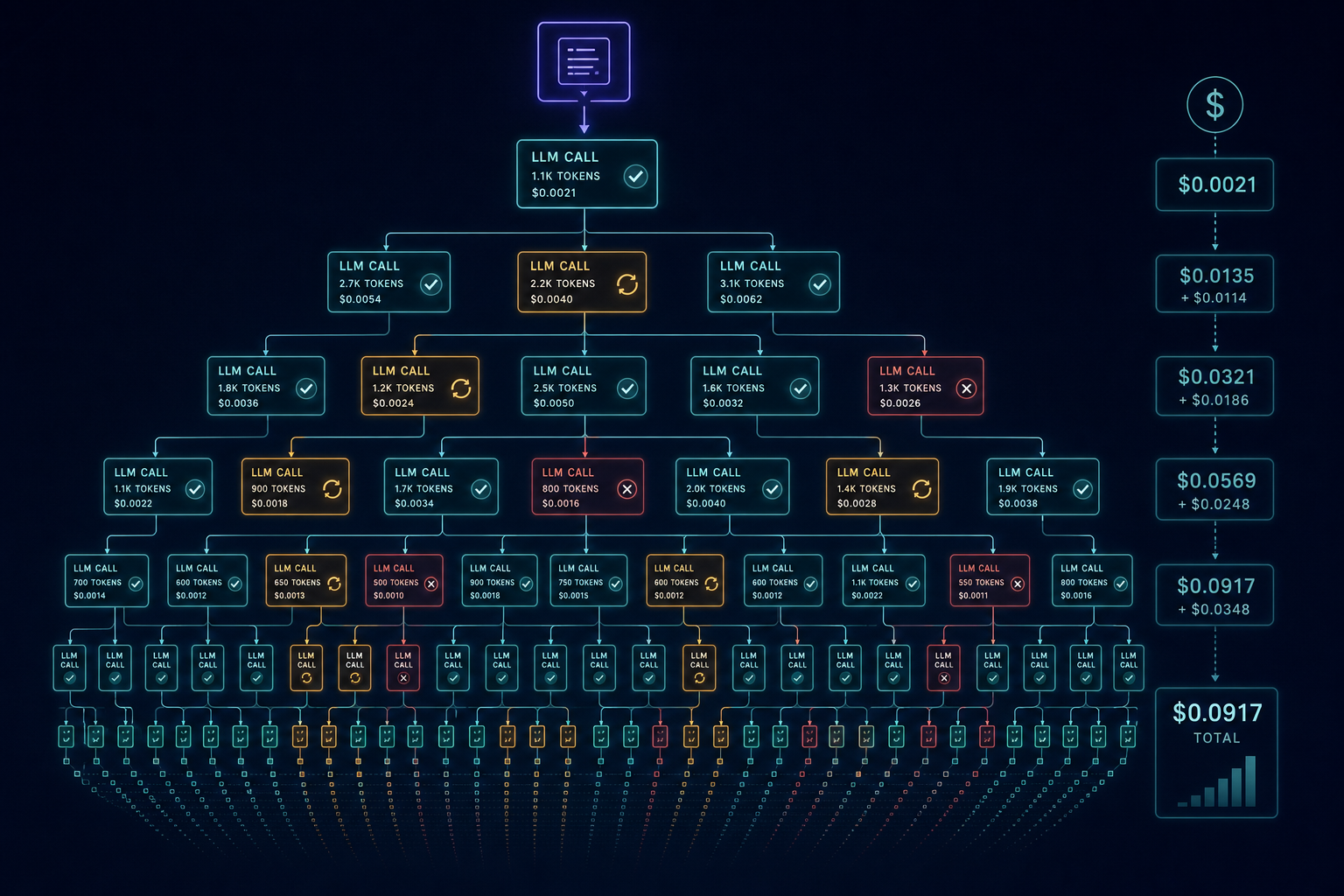
---
**TL;DR**
- **Your LLM invoice shows tokens; it hides outcomes.** Failed calls, retries, and context replay bill the same rate as successful work — but produce nothing.
- **Productive tokens are ~15–20% of a typical agent bill.** Retries, failed-but-billed calls, and context accumulation eat the rest.
- **Agentic flows cost 5–25× more than simple chat** on the same nominal task (TechAhead, *Inference Cost Explosion*, 2026).
- **A $10 prototype becomes a $1,200/month line item** at production load — that's a 120× increase from the same workload (Teamvoy, *Hidden Costs of AI Agents*, 2026).
- **Three levers cut 70–85% of agent cost** without touching success rate: bounded retries, context pruning, and model routing.
---
An engineer we work with budgeted $1/day for their customer-support agent. Clean calculation: ~4,000 input tokens per ticket, 800 output tokens, Claude Sonnet pricing, 15 tickets a day — comes out to roughly $1.05. After three weeks the bill was $12/day. Same tickets. Same model. Same task.
The token math was right. The agent math was wrong.
Vendor invoices itemize tokens. They don't itemize *outcomes*. Every failed tool call, every retry that replays the full conversation, every task the agent abandoned after four attempts — they all billed full price. The invoice looked like successful work because failed work costs exactly the same as successful work.
This post breaks down where that $11 gap actually came from, and gives you a 5-step framework to find the same gap in your own system.
---
## Why Token Cost Is Only Part of the Bill
The headline number for a frontier-model agent task is real. A Claude Sonnet call with 4,000 input tokens and 800 output tokens costs about $0.02–$0.06 depending on pricing tier. That's the number that shows up in back-of-envelope estimates and product pitches.
What it omits: agents aren't single calls. They're *loops*.
**A typical agent task makes 5–80 LLM calls** to complete one unit of work — decomposing the problem, calling tools, reading results, retrying on failures, verifying outputs (LeanLM, *7 Patterns That Blow Up Your Budget*, 2025). Each call includes the full conversation history as input. Token consumption scales between 10× and 100× compared to single-turn for the same end result.
Three structural reasons explain the gap:
**1. Invoice opacity.** Your provider's dashboard shows token counts, not useful work. A call that returns a 500 error from a downstream tool, triggers a retry, and eventually fails still bills at the same rate as a call that succeeds. The invoice doesn't distinguish.
**2. Retry loops multiply context.** Each retry doesn't just re-send the original prompt — it re-sends the full accumulated conversation history plus tool definitions plus all prior failed attempts. A 3-step task with 2 retries per step bills roughly 6× the happy-path tokens (TechAhead, *Inference Cost Explosion*, 2026). As an AI infra practitioner put it: "Ten retries on a long conversation can eat $5–$10 in tokens without producing anything useful" (AI infra blog, production incident report, 2025).
**3. Context grows quadratically with tool-call count.** Each tool call replays most of the prior context. Each parse error retries the call. Each sub-agent spawn carries its own full context. The token bill grows *quadratically* with tool-call count, not linearly (Zop, *Agentic AI FinOps*, 2026).
The result: token tsunamis from loops, retries, and context reloads **multiply costs 3–7× before optimization** (TechAhead, *Inference Cost Explosion*, 2026). Agentic flows cost **5–25× more than simple chat** on the same nominal task.
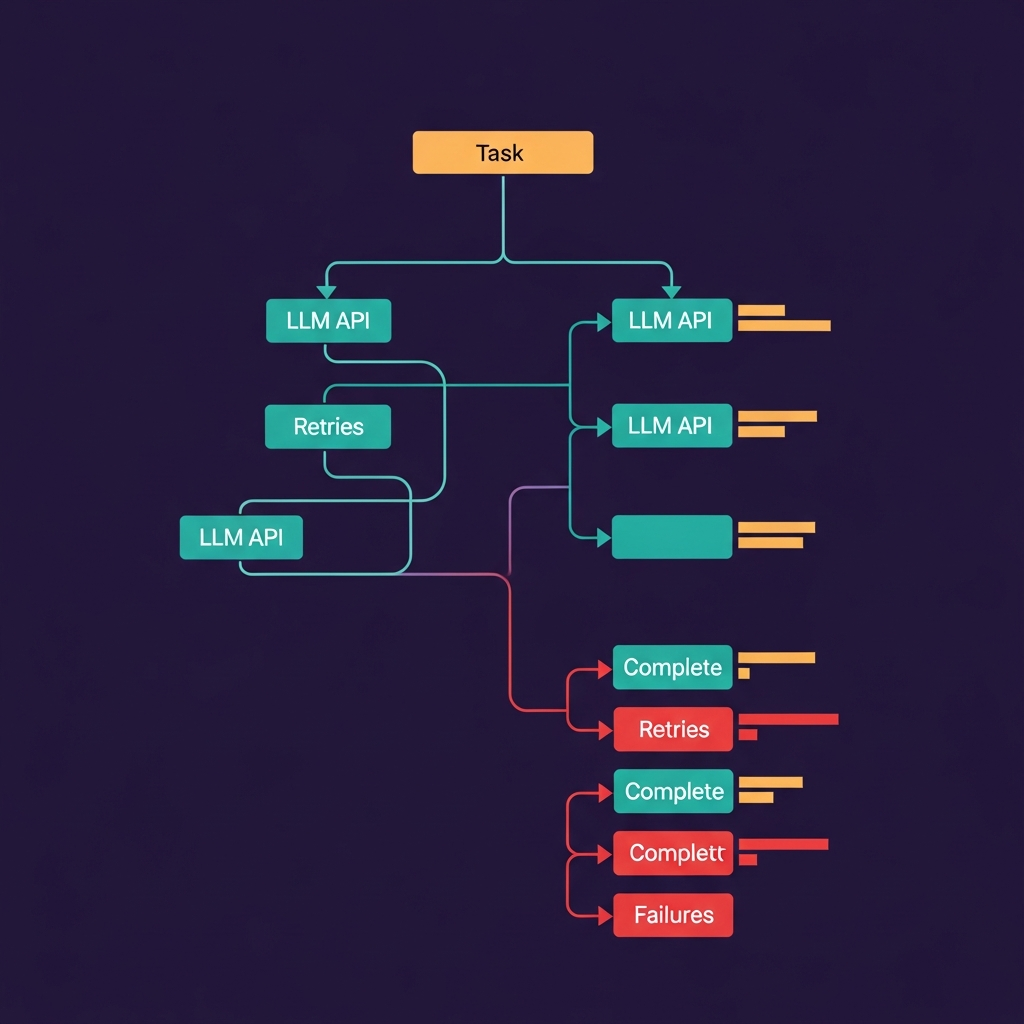
---
## The Three Hidden Cost Drivers
Real agent cost breaks into three buckets — not one. The useful work is the smallest.
**Productive tokens** are the calls that succeeded and produced value. For a typical production agent, these are **15–20% of total spend**.
**Retry tokens** are the calls re-attempting a step that failed. When a tool returns a timeout, a malformed JSON response, or a rate-limit error, the agent retries. Each retry sends the full context plus the new attempt. If **15% of calls retry, effective cost is already 1.45× the dashboard number** (dev.to, *The Real Cost of Your AI Agent*, 2025). With 20% retry rates, you're at 1.6×. With a flaky external API that fails 40% of the time, one tool can account for 30–40% of the entire bill.
**Failed-but-billed tokens** are the calls where the agent exhausted retries and gave up. The task failed. The tokens still billed. Typical ranges across observed production systems: **20–30% of spend goes to calls that failed but billed full tokens** (dev.to, *The Real Cost of Your AI Agent*, 2025).
The remaining cost is model over-provisioning — using frontier models for steps that don't need them. That accounts for **30–50% of spend** in typical systems.
Here's what the composition looks like for a $5/task workflow:
Agent Cost Composition Per Task
$5.10
per task
Productive tokens 20% ($0.10)
Retry tokens 35% ($1.75)
Failed-but-billed 25% ($1.25)
Infra & tools 20% ($1.00)
Source: synthesized from dev.to, AgentPMT practitioner reports, 2025
Retries, failed calls, and tools make up **80% of the bill**. Productive tokens are the thin slice.
---
## Cost Amplification at Scale
Per-task numbers look manageable. At scale they compound fast.
**Reliability is the most expensive upgrade you can make to an agent.** Raising task success rate from 80% to 99.9% requires verification loops, multi-step recovery, and more aggressive retries. That **triples spend** despite the same task semantics (Teamvoy, *Hidden Costs of AI Agents*, 2026). You're not doing more work; you're doing the same work but with a safety net that costs 3× more to operate.
**Token variability is extreme.** Stanford's Digital Economy Lab measured agentic coding tasks and found that **runs on the same task can differ by up to 30× in total tokens** (Stanford Digital Economy Lab, *How Do AI Agents Spend Your Money?*, 2025). That's not noise — it's structural variance from stochastic retrieval, tool-call chains, and path-dependent context growth. Your P99 run doesn't just cost more than average; it costs an order of magnitude more.
**Multi-step agents compound these effects.** An agent making **15–80 LLM calls per task** sees retry storms, quadratic context growth, and tool overhead stack simultaneously. Engineers on Reddit report **70–120× cost spikes** on multi-step agents versus single-turn estimates (Teamvoy, *Hidden Costs of AI Agents*, 2026).
The prototype-to-production gap is brutal: **a $10 prototype becomes a $1,200/month line item** at production load on the same workload (Teamvoy, *Hidden Costs of AI Agents*, 2026). That's 120×.
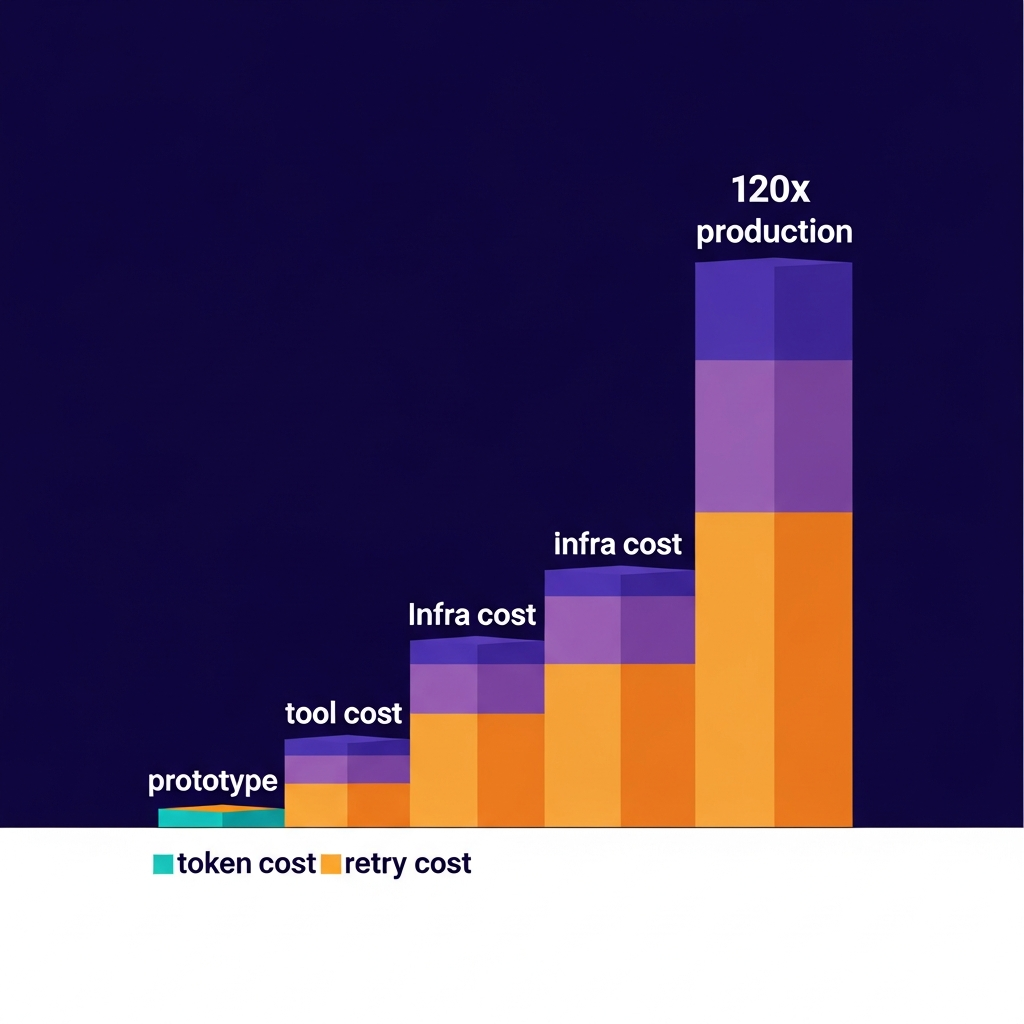
Most teams discover this after the bill arrives. The fix is measurement first.
---
## How to Measure Your Own Cost Breakdown
You can't optimize what you don't see. Most vendor dashboards show token counts — they don't show retry counts, failure rates, or cost per successful outcome. Here's a 5-step framework to get visibility.
**Step 1 — Enable full request logging.** Capture every LLM call, every tool call, and every failure with timestamp, workflow stage, token counts, and outcome (success / retry / failed). The stage tag is critical: it's how you attribute cost to planning vs. retrieval vs. execution vs. retries.
Most teams already have this infrastructure (CloudWatch, Datadog, or custom middleware). The missing piece is the *outcome* tag — specifically whether a call was a retry attempt and whether the task ultimately succeeded.
**Step 2 — Attribute cost by failure mode.** For each call, categorize:
- *Success*: cost = token_cost + tool_cost
- *Retry*: cost = (1 + retry_count) × token_cost + tool_cost
- *Failed* (exhausted retries): cost = token_cost (wasted)
This one change converts your "cost per call" data into "cost per outcome" data. Input tokens drive **60–80% of agentic cost** — and retried calls include the full accumulated context every time (LeanLM, *7 Patterns That Blow Up Your Budget*, 2025).
**Step 3 — Identify your highest-retry tools.** Which tools fail most often? Which tools trigger the most expensive retries (because they're called later in a long conversation, when context is largest)? One misbehaving API can account for 30–40% of your bill. Rank tools by (retry_count × avg_context_at_retry_time × cost_per_token).
**Step 4 — Calculate cost per successful task.** The correct formula:
```
cost_per_successful_task = (total_run_cost + tool_cost + overhead) / successful_tasks
```
Compare this to your single-call happy-path estimate. If actual is 3–8× higher, retry overhead dominates. If it's 10–30×, you have either a context growth problem (growing conversations bloating input tokens) or a retry storm on a specific tool.
**Step 5 — Build a cost heatmap by workflow step.** Graph cost per stage: planning, retrieval, execution, review, retries. Hotspots are obvious. Most teams find that one or two stages account for 60–70% of spend — and at least one of those is retries on a single failing tool.
Once you have this data, optimization priorities become clear.
---
## Optimization Patterns That Actually Move the Number
Once you've measured where cost goes, three techniques cut 70–85% of agent cost without meaningful success-rate regression (Klaws, *How to Cut AI Agent Costs by 80%*, 2026).
**1. Bounded retries and circuit breakers.**
Set max retries per tool (3 is empirically reasonable for most external APIs). Set max retries per task (5–10). Set a hard token budget per task — e.g., 3× expected happy-path cost. After N failures or $X spend, the agent reports failure and stops.
The economic effect: prevents rare retry storms from dominating monthly spend. P99 cost drops dramatically. Mean cost drops modestly. It's cheap insurance.
Build in a **15–25% buffer** for output-length variation and unexpected spikes (CodeAnt, *Why LLM Token Costs Lie*, 2026). If your measured retry overhead exceeds 25%, that's your optimization target.
**2. Context summarization.**
When conversation history exceeds 60K tokens, run a cheap summarization step that compresses prior turns to 5–10K tokens before continuing. This can be done with a fast, cheap model (Haiku, Gemini Flash) — the cost of the summarization call is tiny compared to the reduction in input tokens for every subsequent call.
Effect: 2–5× reduction in input tokens per call after the summarization threshold. Accuracy impact is negligible for most tasks (the model rarely needs verbatim recall of turn 1 to complete turn 15).
**3. Model routing by task step.**
Frontier models are for frontier problems — complex reasoning, ambiguous tool orchestration, multi-step planning. Parsing structured output, classification, simple retrieval, and formatting don't need Opus-class models.
Route each step to the cheapest model that meets a quality threshold. The economics of this are surprisingly good: if 70% of your agent's calls are "cheap" steps and you route those to a model that costs 10× less, total cost drops 60%+ even if the expensive steps stay unchanged.
Cost Per Task: Optimization Curve
$0
$2
$4
$6
$8
$8.00
$5.20
$3.10
$1.80
$1.20
Baseline
Bounded
retries
Context
pruning
Model
routing
Caching
85%
reduction
Source: Klaws, "How to Cut AI Agent Costs by 80%", 2026
The curve is steep early. Bounded retries alone cut ~35% of cost. Add context pruning and you're at ~60% reduction. Model routing closes most of the remaining gap. Caching is incremental after that.
**Caching.** For deterministic subtasks — same retrieval queries, same tool inputs — cache successful results. Dedup identical queries. Effect: 20–40% reduction in redundant calls, which compounds with the retry reduction.
---
## Real Example: The $12 Task
Here's the specific breakdown for the customer-support agent mentioned at the start.
**Setup**: Claude Sonnet agent. One ticket per task: classify issue → retrieve relevant docs → generate response. Happy path: 3 LLM calls, 2 tool calls.
**Expected cost (happy path)**:
- Input: ~4,000 tokens, Output: ~800 tokens per task
- At Sonnet pricing (~$3/$15 per 1M tokens): $0.024 in/out
- Tool calls: ~$0.01
- **Expected**: ~$0.04–$0.07 per task × 15 tickets/day ≈ **$1.05/day**
**Actual cost**:
- Vector DB retrieval was timing out ~35% of the time → agent retried 2–3 times per ticket, replaying growing context
- Response generation returned malformed JSON ~15% of the time → parse retry
- In practice: **5–7 LLM calls per ticket** (not 3), with expanding context window
- **Actual**: ~$0.80 per task × 15 tickets/day ≈ **$12/day**
**Breakdown of that $0.80**:
| Component | Cost | % |
|---|---|---|
| Base tokens (productive) | $0.06 | 8% |
| Retry tokens (failed retrievals, parse errors) | $0.35 | 44% |
| Failed-but-billed calls (abandoned tickets) | $0.25 | 31% |
| Tool calls | $0.14 | 18% |
| **Total** | **$0.80** | **100%** |
The productive tokens were $0.06. Retries cost nearly 6× that.
**What fixed it**: Set max retries per tool to 2. Added a circuit breaker (stop after 3 total API failures per ticket). Switched to a local embedding cache for frequent retrieval queries. **Cost dropped to ~$0.10/task** — a 7× reduction, still within the $1.50/day budget.
The fix took one afternoon. The measurement setup took one day. Both were worth it. Practitioners who've traced similar workflows report **$5–$8 per task** for complex software-engineering agents once you count retries and tool loops (Stanford Digital Economy Lab, *How Do AI Agents Spend Your Money?*, 2025).
---
## Frequently Asked Questions
**My agent costs spiked. Is it because I chose the wrong model?**
Probably not. Model price is roughly **10–15% of agent cost** in production workflows (AgentPMT, *Token Spend vs Tool Spend*, 2025). Swapping Opus for Sonnet saves 20–30% of that slice — meaningful, but it leaves 85–90% of the bill untouched. Check retry rate and failed-call percentage first. If those are under control, then model routing is worth optimizing.
**How much should I budget for retries as overhead?**
Build in **15–25% over your happy-path token estimate** (CodeAnt, *Why LLM Token Costs Lie*, 2026). If measured retry overhead exceeds 25%, that's a signal to dig into which tools are failing and implement bounded retries. Below 15% means you're running a tight system.
**Why does adding more reliability make my agent so much more expensive?**
Reliability is structurally expensive for agents. Raising success rate from 80% to 99.9% requires retries, verification passes, and fallback strategies. Each of those paths bills tokens. Agents that need high reliability need budget to match — **going from 80% to 99.9% success roughly triples spend** (Teamvoy, *Hidden Costs of AI Agents*, 2026).
**My costs spike randomly — is that normal?**
It's common. Rare retry storms — one tool failing repeatedly at peak load — can account for **60–70% of monthly spend** even if they only happen a few times. The distribution of agent costs is heavy-tailed: most tasks are cheap, a few are very expensive. Add per-tool retry counters and circuit breakers. When tool X fails 3 consecutive times, stop retrying and route to a fallback — don't let one flaky API own your bill.
**How do I know when an agent is actually cheaper than a human?**
Compare cost per *successful* task to the human alternative. A $30/hour support engineer handles roughly 6–8 tickets per hour — that's $4–$5 per ticket. For an agent to beat that, it needs to succeed at under $4 per ticket *fully loaded* (retries, tools, infra, human review for edge cases). At $0.80 per task after measurement, the agent wins by 5×. At $12/day for 15 tickets, it's worse than hiring a part-time human.
---
If your agent costs more than you expected, you're in good company. The standard advice — "optimize token usage" — misses 80% of the bill. The real levers are retry budgets, context pruning, and measuring cost by outcome rather than by call.
If you want to see exactly where your agent's budget is going across multiple providers, [Mesh API's cost analytics](https://link.meshapi.ai/landing?utm_source=blog&utm_medium=referral&utm_campaign=agent-workflows-real-cost-retries-vs-tokens) breaks down spend by workflow stage and retry pattern — the kind of visibility that makes the $0.50/$8 gap visible before the invoice arrives.
## We Made Two LLMs Play Tetris. The Winner Wasn't the Better Player.
URL: https://meshapi.ai/blog/llm-tetris-contest-opus-deepseek
# We Made Two LLMs Play Tetris. The Winner Wasn't the Better Player.
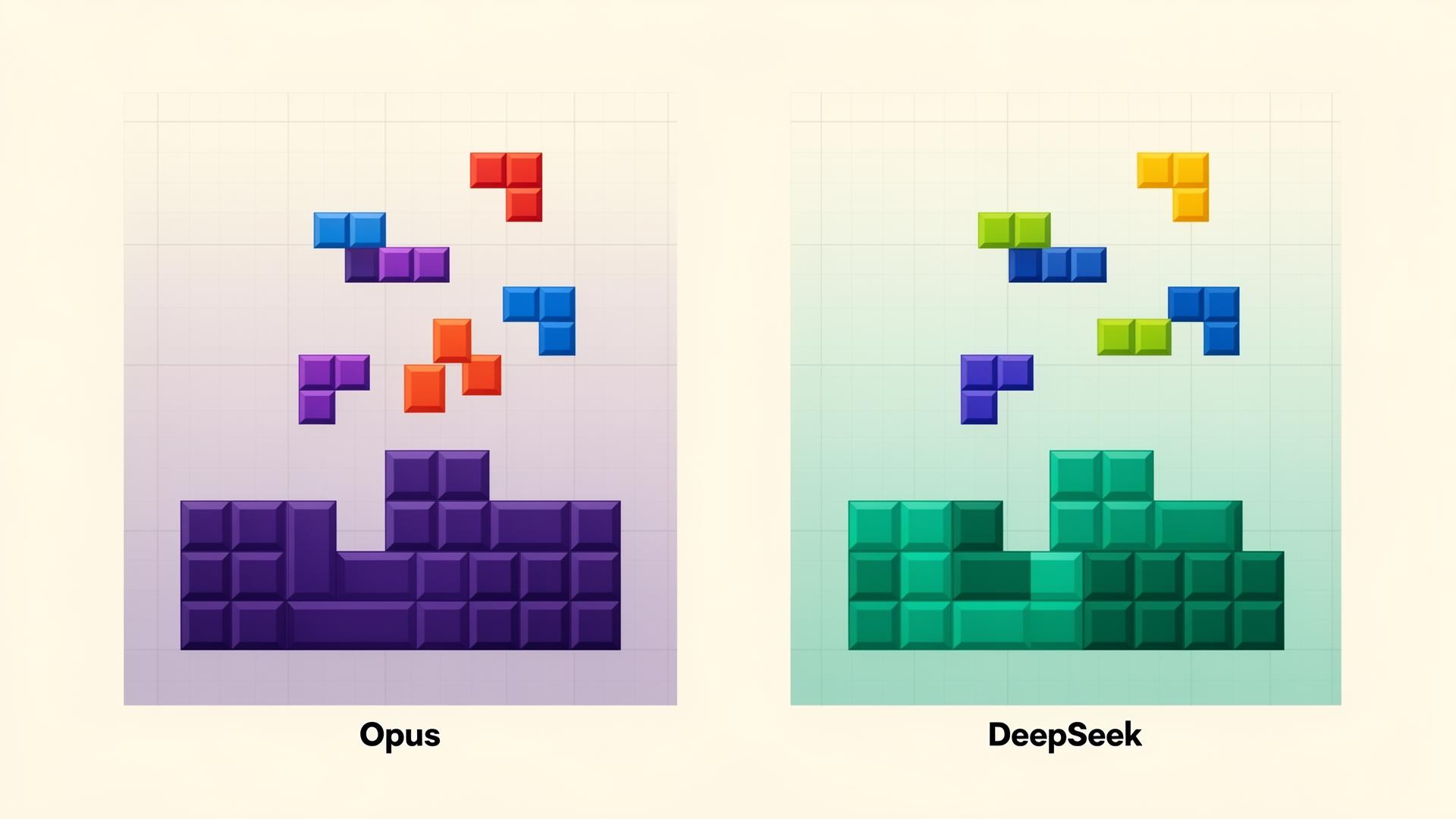
### Claude Opus 4.8 vs DeepSeek V3.1, both served through Mesh API
We wanted a clean, slightly silly way to compare a frontier model against a cheaper open one. Not on trivia. Not on a leaderboard everyone has already gamed. On something that rewards planning and judgment, and that ends with one unambiguous winner.
So we made two language models play Tetris against each other, and the result was more interesting than "the expensive one won." The model that placed pieces better, and often scored higher, was frequently the one that lost. What separated the two wasn't skill. It was disposition.
Here's the whole experiment: how we built it, every result, and the bug that nearly faked the entire thing.
## TL;DR
- **Claude Opus 4.8** and **DeepSeek V3.1** (both called through **Mesh API**) compete at Tetris reframed as a turn-based, numeric decision game. No reflexes, pure decision quality.
- LLMs are genuinely bad at *imagining* where a piece lands from a text grid. Once the engine pre-computes every legal placement and the model just **chooses**, both play near-optimally: ~0.40 lines per piece, against a theoretical max of 0.40.
- Because placement is basically solved, the contest ends up measuring **risk temperament**. Each model designs its own scoring policy, and the policies are consistently different: **Opus plays survival-first; DeepSeek plays line-greedy.**
- Played to a real top-out, last model standing wins, **Opus wins roughly 6 to 7 of 10.** The win rate is noisy. The behavioral difference is not.
- The recurring, almost poetic result: **you can outscore your opponent and still lose** by topping out first.
- Given the chance to re-tune mid-game, Opus fiddles with its weights ~4 to 5x more than DeepSeek, and it barely changes who wins.
## Why Tetris
Most LLM benchmarks reward recall. We wanted one that rewards *judgment*: spatial reasoning, trade-offs, and the discipline to not blow yourself up. Tetris is a good fit, it's spatial, adversarial, and a single number settles it.
The obvious problem: real Tetris is a reflex game, and LLMs have no reflexes. Asking a model to react to falling blocks in real time is a non-starter. So we reframed it as a **turn-based placement** problem:
- Both players receive the **identical** piece stream (a seeded 7-bag randomizer), so outcomes reflect decisions, not luck.
- For each piece, a model decides where it goes, a rotation and a column. The engine hard-drops it, clears full rows, and scores it.
- Everything is numbers in, numbers out. No images, no canvas. The board goes to the model as text; the answer comes back as a couple of integers.
That turns "playing Tetris" into a clean test of strategy you can run headless, thousands of times, and replay afterward for humans to watch.
Both models are reached the same way, through Mesh API, which is OpenAI-compatible, so one endpoint and one key serve `anthropic/claude-opus-4.8` and `deepseek/deepseek-chat-v3.1` alike. The key never touches the browser; a small Node process holds it. Any Mesh slug can be swapped in, which made running variants trivial.
## The first attempt failed badly
Our first design sent the board as a compact numeric summary, per-column heights and holes, plus the current and next piece, and asked for two integers: `rotation column`.
It was a disaster. Models built pathological towers, left unfillable holes, and topped out within about ten pieces, never clearing a line. DeepSeek would dump pieces into the same middle column until it spiked to the ceiling.
The reason is worth sitting with, because it's the actual finding hiding in a "bug." Asking an LLM to *mentally simulate* "where does a Z at rotation 1 land in column 2, and which row does that complete" is exactly the 2D physics these models are worst at. They hallucinate the geometry. The information we gave them was sufficient, a five-line heuristic clears lines easily from the same inputs. The models simply couldn't do the spatial arithmetic in their heads.
## The fix: let the engine do the physics, let the model do the strategy
Instead of making the model imagine the drop, we had the **engine enumerate every legal placement and simulate its outcome**, then present them as a menu. The model just picks:
```
Current piece Z. Your options:
1) rotation 0, column 0 -> lines cleared 0, holes +1, max height 7, bumpiness 9
2) rotation 1, column 2 -> lines cleared 1, holes +0, max height 5, bumpiness 4
3) rotation 0, column 6 -> lines cleared 0, holes +0, max height 6, bumpiness 6
... (all legal placements, in neutral order)
Reply with the option number.
```
This offloads the physics the model can't do, while keeping the strategy, which trade-off to take, entirely the model's. The effect was night and day. Both models started clearing lines and surviving for hundreds of pieces.
The result is almost anticlimactic: **both models now place near-optimally, ~0.39 to 0.40 lines per piece**, where 0.40 is the theoretical maximum (4 cells per piece / 10 cells per line). Placement quality is effectively solved. It is no longer the thing that separates them.
Which raised the real question: if both models pack pieces equally well, *what is actually different about how they play?*
## Policy mode: design a strategy once, then live with it
Running a live decision per piece is slow, one API call per piece, and since placement is near-solved, most of those calls just confirm the model can read a menu. So we added **policy mode**.
Each model is asked, once, for a **scoring policy**: a set of weights over five board features measured after a placement.
| feature | meaning | good direction |
|---|---|---|
| `lines` | rows this placement clears | higher = better |
| `holes` | empty cells trapped under filled ones | fewer = better |
| `agg` | total stack height across columns | lower = better |
| `bump` | bumpiness (height differences between neighbors) | lower = better |
| `max` | tallest column | lower = better |
The engine then plays the whole match locally, scoring every legal placement as the weighted sum of those features and playing the max. A thousand pieces resolve in seconds with just **two API calls total**, one policy per model. The model becomes the strategist; the engine is its hands.
This is where the experiment got interesting, because the policies the two models choose are *consistently, measurably* different.
Across ten matches, we logged the weight each model assigned to `lines`, its appetite for clearing rows aggressively versus playing it safe. **Opus's average line-greed was 1.5. DeepSeek's was 6.3**, more than four times as aggressive. Opus leaned on heavy hole and height penalties; DeepSeek wanted lines, and weighted the things that keep you alive far more lightly.
In plain terms: **Opus designs survival-first strategies. DeepSeek designs to score.** Neither was told to. It's a stable behavioral signature that falls out of the same prompt, every time.
## The results, and the headline that surprised us
Played to a real top-out, with weights locked for the match:
**Opus 6, DeepSeek 4. Average score gap +20.3%.**
| Match | Pieces | Winner | How it ended | Opus (pts / lines) | DeepSeek (pts / lines) |
|---|---|---|---|---|---|
| 1 | 1628 | DeepSeek | Opus topped out | 2,581,300 / 635 | 2,529,200 / 644 |
| 2 | 164 | **Opus** | DeepSeek topped out | 33,100 / 65 | 23,700 / 51 |
| 3 | 587 | DeepSeek | Opus topped out | 320,400 / 220 | 323,100 / 233 |
| 4 | 131 | **Opus** | DeepSeek topped out | 19,200 / 50 | 12,000 / 38 |
| 5 | 311 | **Opus** | DeepSeek topped out | 106,500 / 123 | 82,800 / 108 |
| 6 | 655 | DeepSeek | Opus topped out | 419,700 / 246 | 411,200 / 256 |
| 7 | 479 | **Opus** | DeepSeek topped out | 225,600 / 189 | 197,900 / 174 |
| 8 | 470 | **Opus** | DeepSeek topped out | 216,800 / 182 | 163,500 / 170 |
| 9 | 2054 | **Opus** | DeepSeek topped out | 4,050,600 / 820 | 4,159,400 / 805 |
| 10 | 415 | DeepSeek | Opus topped out | 144,600 / 150 | 174,000 / 164 |
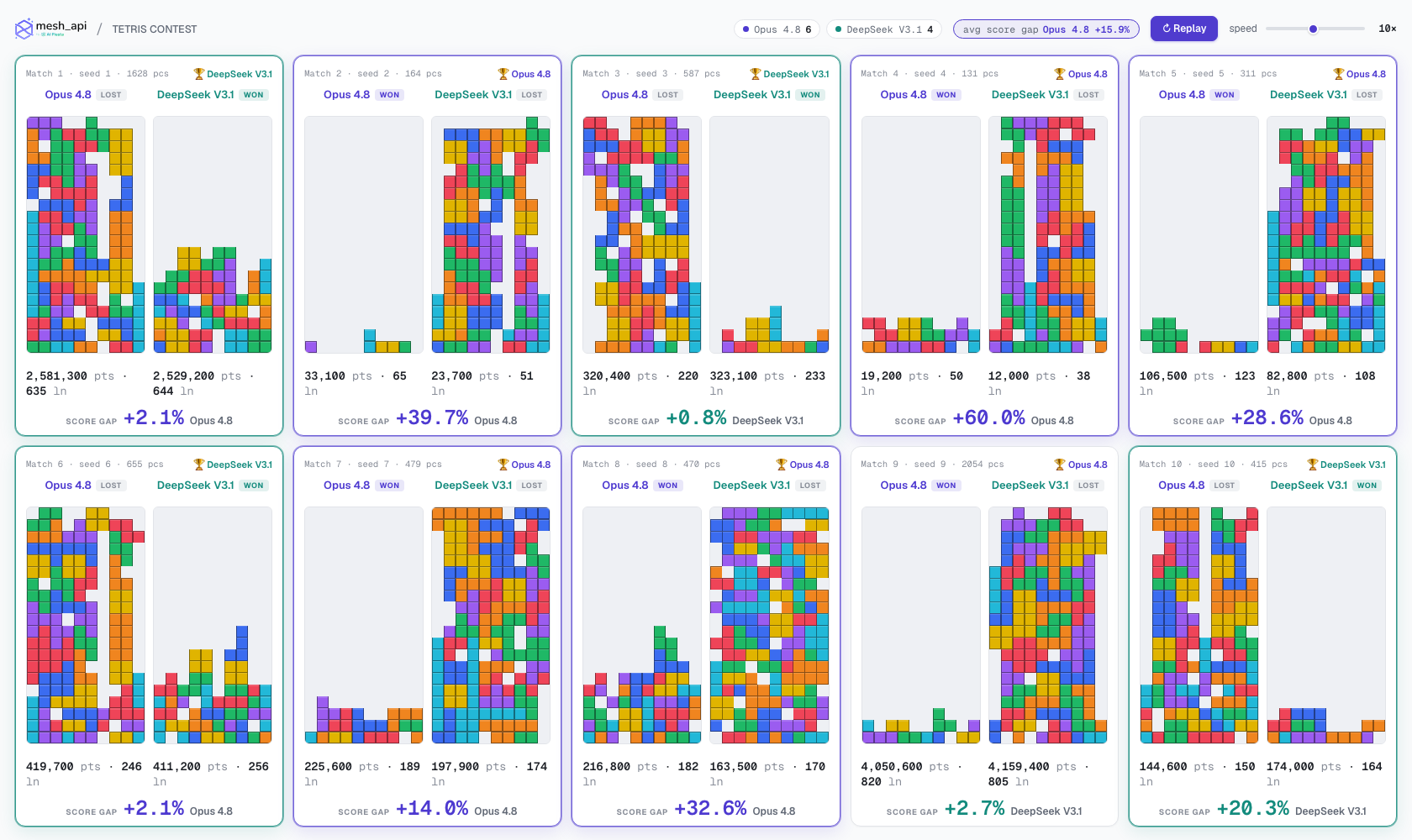
Look at **Match 9**. DeepSeek scored *more*, 4.16M to Opus's 4.05M, and was leading on points when it died. But it topped out first, so **Opus won.** The win condition is survival, not score. A model that plays aggressively can rack up a bigger number and still be the one who hits the ceiling first.
That's the whole experiment in one match. The better-scoring player lost because being the better-scoring player is *what killed it.*
## Adaptive mode: can a model notice it's in trouble?
To probe meta-reasoning, we added a harder variant. The board tops out the instant any column exceeds **height 12**, far less margin. And every **40 pieces** the simulation pauses, shows each surviving model its live board, current weights, and recent stats, and asks one question: keep your weights, or change them?
Now a model can notice it's spiraling and re-tune. The behavioral split got even cleaner:
**Opus 7, DeepSeek 3. Total re-tunes: Opus 32x vs DeepSeek 7x.**
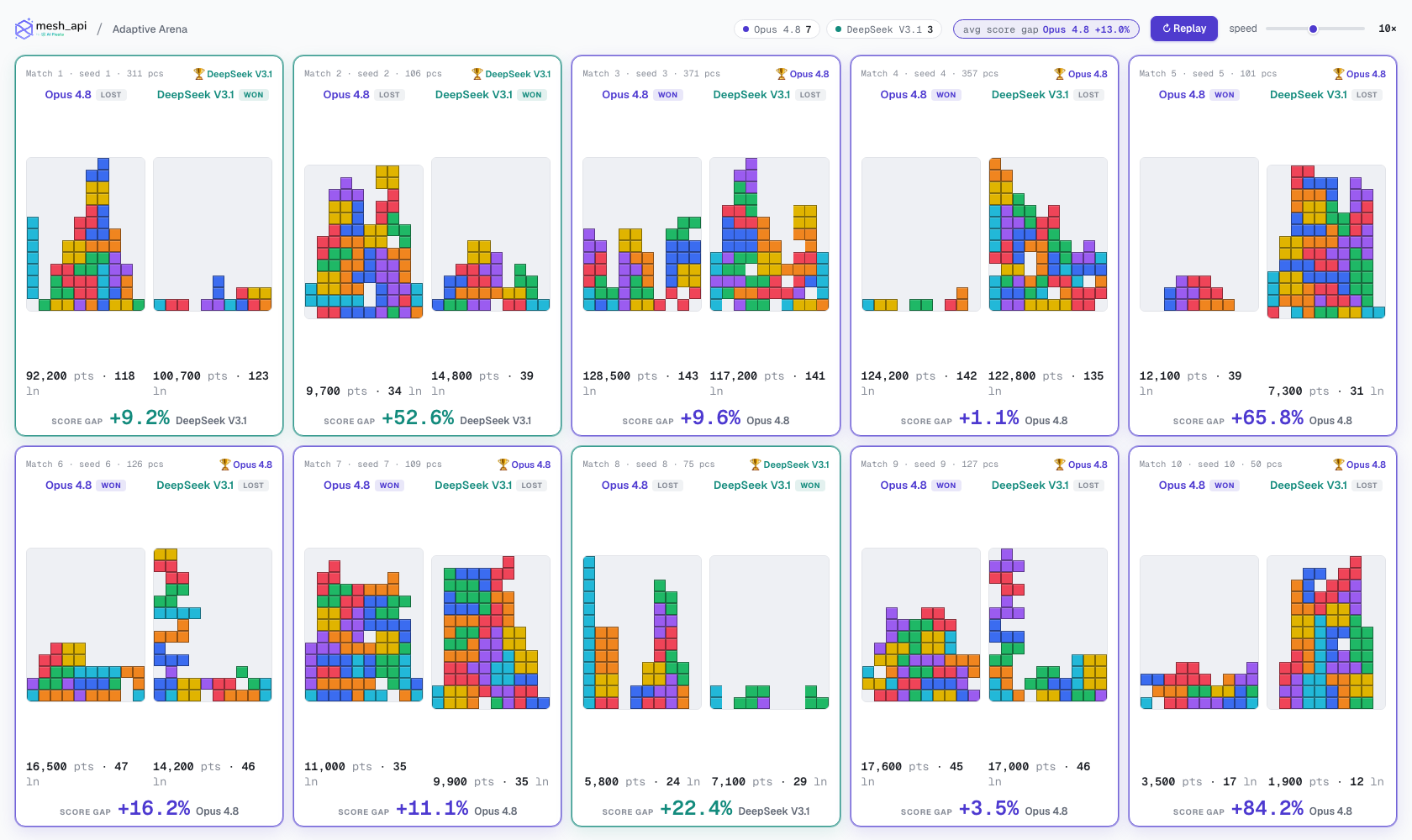
Opus is a tinkerer. Given the freedom to adjust, it adjusted constantly, 32 times across ten matches. DeepSeek mostly set its strategy and rode it out. But here's the kicker: the win split (7 to 3) sits in the same band as the locked-weights run (6 to 4). **The ability to adapt did not change who tends to win.** All that mid-game fiddling was a personality trait, not a performance lever.
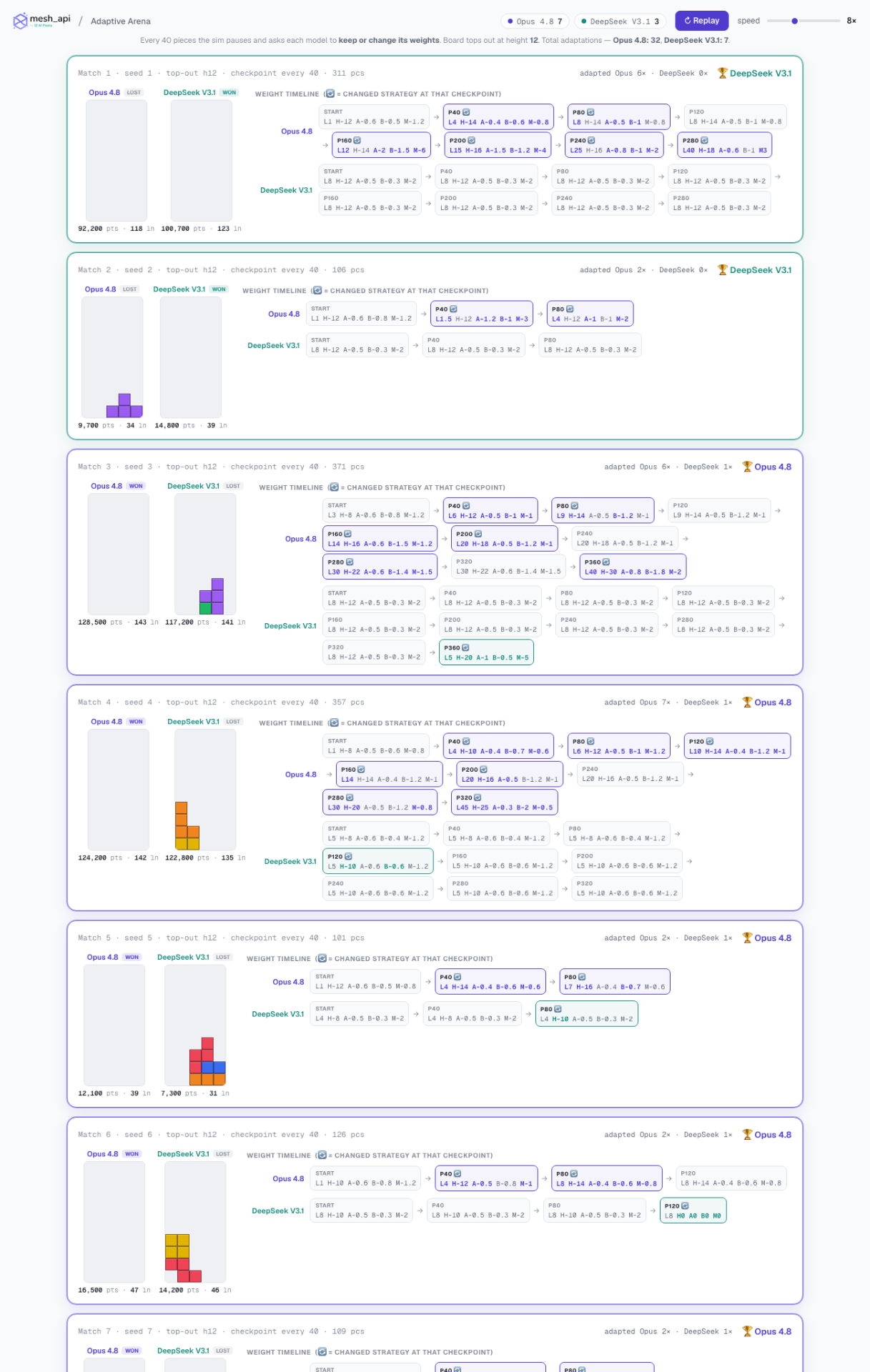
## A real bug we hit (and what it taught us)
When we first re-ran the full tournament, every single match came back a perfect tie, identical scores down to the point.
The cause: the tournament fired all weight requests concurrently, ten matches x two models = twenty simultaneous calls. The burst got rate-limited, every call errored, and both models **silently fell back to the same default weights.** Identical policies produce identical games on an identical piece stream. Twenty fake ties.
The fix was straightforward: run matches sequentially with only two calls in flight, add retry-with-backoff on the weight calls, and, most importantly, **log every fallback loudly** instead of swallowing it. The lesson generalizes well beyond Tetris: a silent fallback turns an API hiccup into a confident, wrong result. If your system can degrade quietly, it eventually will, and you won't know. Make failure visible.
## The honest caveats
We like this benchmark, so we want to be careful not to oversell it.
- **Small N, high variance.** Ten seeds per run, weights re-sampled at temperature 0.4. Treat the win counts as samples from each model's strategy distribution, not ground truth. Across several runs we saw 8 to 2, a re-run 9 to 1, then fresh 6 to 4 and 7 to 3. The defensible claim is *"Opus wins more often than not, usually by surviving longer, with a score edge averaging ~20 to 28%"*, not a tidy 9/10.
- **It's a fun benchmark, not a rigorous eval.** No significance testing.
- **Placement is engine-assisted.** Models choose among pre-computed options; they don't compute geometry. That's deliberate, it's what makes them competent, but it means we're testing strategic judgment, not raw spatial reasoning.
- **Two models, one task.** This is a finding about Opus 4.8 and DeepSeek V3.1 on Tetris. It is not a general capability claim.
## What it actually says
Give a frontier model and a cheaper model the *same* Tetris, let them design how to play, and the cheaper one is genuinely close. DeepSeek V3.1 places just as well and frequently scores higher. What separates them isn't skill, it's temperament. Opus plays to survive and wins more often; DeepSeek plays to score and dies sooner.
On a benchmark where the rule is *last one standing*, discipline beats firepower. But not by nearly as much as a single lucky run would have you believe, and that gap between "the impressive number" and "the honest number" is, in the end, the most useful thing the experiment produced.
## Reproduce it
Every run writes a JSON log and a self-contained HTML replay, open it and watch the boards play back at 1x to 20x, winners tagged, score gaps shown.
```bash
cd tetris_contest_v2
# Mesh API key in .env as MESH_API_KEY (or --demo for no-API heuristic runs)
node multi.js --runs 10 --pieces 10000 # policy tournament
node adaptive-multi.js --runs 10 --pieces 1000 # adaptive tournament
node policy.js --pieces 1000 --seed 7 # a single policy match
node adaptive.js --seed 7 # a single adaptive match + timeline
```
Both models in this experiment were served through one OpenAI-compatible endpoint. If you want to run your own model-vs-model experiments without juggling a different SDK per provider, [point your existing OpenAI client at Mesh API](https://meshapi.ai) and swap the model slug. Same code, any model.
## Why Claude Design Burns Your Quota (and How to Fix It)
URL: https://meshapi.ai/blog/why-claude-design-burns-quota
# Why Claude Design Burns Your Quota (and How to Fix It)

*Hero image generated with ChatGPT Images (`openai/gpt-image-2`) via Mesh API. A bounded, flat-cost pixel job, exactly the kind of work you want to keep away from a code agent.*
While putting Claude Design through a real build this week, we ran into something worth writing up. We asked it to build a website design, a video editing portfolio with four or five menus, and handed it a few screenshots of the work in progress. Claude told us to come back in five minutes. When we came back, it had been grinding away for thirty to forty minutes straight. One follow up to change the logo ran another five to ten. By the end it had spent an entire five hour quota plus eight dollars of extra usage credits, all from basically one prompt and one edit.
The design came out great, and honestly it was impressive that it just did the work. But there's a question sitting underneath that bill: why does **Claude Design** cost so much when a normal image generator would've spit out a picture for a fraction of that? That's the whole point of this post, and the answer changes how you build anything visual with AI.
## What actually happened in that prompt
Here's the short version of the confusion. It's easy to assume Claude Design works like an image generator: hand it a prompt and some assets, get a finished design back. Even when you feed it your own SVG and PNG files, you'd figure it isn't generating any SVGs itself.
That assumption is the trap. Claude Design isn't an image generator at all, and that one fact explains the entire bill.
Here's what our testing made clear, put bluntly: Claude's agentic design mode generates SVGs, and generating SVGs is basically generating code. The way we've been working around the cost at [Mesh API](https://meshapi.ai) is to do the heavy visual lifting with a separate image model, then ask Claude Design only to convert the result into SVG. This post is the long version of that.
## The real answer: code generation is not image generation
Step back and you'll notice "AI image generation" has quietly split into two different things, and they bill in completely different ways.

*Two approaches, one gateway: this split-frame came from Google's `imagen-4-ultra` via Mesh API. The left half is what pixel models give you, a finished, bounded raster. The right half is what a code agent builds: structure assembled out of markup.*
**Pixel generation** is the diffusion approach. Models like OpenAI's [ChatGPT Images 2.0](https://openai.com/index/introducing-chatgpt-images-2-0/) and Google's [Gemini Nano Banana 2](https://gemini.google/overview/image-generation/) paint a raster image, a grid of pixels saved as a PNG or JPG. Producing one image is a bounded job. The model runs a fixed set of steps and stops. Cost is roughly flat per image, whether the prompt is simple or wild.
**Code generation** is what Claude does. Anthropic says it plainly on their own support page: Claude doesn't produce photos or illustrations the way image tools do. Instead it [builds diagrams, charts, and visuals using HTML and SVG](https://support.claude.com/en/articles/9002504-can-claude-produce-images). [Claude Design](https://www.anthropic.com/news/claude-design-anthropic-labs) extends that into full prototypes, wireframes, decks, and landing pages. The output is markup that a browser renders, not pixels.
So when Claude Design "makes a design," it's writing code. And code generation bills by the token, not by the image. That one difference is the whole story behind the quota burn.
## Why agentic design eats tokens
A diffusion model does one pass and returns a file. Claude Design runs an agent. That's why one of them ran for forty minutes.

*The agentic loop, generated with Google's `imagen-4` via Mesh API. Every lap around the track (plan, write, render, critique, rewrite) is more model calls and more output tokens. A forty-minute run is a lot of laps.*
To build a multi page website design from a prompt, the agent does a loop. It plans the layout, writes thousands of lines of HTML and SVG markup, renders the result, critiques its own work, rewrites sections, and repeats until the design holds together. Every cycle is more model calls and more output tokens. A run that goes thirty to forty minutes is doing a lot of those cycles back to back.
Token billing means cost scales with complexity and iteration. A simple one element graphic is cheap. A full portfolio site with four or five menus, consistent styling, and a logo swap is a mountain of generated code, and the bill follows the token count. This is also why it never behaves this way in Claude Code for routine maintenance. A small code fix is a small number of tokens. A complete design built from scratch is not.
One more thing worth clearing up, because it trips everyone up. Handing Claude your own SVG and PNG assets doesn't make it cheaper the way you'd expect. Those files become inputs the agent places inside the design. The expensive part is still the generation: reasoning about layout and writing all the markup that arranges your assets into a working page. The assets are ingredients. The cooking is still code generation.
## Pixel vs code: the cost profiles compared
| Factor | Pixel generation (ChatGPT Images 2.0, Gemini Nano Banana 2) | Code generation (Claude Design) |
|--------|-------------------------------------------------------------|----------------------------------|
| What it produces | Raster file (PNG, JPG) | HTML and SVG markup |
| How it bills | Roughly flat per image | Per token, plus reasoning |
| Cost predictability | High and bounded | Variable, scales with complexity |
| Runtime | Seconds | Seconds to tens of minutes |
| Best for | Photos, art, posters, creatives | Prototypes, decks, dashboards, editable visuals |
| Editability | Repaint the whole image | Edit elements directly, data stays live |
| Risk | Flat file you cannot easily change | Runaway usage on complex jobs |
Neither column is better. They solve different problems. The mistake is using the expensive one for a job the cheap one could finish in seconds.
## The fix: a hybrid workflow

*The hybrid workflow, generated with `openai/gpt-image-2` via Mesh API. One gateway routes the raster work to a fast pixel model and the structural work to a code model. Every image in this post was made that way.*
Here's the workflow that keeps cost sane, and it's the one we've been running.
1. **Do the heavy visual work with a pixel model.** When you need a hero image, a textured background, an illustration, or anything photographic, generate it with a diffusion model. The cost is fixed and the result lands in seconds.
2. **Use Claude only for the structural step you actually need code for.** Hand the generated visuals to Claude Design and ask it to assemble or convert them into editable SVG and a clean layout. You're paying for the part that genuinely needs code, not for the agent to dream up a picture from nothing.
3. **Cap the agentic loop.** Give Claude tighter, smaller instructions instead of one giant open ended brief. A logo change as its own scoped request is cheaper than letting it re evaluate the whole site.
The principle is simple. Match the tool to the job. Use pixels where you need a picture. Use code where you need structure. Stop paying token prices for pixel work.
## How to keep cost predictable when you build
If your product touches both worlds, and most do, the operational problem becomes integration. A pixel model for creatives, a code model for product visuals, maybe a third model next quarter, each with its own keys, billing, and behavior. That sprawl is where build time and budget quietly leak.
This is exactly why unified gateways exist. At Mesh API we run a single LLM gateway so you can route the raster work to a fast image model and the structural work to Claude through one integration. You see usage in one place, switch models without a rewrite, and run the hybrid workflow above instead of stitching providers together by hand. In my experience working with Indian AI first teams, predictable cost isn't a nice to have, it's the difference between shipping and stalling.
## Common mistakes to avoid
**Treating Claude Design like a cheap image generator.** It's a code generating agent. Brief it like one, and scope the work.
**Letting the agent run unbounded.** One enormous open prompt invites a forty minute loop. Break the job into smaller scoped requests.
**Using one model for everything.** A diffusion model can't give you an editable layout, and a code agent shouldn't be painting your hero image. Split the work.
**Ignoring the asset assumption.** Giving Claude your own files doesn't turn off code generation. Plan for the generation cost regardless.
## Frequently asked questions
### Why did Claude Design use so much usage in one prompt?
Because Claude Design generates code, not images, and code generation bills by the token. Building a full multi page design means the agent writes thousands of lines of HTML and SVG and iterates on them for many cycles, sometimes for tens of minutes. Token consumption scales with that complexity, which is how one prompt can spend a full quota plus extra credits.
### Does giving Claude my own SVG and PNG assets reduce usage?
Not as much as you'd hope. Your files become inputs placed inside the design, but the costly part is still the generation: reasoning about layout and writing all the markup that arranges those assets. The assets are ingredients, and assembling them into a working page is still code generation.
### Is pixel image generation cheaper than Claude Design?
For producing a finished picture, usually yes. Diffusion models like ChatGPT Images 2.0 and Gemini Nano Banana 2 run a bounded process and bill roughly flat per image. Claude Design bills per token and scales with how complex the design is, so a large design can cost far more than a single generated image.
### What is the cheapest way to generate designs at scale?
Use a hybrid workflow. Generate the visual heavy elements with a fast diffusion model at fixed cost, then use Claude Design only to convert and assemble them into editable SVG and layout. Scope each request tightly so the agent doesn't re run the whole job.
### Can I use one API for both image models and Claude?
Yes. A unified gateway like Mesh API lets you call diffusion image models and Claude through a single integration, so you can route raster work to one model and structural work to another without managing separate keys, billing, or SDKs. Every image in this article was generated that way: ChatGPT Images and Google Imagen, routed through one Mesh API key.
## Conclusion
That bill wasn't a glitch. It was the predictable result of using a code generating agent for a job people assume is image generation. Here's what to take away:
- Claude Design generates code, not pictures, and code bills by the token.
- Agentic design runs a loop, so cost scales with complexity and can balloon on big jobs.
- Pixel models bill roughly flat per image and finish in seconds.
- The cheap path is hybrid: pixels for visuals, Claude for the structure you actually need as code.
- A unified gateway lets you run that hybrid through one integration with cost in one view.
If you're building anything visual with AI and want control over what it costs, stop forcing one model to do every job. [Try Mesh API](https://meshapi.ai) and route each task to the right model through a single integration, so a logo change never costs you a whole quota again.
## Sources
- OpenAI. ["Introducing ChatGPT Images 2.0."](https://openai.com/index/introducing-chatgpt-images-2-0/) April 2026.
- Google. ["Image generation with Gemini (Nano Banana 2)."](https://gemini.google/overview/image-generation/)
- Anthropic. ["Can Claude produce images?"](https://support.claude.com/en/articles/9002504-can-claude-produce-images) Anthropic Help Center.
- Anthropic. ["Claude Design."](https://www.anthropic.com/news/claude-design-anthropic-labs) Anthropic Labs.
---
*Last updated: seventh june twenty twenty-six.*